See The New Fuel Live Recording

.webp)
You just closed your biggest quarter yet. Revenue's up, team's growing, investors are calling. But when you open your accounting software to understand what's really happening, you're staring at transaction logs from last week.
Your accounting process overviews tell you where you've been. But you need to know where you're going. It's not that you don't need accounting tools – you do, and we're here to help you choose. But you also need something that will make sure you're always moving forward.
In this Sage vs QuickBooks comparison, we're covering features, pricing and integrations. More importantly, we'll show you why many growing businesses eventually need more advanced functionalities for financial management.
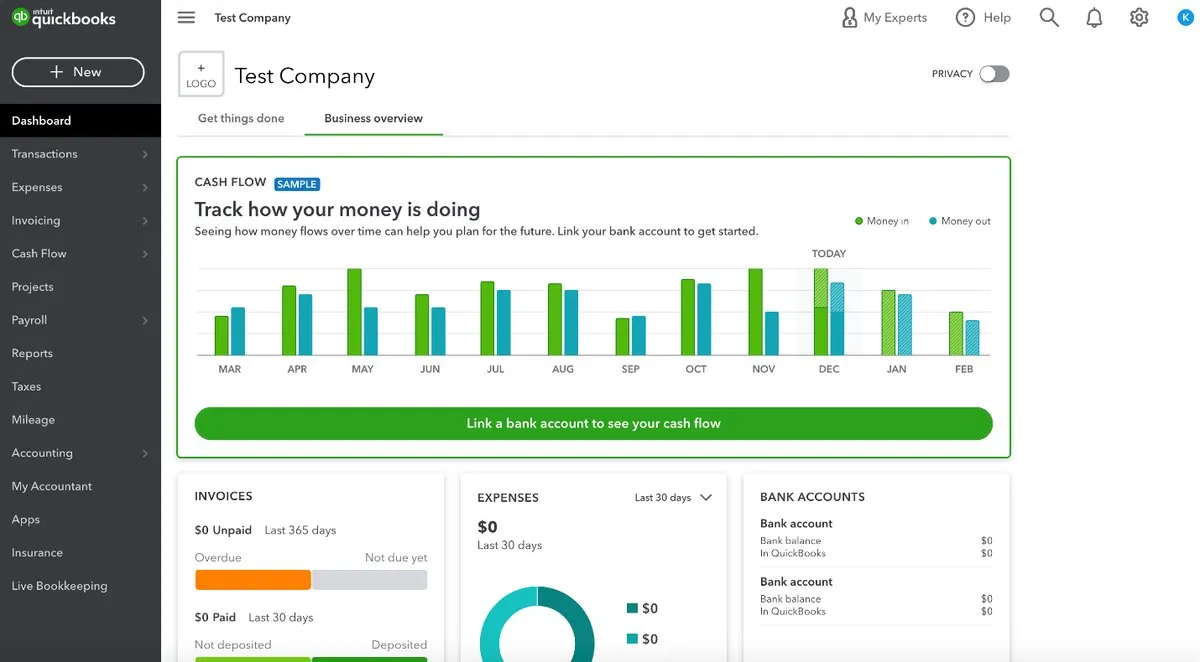
QuickBooks is one of the most popular accounting software in the world. It's designed by Intuit to help small business owners manage their finances without needing deep accounting knowledge.
QuickBooks Online runs entirely in the cloud. You log in through your browser or mobile apps, connect your bank accounts and the software automatically imports transactions. The intuitive interface makes it easy to track income and expenses, send invoices and prepare for tax season.
QuickBooks Online has four levels (Simple Start, Essentials, Plus and Advanced) for small businesses. Pricing plans range from $38 to $275 per month. There's also QuickBooks Desktop for companies that prefer traditional software and QuickBooks Enterprise for large enterprise needs.
Core features include:
QuickBooks integrates with more than 800 third-party applications. Connect it to Shopify for e-commerce platforms, Salesforce for customer relationship management, or Bill.com for enhanced accounts payable automation.
The user-friendly interface is QuickBooks' biggest strength. You don't need accounting knowledge to get started. The software walks you through setup, categorizes transactions automatically and offers contextual help when you need it.
QuickBooks also includes payroll add-ons, receipt capture through mobile apps, and mileage tracking for business travel. It's built for business owners who need financial data fast without hiring a full accounting department.
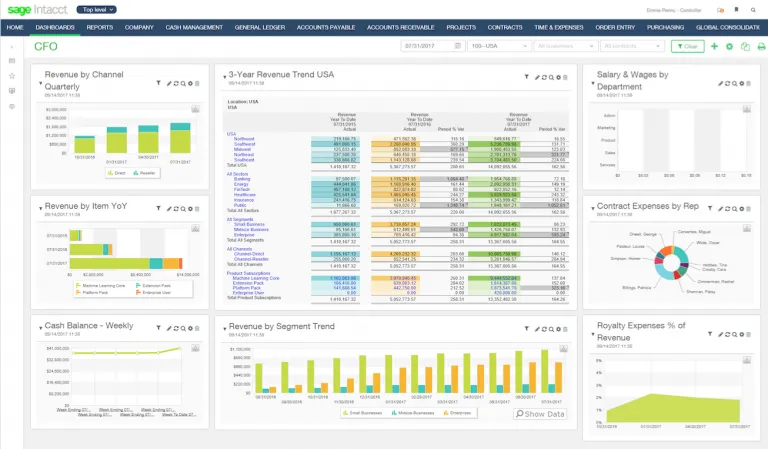
Source: Sage Partners
Sage Intacct is a cloud-based financial management system designed for mid-market companies and growing business requirements. It's an enterprise resource planning solution that goes beyond basic bookkeeping to handle multi-entity accounting, revenue recognition and dimensional reporting.
Think of it as QuickBooks' more sophisticated older sibling. While QuickBooks handles your day-to-day accounting tasks, this ERP system tackles complex financial operations across multiple locations and business entities.
The platform shines in automated financial processes, connecting purchase orders, expense tracking, accounts payable and accounts receivable. Sage's marketplace lists 350+ integrations, giving you flexibility to connect with other business applications.
Key features include:
Sage Intacct is the only accounting software endorsed by the American Institute of Certified Public Accountants. That matters if you're dealing with certified public accountants or need audit trails that stand up to scrutiny.
The platform works entirely in the cloud. You need an internet connection to access it, but that means your finance team can work from anywhere. No server maintenance, automatic updates and bank-level security come standard.
We're not here to pick a winner between Sage and QuickBooks, but to help you match the right tool to your business needs. Let's break down how these popular accounting software options stack up.
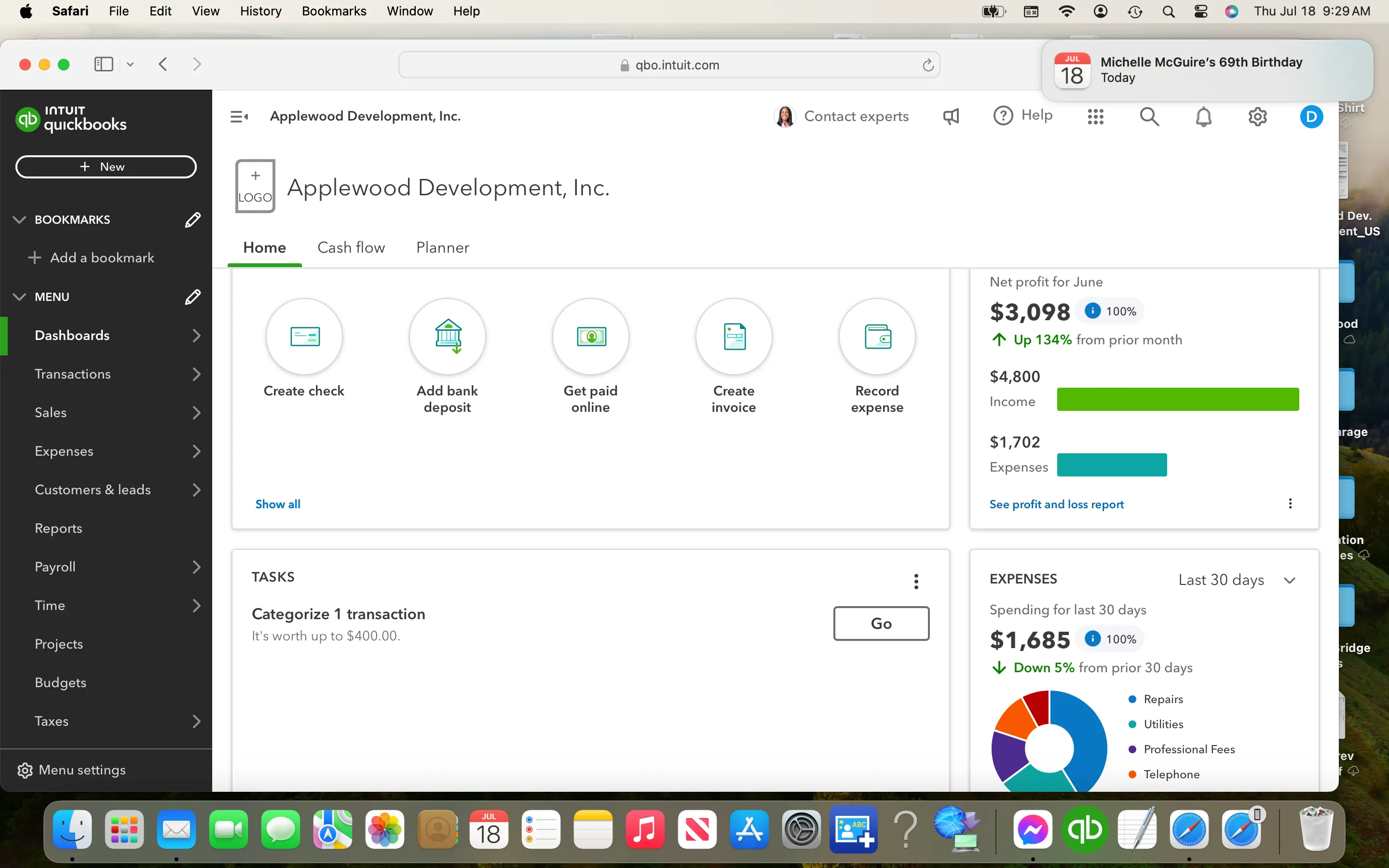
Source: QuickBooks
QuickBooks excels at core accounting capabilities. You get general ledger management, accounts receivable, accounts payable, bank reconciliation and basic revenue recognition. The intuitive interface makes it simple to record transactions, send invoices and track expenses.
This accounting solution also includes AI features for categorizing transactions, reconciliation, receipt capture and basic anomaly detection.
Sage Intacct delivers advanced financial management for complex accounting needs. Multi-entity consolidation? Check. Dimension-based reporting? Yes. Advanced revenue recognition with multi-element arrangements? Absolutely.
Sage also has AI tools for natural language queries and analysis with pattern recognition. The close agent accelerates month-end close by tracking tasks, flagging issues and flagging unusual entries.
Here's where the gap widens. QuickBooks supports up to 25 users on its Advanced plan. Sage Intacct scales to unlimited users with role-based permissions and workflow approvals. QuickBooks handles one legal entity well. Sage Intacct was built for organizations managing multiple entities, multiple locations and multiple currencies.
Sage Intacct has extensive automation options, reducing manual tasks and improving efficiency, while QuickBooks offers basic automation features but doesn't match Sage Intacct's level.
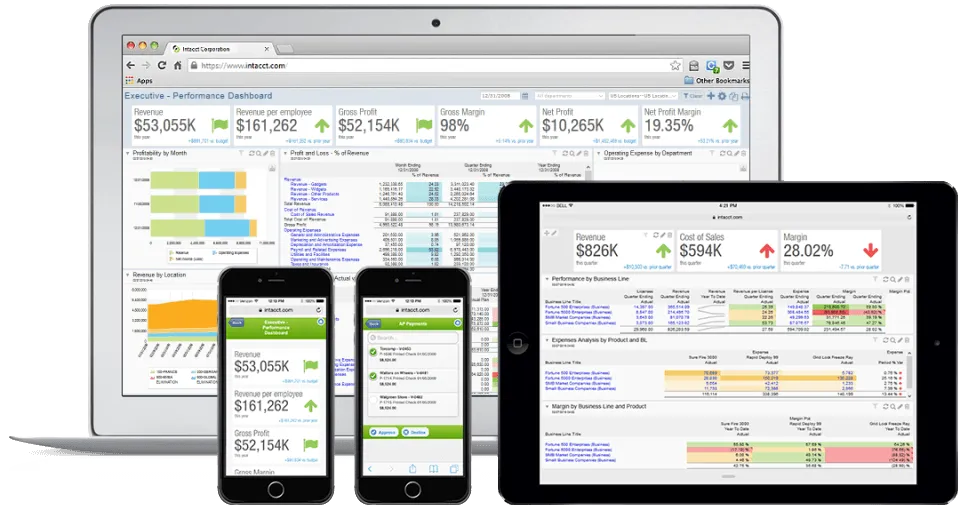
Source: Sage Partners
Both platforms understand that accounting software doesn't work in isolation. Your financial data lives across dozens of tools and you need easy data migration between them.
QuickBooks offers over 800 integrations through its app marketplace. Connect with popular platforms like Shopify, PayPal, Square and HubSpot. Most integrations are plug-and-play, designed for small businesses that need quick setup without additional development resources.
Sage Intacct provides 350+ prebuilt integrations, focusing on enterprise applications. Think Salesforce for customer relationship management, ADP for payroll and specialized tools for construction, nonprofits and professional services. The integration capabilities go deep, with APIs for custom connections.
The difference in integration strategy reflects each platform's target market. QuickBooks prioritizes ease of use and quick connections. Sage Intacct emphasizes complex workflows across business operations.
Both integrate with popular business tools, but Sage offers solutions for more sophisticated needs, although its setup can be more difficult.
QuickBooks Online pricing is transparent:
These are list prices, though Intuit frequently offers discounts for new customers. Add Payroll ($50+/month plus per-employee fees) and you've got your monthly cost, somewhat more complicated than it looks like at first glance, but clear. QuickBooks Enterprise runs higher, and you need to get a custom quote for that.
Sage Intacct doesn't publish pricing. Like many enterprise software vendors, they create custom quotes based on your needs. A typical Sage Intacct configuration for a small company starts around $20,000 for an annual subscription, but your actual cost depends on user count, business entities and advanced modules you select.
Why the opacity? Modern financial management systems at this level aren't one-size-fits-all. A company that needs basic core financials pays differently than one that requires project accounting, contract revenue management and multi-entity consolidation. Keep in mind implementation costsv on top of the functionality price.
QuickBooks offers phone and chat support during business hours for most plans. The knowledge base is extensive, and the user community is massive. You'll find YouTube tutorials for nearly any QuickBooks question.
The downside? You're often troubleshooting alone. Support can help with technical issues, but they won't advise on complex accounting scenarios or help optimize your financial processes.
Users appreciate the Sage Intacct's dedicated support team and availability of resources for resolving issues quickly. Sage Intacct includes implementation support through certified partners. These partners understand your industry and help configure the system correctly. Many customers work with ongoing support teams who know their setup.
The trade-off: QuickBooks gets you up and running in days with minimal help. Sage Intacct requires upfront investment in implementation but usually delivers the expertise when you need it.
QuickBooks wins this category hands down. The right accounting software should feel intuitive, and QuickBooks nails it.
The interface is clean. Navigation is straightforward. Common tasks like creating invoices, recording expenses or checking your cash flow take just a few clicks. QuickBooks assumes you're not an accountant and designs accordingly.
Sage Intacct has a steeper learning curve. The platform offers more power, which means more complexity. You'll invest time in training. The dimensional reporting that makes Sage so powerful also means understanding how to structure your data.
That said, "ease of use" depends on what you're trying to accomplish. If you're managing three entities with intercompany transactions and need consolidated financial statements, QuickBooks becomes hard. Sage Intacct, despite its complexity, actually makes that scenario easier because it was built for it.
Think of it like comparing a car to a commercial truck. The car is easier to drive around town. But if you need to haul construction equipment, the truck becomes the simpler choice.
Both platforms earn solid reviews, but they're playing different games.
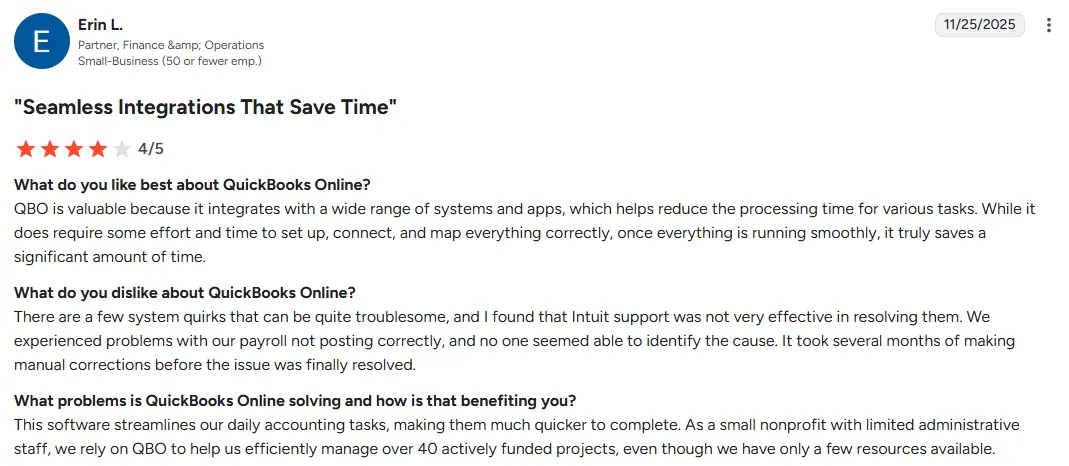
QuickBooks Online has a 4.0 score on G2 and 4.34 on Capterra, being particularly popular among small business owners who need straightforward accounting. Users love the easy setup and access, seamless integrations and simple invoicing. The downsides include limited customizability and feature limitations.
Source: G2
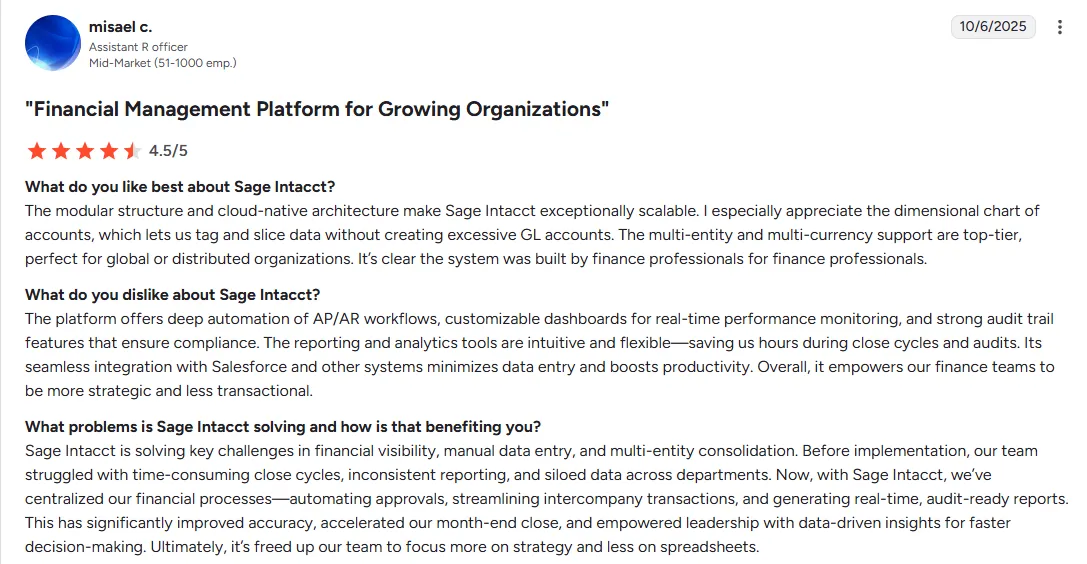
Sage Intacct has 4.3 stars on G2 and 4.26 on Capterra. Users consistently praise its robust features for financial reporting, and versatile, user-friendly modules. The complaints? Steep learning curve, limited scenario planning and recurring entities capabilities, and access limitations.
Source: G2
The pattern is clear: QuickBooks users love it until they outgrow it. Sage Intacct users appreciate it once they understand it.
Here's the uncomfortable truth: both Sage and QuickBooks are accounting software (OK, Sage extends into HR, payroll and budgeting, but still). They're excellent at recording what happened. They're not built to tell you what happens next, or how to steer your business towards sustainable profitability.
Sage and QuickBooks lack deep scenario planning, cash runway analysis, cohort-based metrics, board-ready investor reporting, and real-time business intelligence across all data sources.
That's where financial planning and analysis tools like Fuelfinance enter the picture.
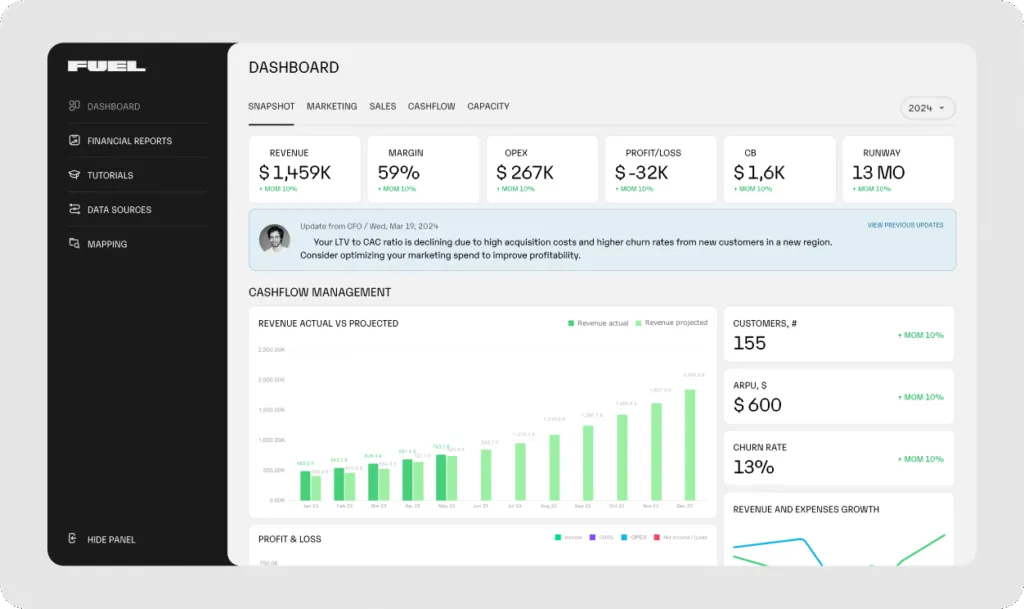
Fuelfinance doesn't replace QuickBooks. It connects with it (plus 350+ other sources) to give you functionality your accounting software can't deliver. Think of it as a financial management system that sits on top of your accounting software, giving you superpowers.
Here's what we mean:
The platform handles everything from budget vs actual comparisons to cash flow forecasting. It's the best FP&A software for growing companies that need strategic insights, not just transaction records.
You keep using QuickBooks or Sage for accounting. They're great at that. Fuelfinance adds the layer these tools miss: financial planning software that helps you make better decisions faster.
The setup takes days, not months. Connect your data sources through QuickBooks integrations and other connectors. Your dashboards populate automatically.
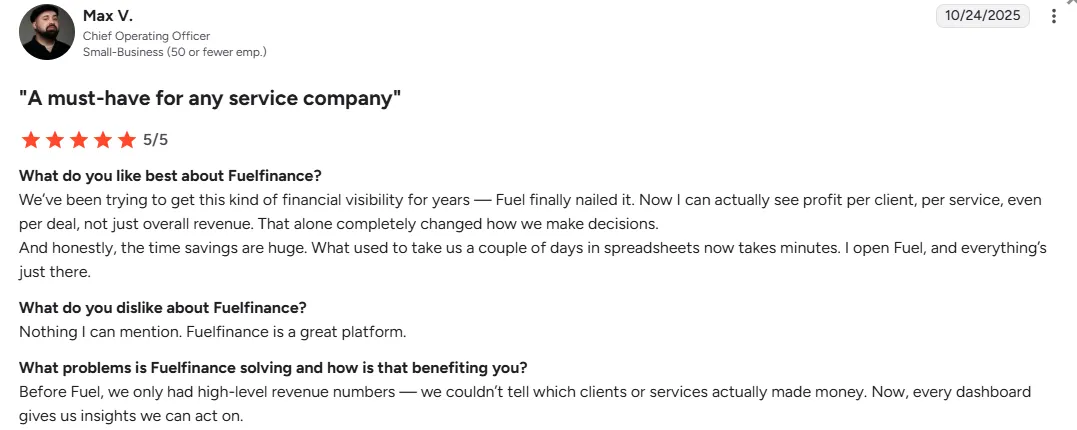
Companies using Fuelfinance spend less time organizing data and more time actually growing their business. That's small business financial management done right.
Source: G2
Sign up for Fuelfinance and transform how you manage your finances.

Choosing between Sage vs QuickBooks shouldn't be your only decision about financial software. The real question is: what do you need your financial tools to do?
If you're a small business with straightforward accounting needs, QuickBooks delivers excellent value. The pricing is transparent, setup is simple and you'll have financial data organized within days. But you can also check out this list of the best QuickBooks alternatives.
If you're managing multiple entities, dealing with complex revenue recognition or operating in a specialized industry, Sage Intacct makes sense. Yes, the implementation takes longer and costs more. But you're paying for capabilities QuickBooks can't match.
If you're a growing business that needs both accounting and strategic planning, consider a two-tool approach. Use QuickBooks or Sage for accounting basics. Add financial analysis software like Fuelfinance for forecasting, scenario planning and real-time insights that push you towards dynamic and sustainable growth.
Ready to add strategic financial planning to your accounting stack? Request a Fuelfinance demo and see what happens when you combine clean accounting data with AI-powered forecasting and expert CFO support. Make finance your fuel.
Sage Intacct is enterprise-level financial management software built for mid-market companies with complex needs like multi-entity consolidation and advanced revenue recognition. QuickBooks is accounting software designed for small businesses needing straightforward bookkeeping, invoicing and expense tracking. Sage handles multiple entities and locations seamlessly. QuickBooks works best for single-entity operations.
QuickBooks integrates with 800+ applications including Shopify, PayPal, Square, HubSpot and most popular small business tools. Sage Intacct offers 350+ integrations focused on enterprise applications like Salesforce, ADP and industry-specific platforms. Both connect with banking institutions, payment processors and CRM systems. Check each platform's marketplace for specific integrations relevant to your business.
Yes, if you want to make strategic decisions, not just record transactions. Accounting software (QuickBooks or Sage) tracks what happened. FP&A tools forecast what's coming. Fuelfinance connects to your accounting software and adds scenario planning, cash runway analysis, unit economics and AI-powered forecasting. You keep using your accounting platform for daily transactions and compliance. Fuelfinance adds the strategic layer for growth planning, investor reporting, and real-time financial intelligence. It's like having a CFO dashboard that works with your existing tools.
Sage Intacct was built for multi-entity management. It consolidates financial data across multiple legal entities, handles intercompany transactions, and generates consolidated reports automatically. This makes it ideal for companies with subsidiaries, multiple locations or separate business units. QuickBooks accounting software solution doesn't offer true multi-entity support, but Fuelfinance can help with that.


Just imagine how that would transform your team’s productivity and focus? Talk to our financial experts to know more.




.webp)