Outgrown QuickBooks? 10 Alternatives a CFO Would Pick
Oleksandr Riabukha
Head of R&D at Fuelfinance
October 8, 2026
Another Intuit price-increase email lands in your inbox. Or you add a second entity and discover that consolidation now means a spreadsheet nobody wants to touch. Or your month-end close has slipped to day 12 — again.
These are all reasons to reconsider QuickBooks, but they don't point to the same solution. A small business trying to lower its software bill needs something very different from a finance team managing multiple entities, currencies, and board reporting.
This guide compares 10 top QuickBooks alternatives by use case, from lower-cost accounting tools to full ERPs and FP&A platforms. It also explains when replacing QuickBooks makes sense, and when fixing or extending your current setup is the better option.
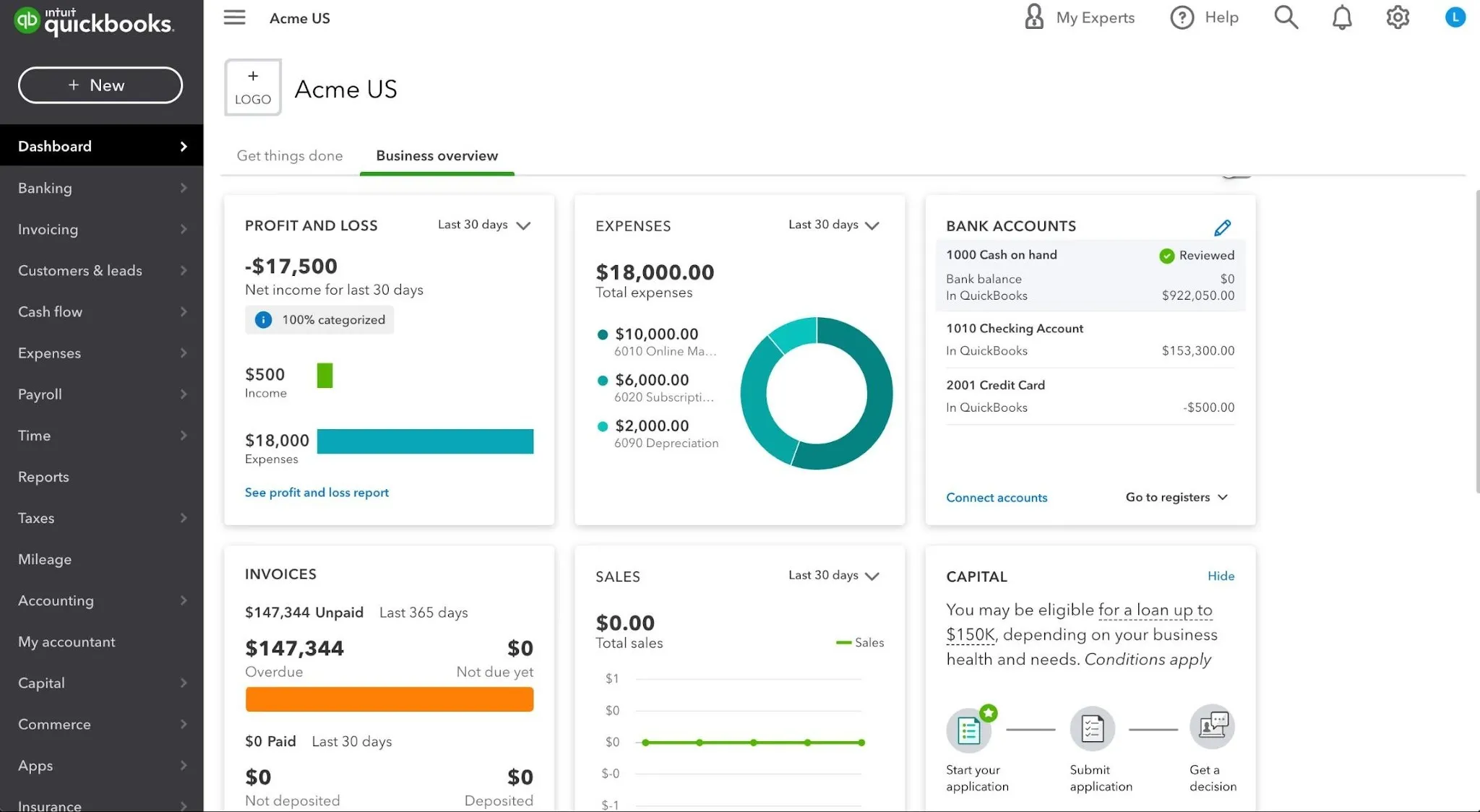
Have you actually outgrown QuickBooks?
Source: LiveFlow
Let's check the basics before you rip out your accounting system. Migrating is expensive, and half the time the real problem is a messy setup, not the software.
Signals you've outgrown QuickBooks:
Price-and-upsell fatigue. The QuickBooks Online Plus plan jumped from $70/month in 2020 to $115 in 2025 — a 64% increase in five years, with further increases in 2026. If the price keeps rising while your needs remain largely the same, it may be worth comparing the cost and features of other platforms.
Your plan’s user limit is getting in the way. QuickBooks Online Plus includes five billable users, while Advanced supports up to 25. If more people need full access and you’re considering a substantial plan upgrade mainly to add users, another platform may be a better fit.
Multi-entity consolidation still requires too much manual work. 31% of finance teams say reconciling bank accounts and ledgers between entities is their single biggest monthly pain. Sure, QuickBooks can support multiple currencies, and Advanced users can combine certain reports from multiple company files through Spreadsheet Sync. But if consolidation, currency conversion, intercompany eliminations, and group reporting still depend on manually maintained spreadsheets, you may need a system built around multi-entity finance.
Reporting no longer fits your needs. QuickBooks covers standard accounting reports well, but growing teams may still rely on spreadsheets to combine financial data with CRM, payroll, billing or operational metrics. If board reporting, forecasting, unit economics or cross-entity analysis requires substantial manual work every month, you may need a more advanced reporting or FP&A layer.
Your integrations still create manual work. QuickBooks connects with hundreds of business applications, but the available integrations may not sync the fields, entities or level of detail your finance team needs. If people still re-enter data or spend days reconciling systems every month, review the integration setup first, and then consider whether the underlying accounting platform still fits.
Sometimes it's not QuickBooks but the setup. A poorly structured chart of accounts, inconsistent bookkeeping processes, limited platform knowledge or badly configured integrations can make the software feel more restrictive than it is. Review the setup with an accountant or bookkeeper who knows QuickBooks before migrating.
If your core bookkeeping and accounting workflows work well, you may not need to replace the ledger. An FP&A platform can sit on top of QuickBooks data and add forecasting, management reporting, cash-flow planning, unit economics, and cross-system analytics.
The stay-vs-switch checklist
Consider whether the problem is with your setup, the capabilities around QuickBooks, or the accounting system itself.
Fix the setup first if:
Your chart of accounts, permissions, reconciliation processes or integrations have not been properly configured.
Your team is duplicating work because people use QuickBooks inconsistently or don't know which features are already available.
Keep QuickBooks and add an FP&A layer if:
Core bookkeeping and accounting work, but management reporting still requires data from your CRM, billing, payroll or other systems.
You need more advanced scenario planning, cash-flow forecasting, unit economics, board reporting or ongoing financial analysis.
You want more finance capabilities without migrating your ledger and rebuilding every accounting workflow.
Consider switching accounting systems if:
Multi-entity consolidation, intercompany reconciliation, eliminations or currency conversion still require substantial manual work.
You have reached the user or structural limits of your plan, and upgrading would not solve the underlying problem.
Core accounting workflows depend on repeated workarounds that can't be fixed through configuration or integrations.
The integrations you need cannot sync reliably or at the required level of detail, even after the setup has been reviewed.
The total cost of QuickBooks and the tools required around it is no longer justified by what the system delivers.
One reporting gap does not necessarily mean you need a new accounting platform. But one critical structural limitation may be enough to justify a switch.
What to look for in a QuickBooks alternative
Before you book demos, decide whether you actually need to replace QuickBooks or add capabilities around it. A services agency looking for simpler invoicing has very different requirements from a multi-entity SaaS company preparing for an audit or investor reporting.
Ask yourself these questions:
What problem are you solving? Is the priority lower costs, easier bookkeeping, stronger accounting controls, broader operations management, or better planning and analysis?
Do you need to replace or extend QuickBooks? If the ledger still works, a connected FP&A platform may be enough to add forecasting, reporting, scenario planning, and unit economics.
Can the solution support future complexity? Consider transaction volume, full-access users, entities, currencies, revenue models, and operational requirements.
Does its reporting fit the business? Some teams only need standard financial statements. Others need consolidated reporting, budgets, forecasts, board packs, and metrics drawn from several systems.
What will it really cost? Include subscriptions, users, implementation, data migration, integrations, training, support, and internal administration.
Will it work with your existing systems? Check the specific CRM, billing, payroll, banking and operational tools you use. Confirm what data is synced, how often it updates and how much manual cleanup or reconciliation remains.
What support do you need? Some products provide software only. Others require implementation partners, while some combine technology with ongoing FP&A or CFO support.
These questions should help you narrow the list into three paths: a simpler QuickBooks replacement, a more advanced accounting or ERP system, or an FP&A layer that gives you more financial capability without moving your books.
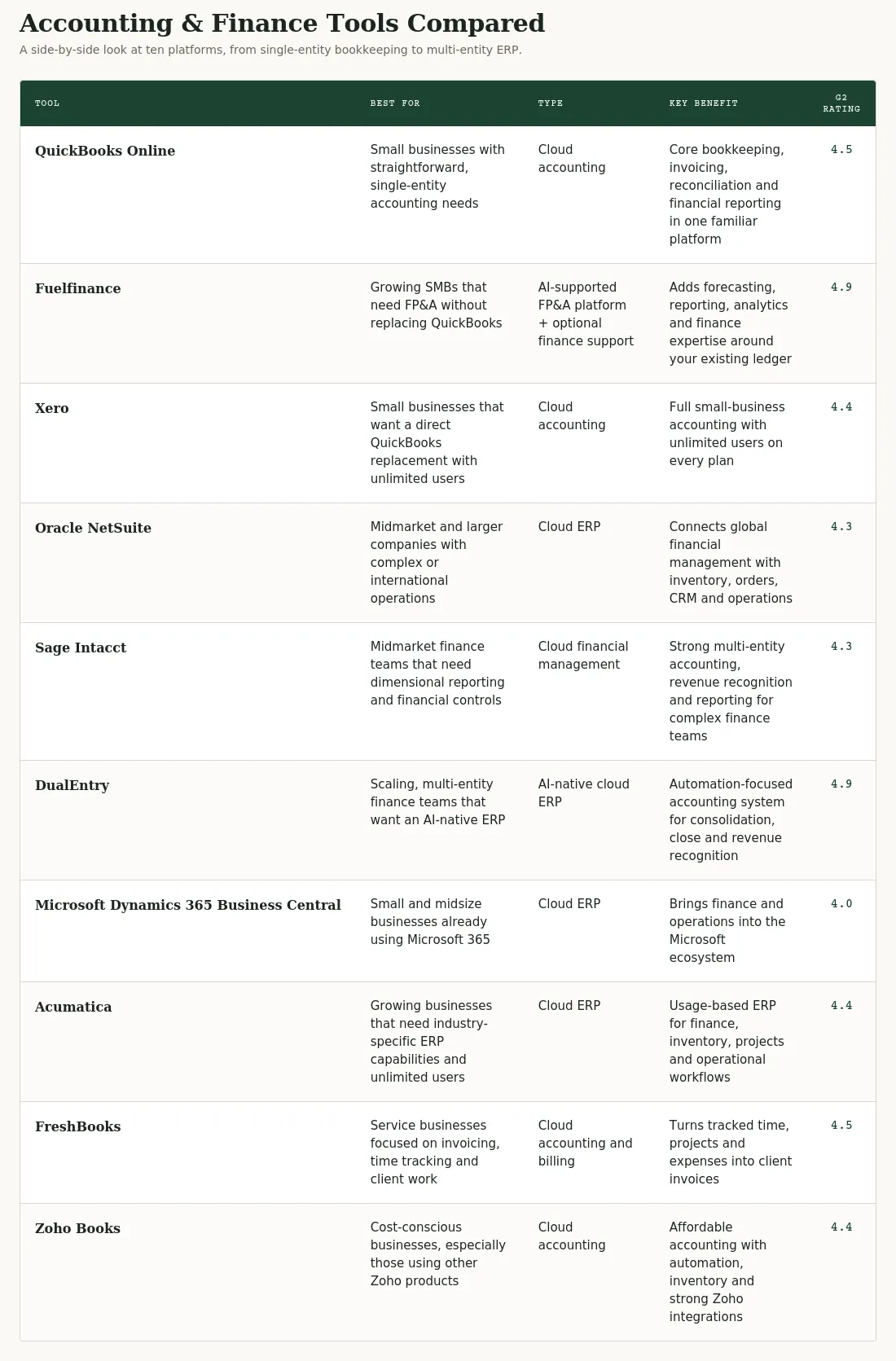
The 10 best QuickBooks alternatives at a glance
With those priorities in mind, here’s how the main QuickBooks alternatives compare.
Here’s a closer look at each option, including its strengths, limitations and best-fit use case.
Pick your alternative to QuickBooks: 10 best options to make sense of your financial data
1. Fuelfinance — best for adding FP&A and finance support without replacing QuickBooks
Fuelfinance is different from the accounting platforms on this list because it doesn't require you to replace QuickBooks as your ledger while adding the planning, reporting, analytics and finance support your business needs as it grows.
Fuelfinance connects accounting data with information from your banks, billing platform, payroll, CRM and other operational systems. You get one connected system for dashboards, budgeting, forecasting, unit economics, cash flow management, and advanced analytics and reporting.
This makes Fuelfinance the strongest option if your bookkeeping still works but financial management has become too complex for QuickBooks. You get more visibility and control without migrating your books, retraining the accounting team, or rebuilding every financial workflow. Depending on your needs, a dedicated FP&A manager or fractional CFO can assist with planning, board reporting, cost analysis, forecasting, and decision support.
Why small and growing businesses pick Fuelfinance:
One source of truth across more than 350 systems. Fuelfinance features a seamless integration of data from QuickBooks, banking, payroll, billing, CRM, marketing and operational tools. Model headcount, delivery capacity, departmental budgets, cash requirements, and the effect of different decisions on profit and runway.
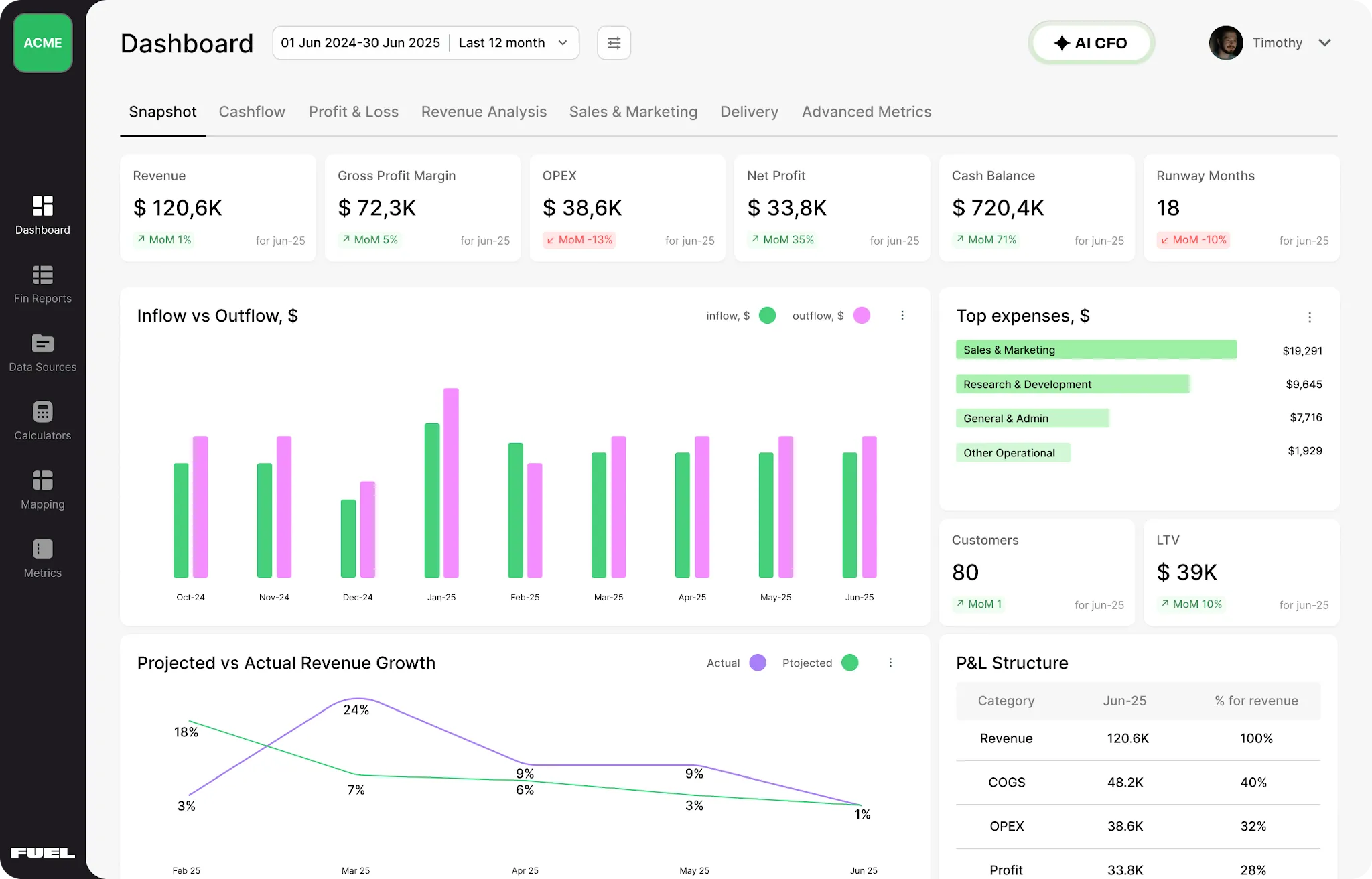
Automated reporting tools and live dashboards. Track P&L, cash flow, balance sheet, runway, revenue and other company KPIs without rebuilding reports manually. Dashboards are available through a customizable web interface, while teams that prefer spreadsheets can continue working in Google Sheets and connect Fuel. You can even build any custom dashboard from scratch from a single prompt.
Driver-based and AI-assisted forecasting. Build forecasts using real business drivers such as pipeline, conversion rates, contract value, churn, hiring, capacity and expenses. Compare scenarios and track plan versus actual performance as forecasts update automatically.
Driver-based forecasting and scenario planning. Build revenue forecasts around factors such as pipeline, conversion rates, contract value, expansion and churn. You can also model headcount, capacity, expenses, cash and runway under different scenarios.
Unit economics. Analyze metrics such as CAC, LTV, payback period, retention, contribution margin, and profitability by product, project, plan or customer segment.
Multi-entity reporting. Consolidate information from several legal entities and currencies into one view, while retaining the ability to examine individual subsidiaries.
AI-assisted financial analysis and anomaly detection. Fuelfinance can summarize financial results and flag unusual costs, duplicate transactions, revenue gaps and mapping issues. Fuel MCP also lets you query the actuals, forecasts, and business context stored in Fuel through Claude, ChatGPT, or another MCP-compatible tool.
Finance expertise when you need it. Fuel is not only a software subscription. Work with a dedicated finance professional who understands your model, reviews the numbers, answers questions, and helps turn the analysis into decisions that drive your business forward.
One of our clients, O0 Design, hit 2x YoY growth while cutting time spent on financial management in half. Another happy customer, Petcube, got a solution that was 5x better and 10x cheaper than their in-house finance department.
Best for: Growing SMBs that want to keep QuickBooks or another existing accounting platform but need more advanced forecasting, consolidated reporting, financial analysis and access to finance expertise.
Watch out: Fuelfinance is an FP&A and financial management solution, not a replacement general ledger or an app for generating invoices. It's more than you need if your requirements stop at invoicing, expense tracking and basic financial statements.
Want more financial capability without migrating your books?Book a Fuelfinance demoto see how it works with your finance stack.
2. Xero — best direct QuickBooks Online alternative for small business owners
Xero is a cloud accounting platform and one of the closest direct alternatives to QuickBooks. It covers invoicing, bill management, bank reconciliation, reporting, payments, sales tax, purchase orders, fixed assets and basic inventory tracking.
Every Xero plan includes unlimited users, while QuickBooks limits users according to the plan. Both platforms support similar accounting tasks, but they package their advanced features differently. Xero includes project tracking, multicurrency, employee expense claims and its most advanced analytics in the Established plan. QuickBooks includes project profitability and inventory in Plus, while multicurrency is available from Essentials upward.
Invoicing and payments. Create and send quotes and invoices, automate payment reminders, accept online payments and track outstanding balances.
Bank feeds and reconciliation. Connect bank accounts, import transactions and use suggested matches to reconcile them. Automated reconciliation through JAX is currently available in beta on the Growing and Established plans.
Basic reporting and analytics. Run and customize reports such as profit and loss, balance sheet, cash flow, aged receivables and payables and budget variance. Depending on the plan, Xero also provides customizable dashboards, KPI analysis, financial health scorecards and cash-flow forecasts covering 30, 60 or 180 days.
Inventory, projects and expenses. Track up to 4,000 inventory items, update stock levels from invoices and purchase orders, calculate cost of goods sold and monitor inventory value. The Established plan includes project time and cost tracking, job profitability, employee expense claims and mileage tracking.
AI assistance. Xero is introducing JAX, an AI finance assistant that can help with administrative tasks, reconciliation and questions about financial data. Xero subscribers can also connect their live accounting data to Claude to ask questions about revenue, cash flow, overdue invoices and business performance.
Best for: Small businesses, accountants and bookkeeping teams that need a full cloud accounting system, unlimited user access and a broad third-party app ecosystem in an intuitive interface.
Watch out: Each business or legal entity requires its own Xero organization and subscription. Xero provides free 24/7 online support and can arrange a callback, but there is no inbound customer-support phone number. Its native planning and analytics mainly cover accounting data, so businesses that need cross-system forecasting, unit economics, board reporting or ongoing finance support may still require a dedicated FP&A platform.
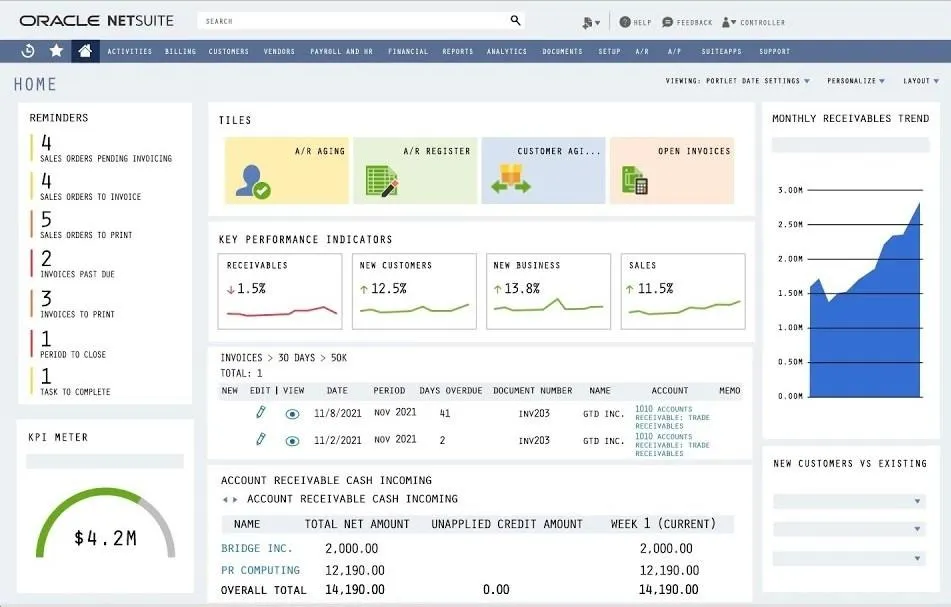
3. Oracle NetSuite — best full-featured accounting software for complex/global operations
Oracle NetSuite is a cloud ERP that includes accounting, financial management, inventory, order management, supply chain, CRM, ecommerce and other operational workflows. The financial management suite covers core accounting, subscription billing, planning and budgeting, revenue recognition, reporting, consolidation, and governance and compliance.
While QuickBooks is an accounting platform for small and growing businesses, NetSuite is for companies that need their accounting system to connect with broader business operations. Instead of adding separate systems around the ledger, a company can use NetSuite to manage financial and operational processes on the same platform. NetSuite OneWorld adds global accounting capabilities (multiple entities, currencies, languages, tax requirements and accounting standards).
Accounting and financial close. Manage the general ledger, AP, AR, cash, fixed assets, taxes, approvals, reconciliation and period-end close.
Multi-entity and global financial management. Consolidate subsidiaries and currencies, manage intercompany transactions, and automate matching, settlement and elimination entries.
Planning and budgeting. Build forecasts using financial, headcount and operational data, model what-if scenarios, and compare plans with actual results. NetSuite’s planning capabilities can operate in the broader ERP data model.
Revenue recognition and subscription billing. Automate revenue schedules and recognition processes for businesses with subscription, contract and recurring-revenue models.
Inventory, orders and supply chain. Manage purchasing, inventory across locations, order fulfillment, warehouse processes, manufacturing inputs and supply planning alongside the financial records generated by those activities.
Reporting and role-based dashboards. View real-time financial and operational metrics, drill from consolidated results into individual transactions, and create reports, workbooks, saved searches, and dashboards for different roles.
Embedded AI and automation. NetSuite is adding AI throughout the suite for close management, reconciliation, narrative summaries, pricing analysis, forecasting and identifying relevant business insights. These capabilities use data already held across the unified ERP.
Best for: Midmarket and larger businesses with multiple entities, international operations, inventory, complex order-to-cash processes or operational requirements that need to be managed alongside accounting.
Watch out: NetSuite replaces QuickBooks as the core accounting and operational system, so adoption involves data migration, process design, configuration and training. Pricing is quote-based: the annual license depends on the core platform, selected modules, and number of users, and NetSuite also charges a one-time implementation fee.
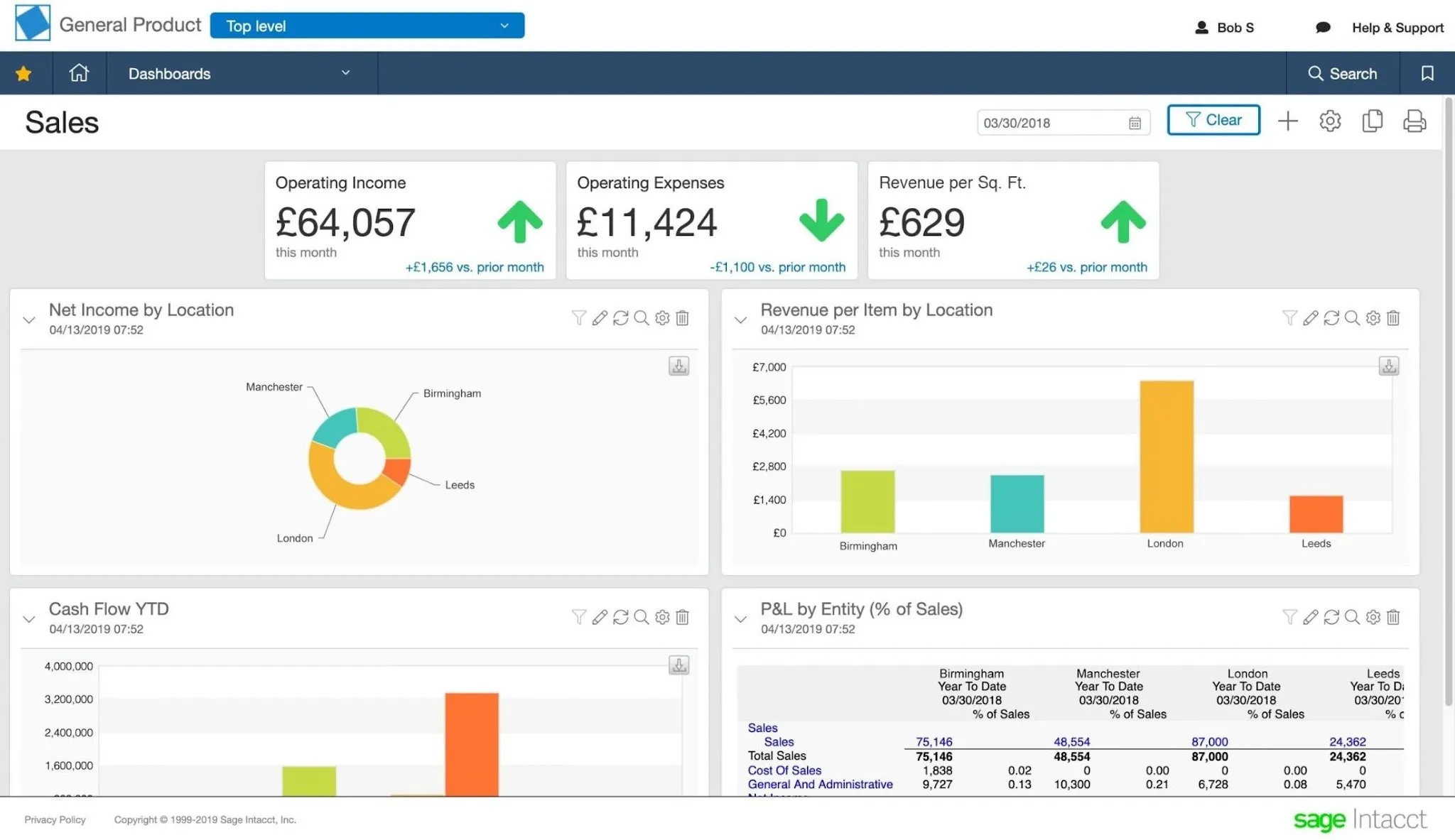
4. Sage Intacct — best for midmarket financial management and dimensional reporting
Sage Intacct is a cloud accounting and financial management platform for growing and mid-sized companies. The financial suite includes the general ledger, accounts payable, accounts receivable, cash management, order management and purchasing, with additional modules for consolidation, revenue recognition, planning, project accounting, inventory or fixed assets.
Compared with QuickBooks, Sage Intacct gives more depth for organizations that need to report across entities, departments, locations, customers, projects, grants, products and other dimensions.
Core financial management and controls. Manage accounting workflows with configurable approvals, recurring transactions, payment controls, and real-time reporting.
Advanced reporting and analytics. Tag transactions by location, department, project, customer, vendor, employee, item, or custom dimension without expanding the chart of accounts. Create custom financial reports, dashboards, visualizations, KPI views and industry-specific analytics. Sage also offers SaaS intelligence for metrics such as recurring revenue and investor-focused performance indicators.
Multi-currency support and entity consolidation. Consolidate results across entities and currencies, then drill from group reports into individual companies.
Revenue recognition and planning. Automate ASC 606 and IFRS 15 revenue schedules. Optional planning tools support budgets, driver-based forecasts, rolling forecasts and scenarios.
Project accounting and AI. Track project revenue, costs, time, billing, and profitability. AI tools assist with bill capture, matching, duplicate detection, close tasks, and journal entry review.
Integrations and industry extensions. Sage Intacct’s marketplace connects the financial platform with CRM, payroll, point-of-sale, AP, AR and industry-specific applications. Implementation and customization can be handled through Sage Professional Services or the partner network.
Best for: Midsize finance teams, particularly in SaaS, professional services, nonprofits, healthcare and other reporting-intensive sectors, that need dimensional reporting, multi-entity consolidation, revenue recognition and stronger financial controls.
Watch out: Sage Intacct uses custom, modular pricing based on the organization’s size and selected capabilities, so there is no standard public subscription price. Features such as planning, project accounting, revenue recognition, and other extended capabilities may affect the final scope and cost. Implementation is also more involved than setting up QuickBooks; Sage says professional services implementations need at least 60 days.
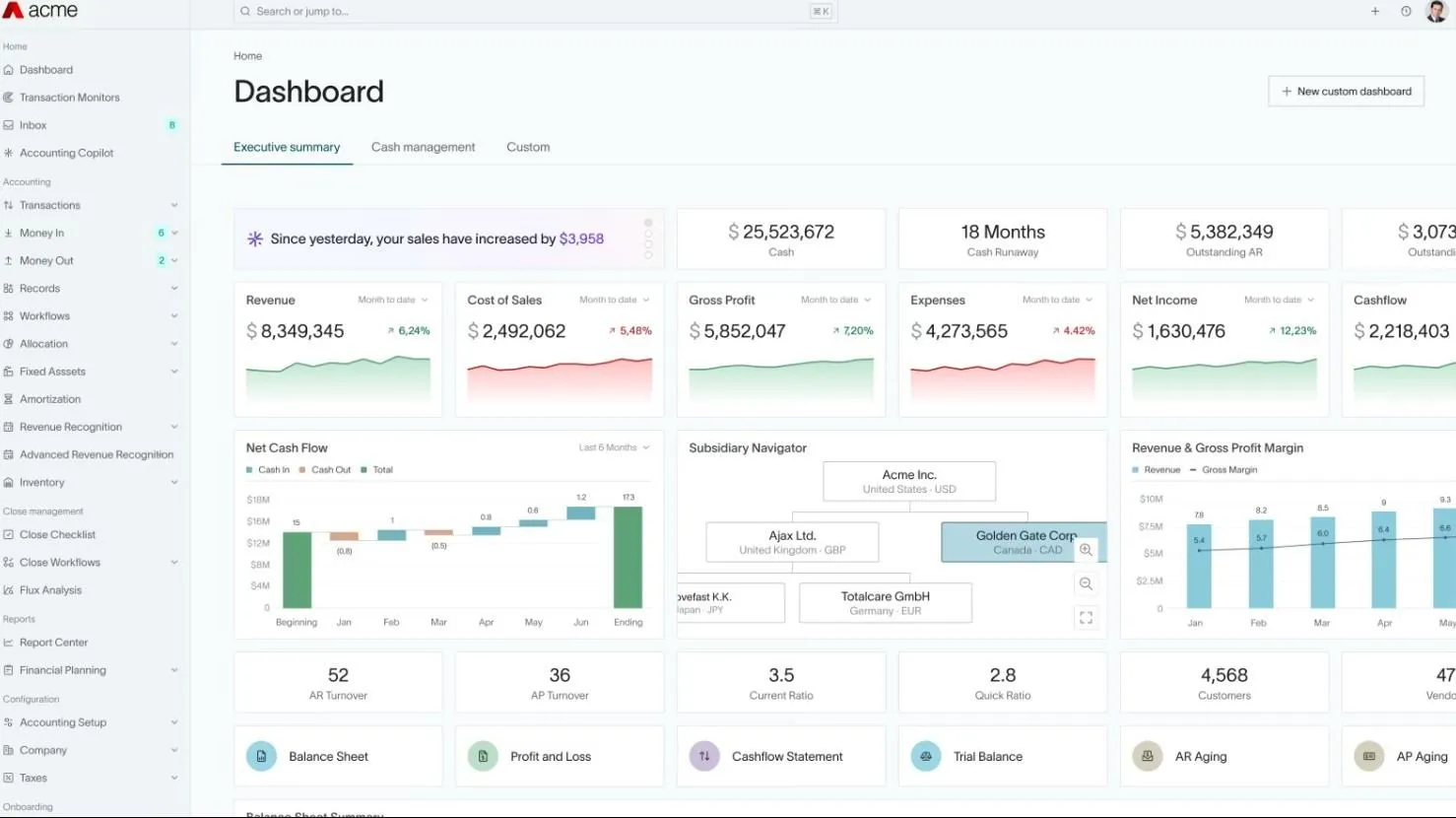
5. DualEntry — best AI-native ERP for scaling, multi-entity finance teams
DualEntry is a cloud ERP and general ledger built around accounting automation and AI. Its suite covers the general ledger, accounts payable and receivable, cash management, reconciliation, close management, fixed assets, purchase and order management, subscription billing, revenue recognition, reporting, budgeting and multi-entity accounting.
Like NetSuite, Sage Intacct and Business Central, DualEntry replaces QuickBooks as the underlying accounting system. It's for finance teams that need native multi-entity, multi-book and multi-currency accounting, more extensive audit controls than QuickBooks allows, automated revenue recognition and consolidated reporting.
Source: Capterra
Key DualEntry features:
AI-assisted general ledger and close. Automate bank matching, transaction categorization, reconciliations, flux commentary, anomaly detection, allocations, and close workflows.
Multi-entity support and multi-currency accounting. Consolidate subsidiaries, automate intercompany settlements and eliminations, perform revaluations, and maintain consolidated exchange rates.
AP, AR and revenue recognition. Manage bills, approvals, purchase orders, invoices, collections, and revenue schedules compliant with ASC 606 and IFRS 15.
Reporting, analytics and planning. The platform includes granular reporting, KPI tracking, flux analysis, budgeting, forecasting, cash management and real-time consolidated reports.
Audit and compliance controls. Multi-book accounting, approval workflows, full transaction histories, audit-ready reporting and controls intended for organizations preparing for more demanding audits or an eventual IPO.
Software and bank integrations. DualEntry lists more than 200 software integrations across CRM, HRIS, payroll, AP, AR, tax, BI and data systems, along with more than 13,000 global bank feeds. Connectors include Salesforce, HubSpot, Stripe, Ramp, Brex, Gusto, Workday, Rippling, Deel and Avalara.
Best for: Scaling and midmarket finance teams (particularly those with multiple entities, currencies, subscription revenue, complex reconciliations or audit requirements) that want to replace QuickBooks with an automation-focused ERP.
Watch out: DualEntry capabilities vary by plan: entity limits, multi-currency consolidation, advanced revenue recognition, planning, dynamic allocations and SAML are not available at the same level across all tiers. It's a newer platform, so before migrating, confirm that your required accounting, tax, localization, industry and integration workflows are fully supported.
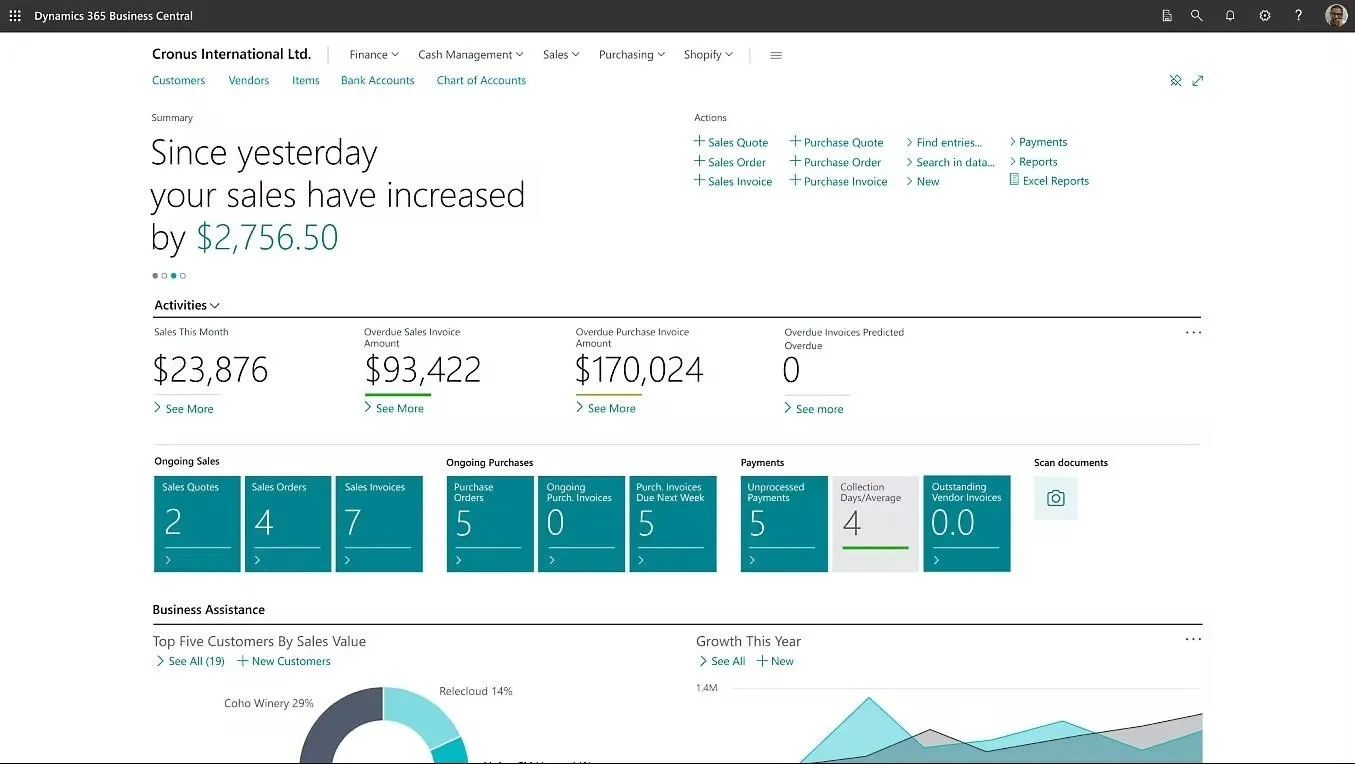
6. Microsoft Dynamics 365 Business Central — best for the Microsoft ecosystem
Microsoft Dynamics 365 Business Central is an ERP for small and midsize businesses that connects finance, sales, service, projects, inventory and operations.
QuickBooks Online focuses on accounting tasks such as invoicing, bills, expenses, reconciliation, reporting, inventory and project profitability. Business Central replaces it with a broader operational system that can manage the transactions behind the accounting records, including sales orders, purchasing, inventory, projects, warehousing, manufacturing and service management.
Microsoft Copilot is included in the Essentials and Premium plans, adding AI-assisted workflows and analysis across the platform.
Source: Microsoft
Key Business Central features:
Financial management. Manage the general ledger, payables, receivables, cash, banking, fixed assets, budgets, taxes and financial reporting. Business Central also includes cash flow forecasting and tools for analyzing finance data through built-in reports, Excel and Power BI.
Multi-company accounting. Consolidate companies, manage intercompany activity, convert balances and process eliminations.
Sales, inventory and project management. Handle quotes, orders, purchasing, inventory, item costing, locations, project budgets, resources, time, and profitability.
Manufacturing and services. The Premium plan includes manufacturing and service-management functionality, including production orders, bills of materials and work centers, supply planning and related inventory processes.
Microsoft 365 integration. View and edit Business Central data in Excel, work with invoices and quotes from Outlook, share records through Teams, store documents in OneDrive, and connect the system to Power BI. Adapt Business Central using partner applications from Microsoft Marketplace and connect it with existing systems such as payroll.
Reporting and analytics. Use built-in reports, analysis mode, Excel reports and dedicated Power BI apps for finance, sales, purchasing, inventory, projects and manufacturing. More complex cross-source dashboards and sharing scenarios may require separate Power BI licensing and configuration.
Copilot and workflow automation. Copilot assists with bank reconciliation, cash-flow projections, data analysis, product information, etc.
Best for: Small and midsize businesses already invested in Microsoft 365 that want to replace QuickBooks with a connected ERP for finance, inventory, sales, projects, distribution, service or manufacturing.
Watch out: Business Central is sold and supported through Microsoft’s partner network. A partner helps evaluate, license, configure, migrate, implement, localize and train users on the system. The published per-user subscription represents only part of the total cost; partner services, integrations, extensions, Power BI requirements and ongoing customization should also be included in the evaluation.
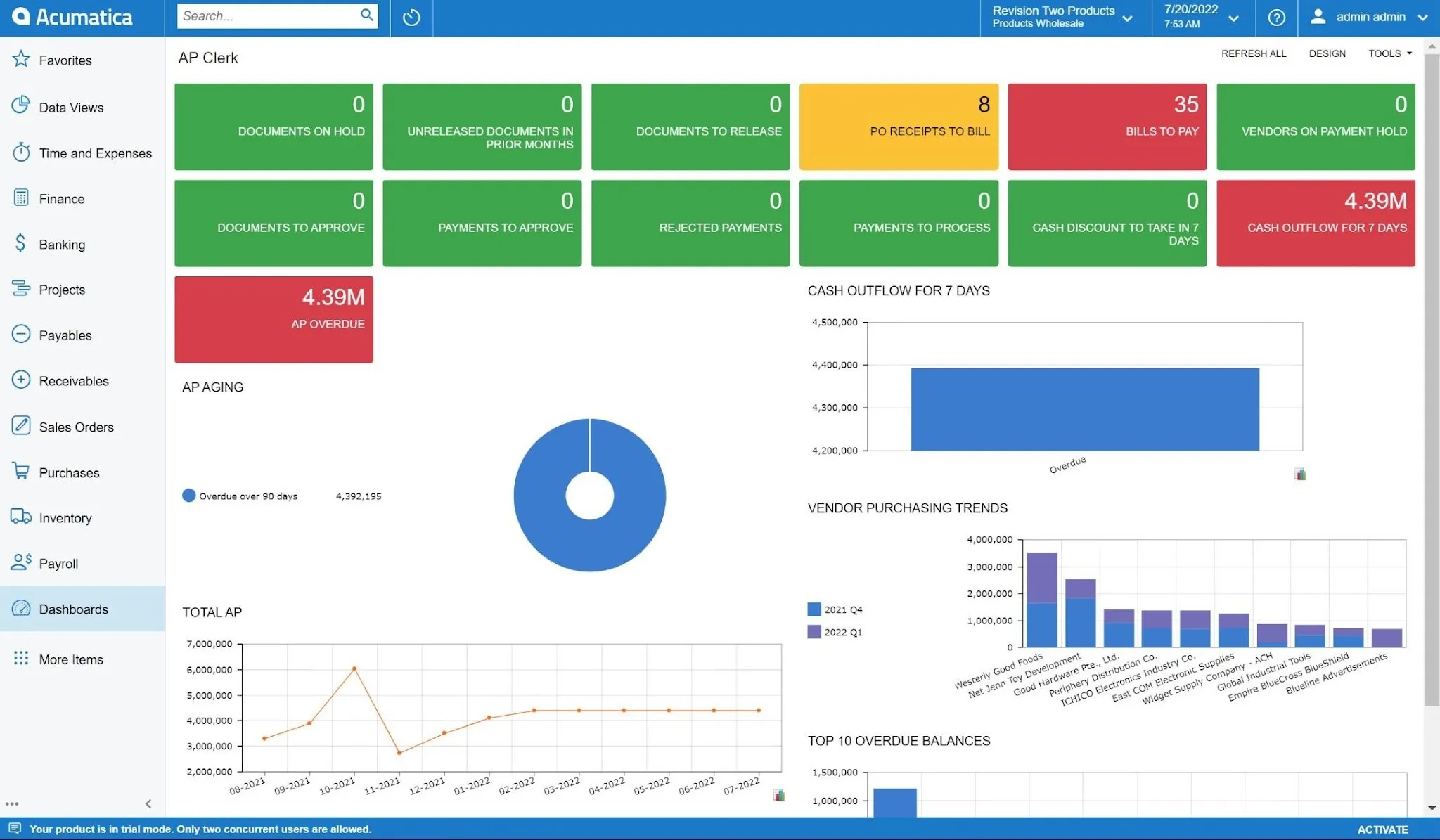
7. Acumatica — best ERP for unlimited users and industry-specific operations
Acumatica is a cloud ERP for small and mid-sized businesses that combines financial management with operational tools for inventory, distribution, manufacturing, construction, retail, field service and professional services. It includes customer relationship management tools, project accounting, reporting, dashboards, workflow automation and multi-entity accounting.
Acumatica manages broader business processes; QuickBooks focuses on accounting workflows, while Acumatica can replace QuickBooks with a connected ERP where finance, customer management, projects, inventory, purchasing, production and industry-specific operations interconnect.
Source: Polaris Business Solutions
Key Acumatica features:
Financial and multi-entity management. Manage the general ledger, AP, AR, cash, fixed assets, taxes, budgets, revenue recognition, multicurrency accounting, consolidation and intercompany transactions.
Project and professional services management. Track project budgets, actual costs, time, inventory, billing, resources, margin, and revised forecasts. Acumatica’s Professional Services Edition also includes project management and resource planning tools.
Inventory, distribution and manufacturing. Acumatica has tools for inventory-intensive businesses, with functionality for purchasing, order management, warehouses, fulfilment, bills of materials, production, demand planning and supply-chain operations.
CRM and reporting. Manage leads, opportunities, customers, cases, dashboards, consolidated reporting and transaction-level analysis. Create role-based dashboards, real-time financial and operational reports, consolidated reporting and self-service analysis.
AI-assisted workflows. Acumatica’s 2026 release includes an AI Assistant that can answer questions in natural language and generate charts or dashboards. It supports anomaly detection, demand forecasting, workflow assistance and governance controls for AI use.
Customization and integrations. Acumatica provides open APIs, configurable workflows, custom approval processes, and a marketplace for payroll, tax, ecommerce, reporting, HR and other extensions.
Best for: Growing and midsize businesses in distribution, manufacturing, construction, professional services, retail and field service, needing to connect accounting with industry-specific operations and multiple employees.
Watch out: Acumatica is a full QuickBooks replacement rather than an add-on. Pricing is available by quote. The product is implemented through Acumatica partners. The total investment includes configuration, migration, integrations, training and potentially custom development.
8. FreshBooks — best for service-based small businesses & invoicing
FreshBooks is cloud accounting and billing software for freelancers, consultants, agencies, contractors and other service-based small businesses. Its strongest capabilities are invoicing, online payments, time tracking, client management, project billing, proposals, retainers and expense tracking.
FreshBooks and QuickBooks Online both handle small-business accounting, but with different focuses. QuickBooks offers broader accounting, inventory and job costing. FreshBooks handles the workflow between performing client work, tracking time and expenses, sending an invoice and collecting payment.
Source: FreshBooks
Key FreshBooks features:
Invoicing and online payments. Create recurring invoices, collect deposits, automate reminders and late fees, and accept online payments.
Time tracking and project billing. Track billable time, project costs, budgets, services and expenses, then convert them into invoices.
Expenses and receipt capture. Import bank transactions, categorize expenses, scan receipts, track mileage, assign expenses to clients or projects and rebill them with an optional markup.
Accounting and financial reports. Higher plans include double-entry accounting, bank reconciliation, accountant access and reports such as the chart of accounts, general ledger, trial balance, profit and loss, balance sheet and business-health reports.
Accounts payable and project profitability. Handle vendor bills, accounts payable, bill capture and project-profitability analysis.
Basic inventory tracking. FreshBooks can store products and services, record their prices, track the quantity currently in stock, and reduce the quantity when an item is invoiced.
Payroll and app integrations. FreshBooks integrates with more than 100 partners across payments, payroll, CRM systems, ecommerce, analytics and productivity. Payroll is available as a paid add-on powered by Gusto in the US.
Customer support. You get phone and online support through an in-house team.
Best for: Freelancers, consultants, agencies, contractors and small professional-services businesses that invoice clients for time, projects, retainers or recurring work.
Watch out: FreshBooks’ lower plans are limited by the number of billable clients, and additional team members cost extra. Full double-entry reports require Plus or higher, while accounts payable and project-profitability reporting require Premium or Select. Businesses that need advanced inventory, multi-entity consolidation or broader FP&A will need additional systems.
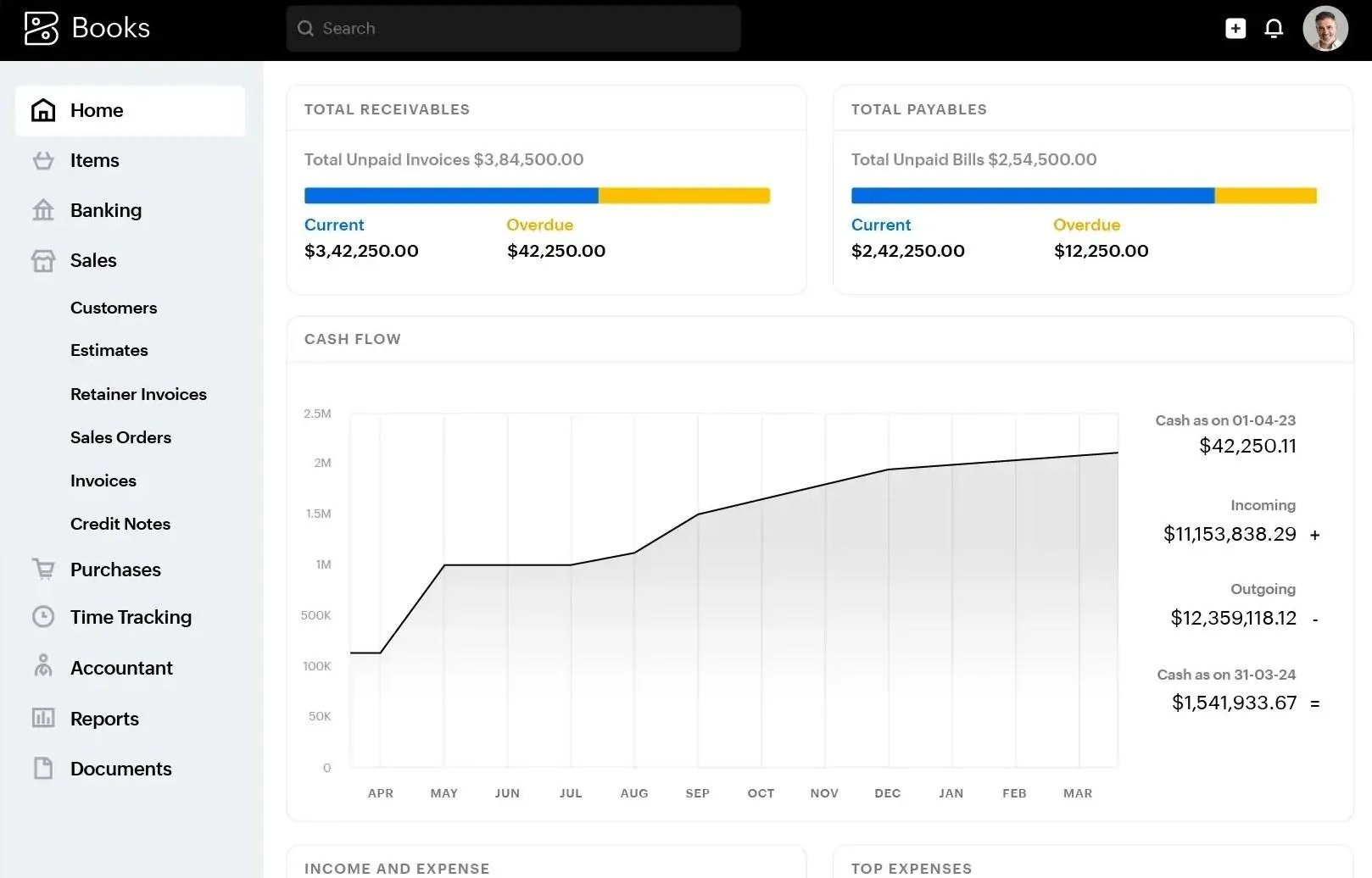
9. Zoho Books — best budget all-in-one inside the Zoho suite
Zoho Books is a cloud accounting platform with invoicing, expenses, bills, banking, reconciliation, sales tax, reporting, projects, time tracking, inventory, multicurrency transactions, workflow automation, budgeting and cash-flow forecasting features.
Like QuickBooks, Zoho can serve as the company’s accounting system. This one connects with the wider Zoho ecosystem, though. Zoho Books can synchronize customers, vendors, products, quotes, invoices, sales orders and purchase orders with Zoho CRM, while Zoho Analytics can combine accounting data with information from other systems for more advanced reporting.
Bills, expenses and purchasing. Manage vendors, bills, recurring expenses, purchase orders, approvals, document capture and vendor payments.
Projects and time tracking. The Professional plan includes timesheets, project billing, retainers and project-profitability analysis. Bill by time, project completion, expenses or other project resources.
Inventory management. Professional includes core inventory, sales and purchase orders, price lists and reorder tracking. Elite adds warehouses, serial and batch tracking, composite items, bin locations, shipments, shipping labels, and connections to Amazon, Etsy, eBay and Shopify.
Budgeting, forecasting and revenue recognition. Features include budgets, cash-flow forecasting, fixed assets and revenue recognition.
Reporting and analytics. Track profit and loss, balance sheet, custom and scheduled reports, prebuilt data visualizations, KPI tracking, collaborative reporting and analysis.
AI and workflow automation. Zoho’s Zia assistant can answer questions in plain English, identify anomalies and help automate collections. Zoho Books also supports workflow rules, custom alerts, recurring actions, custom fields, custom modules and functions.
Zoho and third-party integrations. Zoho Books supports payment gateways, tax applications, marketplace extensions, webhooks and a REST API for custom third-party integrations.
Best for: Cost-conscious small and growing businesses that want a capable accounting platform, particularly those already using Zoho CRM, Projects, Expense, Inventory, Analytics or Zoho One.
Watch out: Advanced capabilities span several tiers. Inventory and multi-currency begin with Professional, while budgeting and forecasting require Premium, advanced inventory requires Elite, and the most extensive analytics require Ultimate. Each business is maintained as an independent Zoho Books organization, so companies managing several legal entities should confirm the required subscription and consolidation setup.
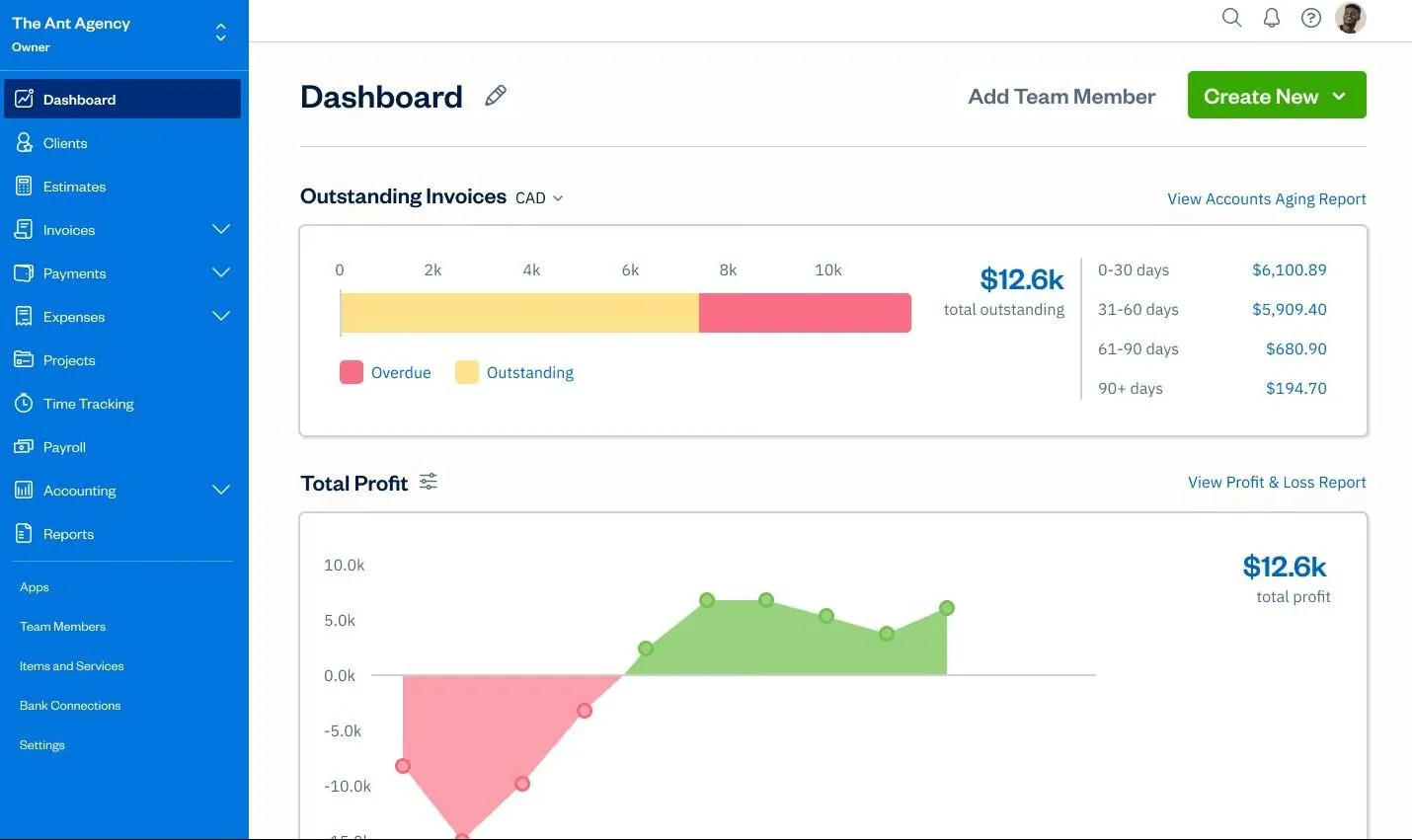
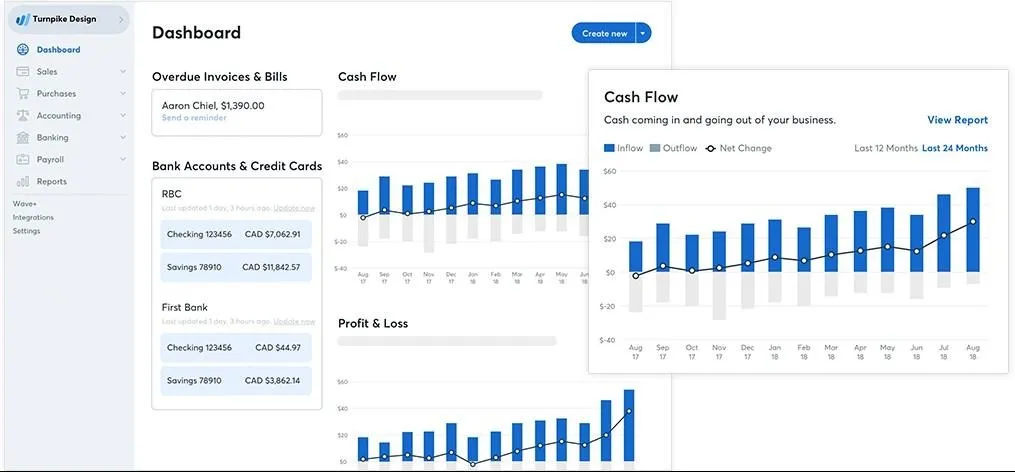
10. Wave — the free QuickBooks alternative for US and Canadian micro businesses
Wave is accounting and invoicing software for solopreneurs and small businesses in the United States and Canada. Its free plan includes unlimited estimates, invoices, bills and bookkeeping records, manual transaction entry, bank reconciliation, online payments and standard financial reports.
Compared with QuickBooks Online, Wave is a more limited but lower-cost accounting system. It covers the core records a small business needs, while QuickBooks offers greater automation and deeper functionality for inventory, projects, user permissions, reporting and connected business workflows.
Source: Software Advice
Key Wave features:
Free invoicing and bookkeeping. Starter includes unlimited estimates, professional invoices, bills and bookkeeping entries. Customize invoices, track customers and outstanding balances, record payments, and accept business transactions.
Banking and transaction automation. Starter users can upload bank statements manually, categorize transactions and reconcile accounts. The paid plan includes automatic bank feeds, transaction merging and categorization, and more automated bookkeeping updates.
Receipts and expenses. Pro includes unlimited digital receipt capture and expense tracking. Starter customers can purchase receipt scanning separately without upgrading the entire account.
Financial reporting. Wave has profit and loss, balance sheet, cash-flow statement, trial balance, general ledger, sales-tax, vendor, customer and payroll reports.
Foreign-currency transactions. Wave can record invoices, bills, bank accounts, and transactions in foreign currencies and converts their value into the business’s home currency for reporting.
Products and basic inventory accounting. Save products and services for invoices and bills. Wave can also record the inventory value through accounting entries, but it doesn't automatically calculate or track quantities and unit values.
Users and business profiles. A Wave account can hold up to 15 business profiles. Pro subscribers can invite admins, editors and viewers, but permissions can't be customized beyond predefined roles.
Integrations and additional services. Wave supports direct and partner integrations, connections through Make, existing Zapier workflows and developer access. Paid extras include online payment processing, payroll, receipt scanning and Wave Advisors for bookkeeping and financial guidance.
Best for: Freelancers, solopreneurs and microbusinesses in the United States or Canada that need basic bookkeeping, financial statements, invoicing and payment collection at little or no subscription cost.
Watch out: The Starter plan doesn't include automatic bank feeds or general collaborator access. Wave also lacks automatic unit-based inventory tracking, native cash-flow forecasting, project profitability and multi-entity consolidation. It's only available in the United States and Canada.
How to choose
Match the tool to your main need:
Lower-cost accounting: Wave or Zoho Books
A direct QuickBooks replacement: Xero
Invoicing and time tracking: FreshBooks
More advanced accounting or ERP: Sage Intacct, DualEntry, NetSuite, Business Central or Acumatica
Switching accounting systems may involve data migration, integration work, staff training and a period of validating both systems. An FP&A platform takes a different approach: it connects to your existing ledger, so you can add dashboards, forecasts, analysis and finance support without moving your books.
Stop wrestling QuickBooks. Start running your numbers.
The right choice depends on what stopped working for you. If QuickBooks can no longer support your entities, users, controls or core accounting workflows, moving to another accounting platform or ERP may be justified.
But if your books still close correctly and the real problem is forecasting, management reporting, unit economics or combining data from multiple systems, replacing QuickBooks could create a costly migration without fixing the main gap.
Fuelfinance takes a different approach. It connects QuickBooks with your banking, billing, payroll, CRM and operational data, then adds budgeting, forecasts, dashboards, financial analysis and optional support from FP&A managers or CFOs, without moving your books to a new ledger.
What is the best accounting solution alternative to QuickBooks?
There is no single best option as the right accounting software. Xero is a close direct replacement with unlimited users on every plan. Wave and Zoho Books are worth considering when cost is the priority, while FreshBooks is particularly suited to service businesses that rely on invoicing and time tracking. Sage Intacct, NetSuite, DualEntry, Business Central and Acumatica are designed for more complex financial or operational requirements.
Fuelfinance is the better fit when QuickBooks still works for accounting but the business needs stronger forecasting, reporting, analytics and finance support around it.
Is there a cheaper alternative to QuickBooks?
Yes. Wave offers a free Starter plan with basic bookkeeping and unlimited estimates, invoices, bills and accounting records. Zoho Books has a free plan and several paid tiers you can switch to. Compare the cost and saas pricing carefully, including users, automation, payments, integrations and any additional tools you may need.
What is replacing QuickBooks?
Growing businesses take one of three paths:
Move to another accounting platform such as Xero or Zoho Books.
Adopt a more advanced financial system or ERP such as Sage Intacct, NetSuite, DualEntry, Business Central or Acumatica.
Keep QuickBooks and connect an FP&A platform that adds forecasting, dashboards, planning and analysis.
Why are people leaving QuickBooks?
Common reasons include price increases, user limits, manual multi-company consolidation and the need for more complex accounting controls or operational workflows.
What is better than QuickBooks for a growing business?
It depends on how the business is growing. Xero may be suitable when you want a comparable accounting platform with unlimited users. Sage Intacct, NetSuite, DualEntry, Business Central and Acumatica offer more depth for multiple entities, complex controls, inventory, international operations or broader ERP requirements.
When the core accounting system still works, but the finance team needs cross-system reporting, scenario planning, unit economics, and ongoing financial guidance, adding an FP&A platform such as Fuelfinance may be more practical than replacing QuickBooks.