See The New Fuel Live Recording


You've outgrown QuickBooks. NetSuite keeps coming up. So the NetSuite vs QuickBooks decision lands on your desk, and you start pricing a six-month ERP rollout that runs roughly 10x what you pay today. Worth it? Maybe. Probably not in the way you're picturing, though. We'll settle the comparison plainly, and then we'll get to the question hiding underneath it — the forecasting and FP&A problem that no accounting software solution touches.
QB is the right accounting software when you're under roughly $25M in revenue, single entity, US-based, with reporting needs that don't get fancy. NS earns its keep above that — multi-entity, multi-currency support, inventory-heavy operations, or any company prepping for Series B or an IPO.
What everyone gets wrong: you don't outgrow QuickBooks because revenue crosses a magic number. You outgrow it when your business processes hit a wall of complexity.
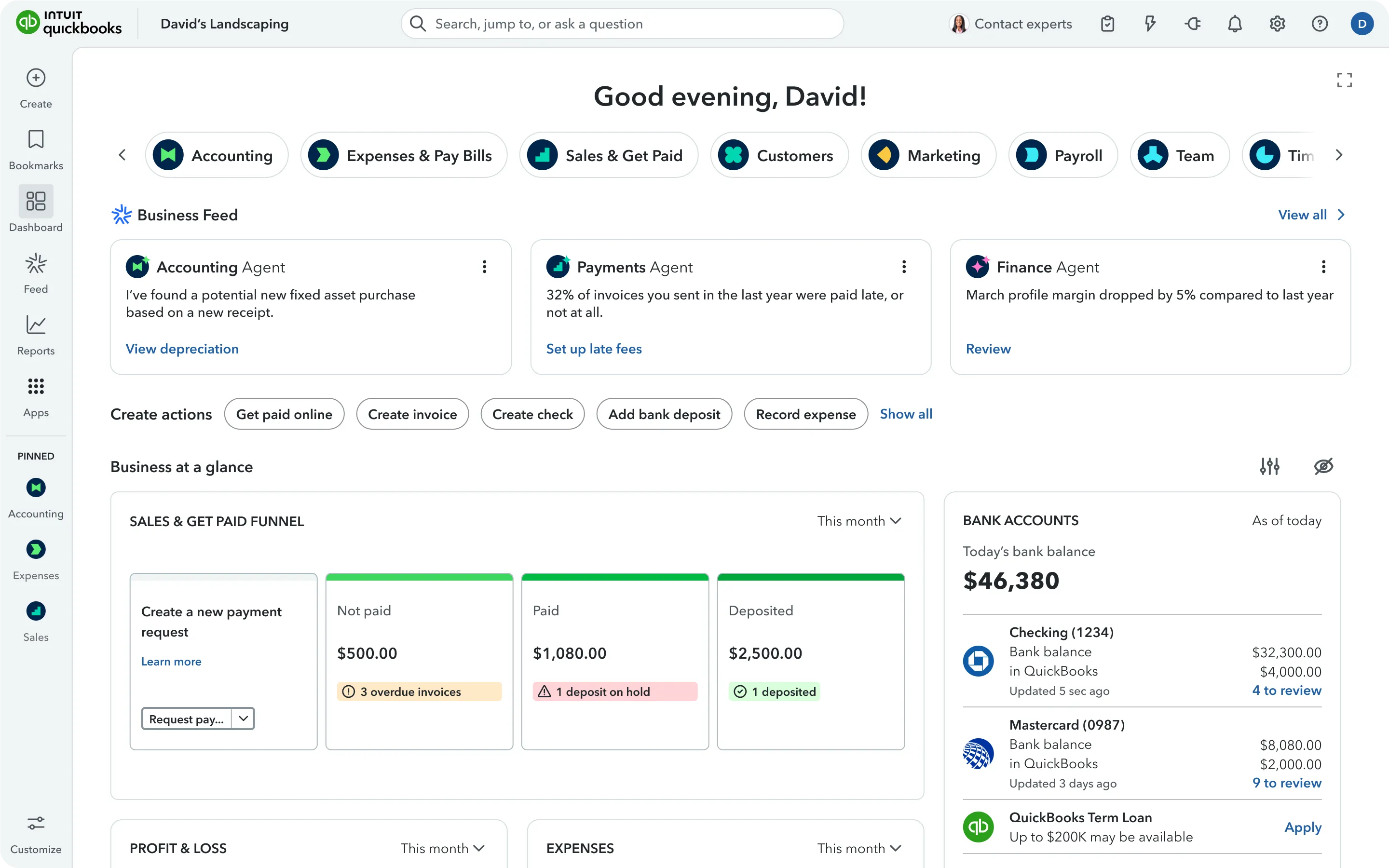
QuickBooks is Intuit's accounting software. There's QuickBooks Online, cloud-based with plan-based pricing, and QuickBooks Desktop Enterprise, the hosted heavyweight for medium-sized businesses. Some teams still run plain QuickBooks Desktop too, though Intuit has been nudging everyone toward online for years.
Source: G2
It handles bookkeeping, invoicing, payroll, tax management, income and expense tracking, and basic accounting that produces clean financial statements. The sweet spot covers companies under about $25M in revenue running a single US entity — agencies, service businesses, early-stage software shops.
The pricing QuickBooks offers stretches from $38/month for Simple Start to $275/month for QuickBooks Online Advanced. There's quite a gap in pricing between QuickBooks Online and Quickbooks Enterprise. Tiers for the latter start at $1,873/year and stretch past $5,364 for Diamond.
Setup takes about a week. There are 800+ third-party integrations. The accountant network is solid, the interface is user-friendly, and QuickBooks Enterprise offers more horsepower if you need it. You'll struggle to find an easier on-ramp for income and expense tracking.
The cracks appear as you grow. Multi-entity support is weak and usually includes workarounds. Inventory management is light. FP&A and scenario planning sit far outside its capabilities, and there's no true intercompany elimination. The reporting starts to feel boxed-in once you're past small-business territory, which is why so many teams go hunting for financial reporting software for QuickBooks instead of fighting the native reports. The software stores finalized results fine, then chokes the second you try to run analysis inside it. Push it toward advanced features and the additional costs and friction add up fast.
See also: QuickBooks alternative options
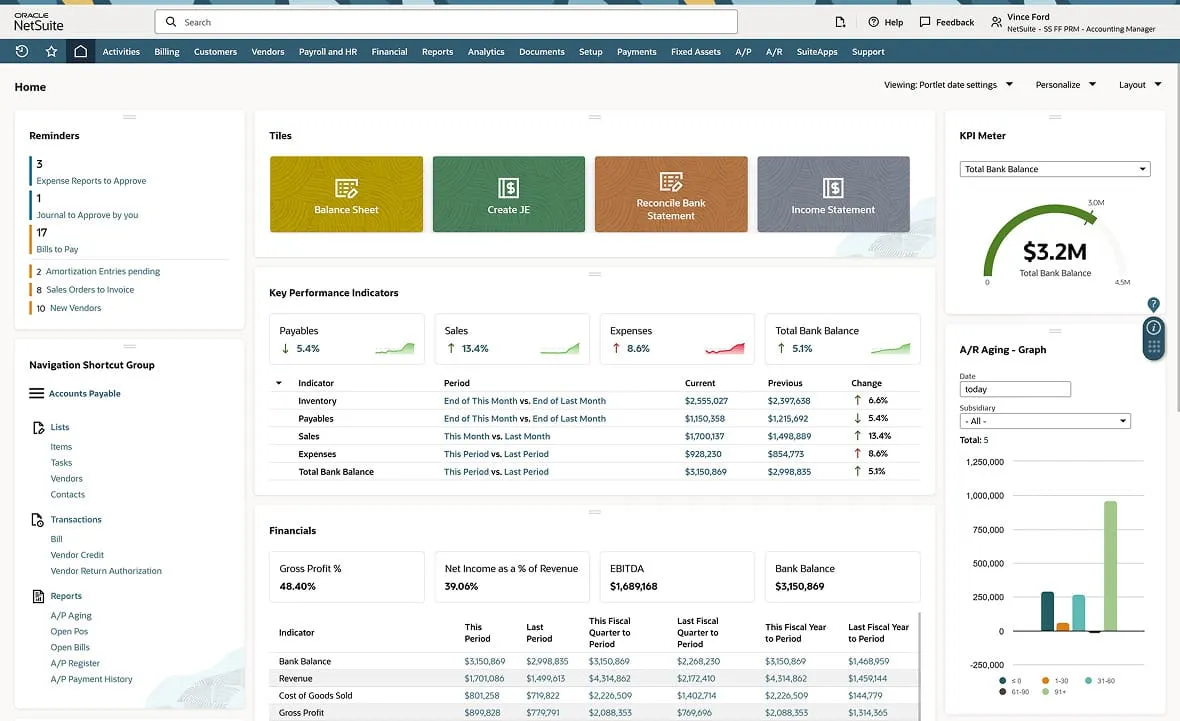
Oracle NetSuite is a full ERP software, with an accounting system as one module among many. It's an AI-powered cloud business management solution serving more than 43,000 customers, with a wide breadth of features: comprehensive enterprise resource planning that ties together accounting, customer relationship management, inventory management, warehouse management, NetSuite supply chain management, project management and marketing automation.
Source: NetSuite
In terms of financial management tools, it includes general ledger, AR, AP, tax management, fixed asset management, revenue recognition, subscription billing, vendor management — all sitting on real-time consolidated reporting across entities. If you've got complex accounting needs and multi-currency needs, this can be a good choice.
NetSuite pricing runs quote-based. Your license stacks a core platform fee, optional modules, and per-user costs, plus a one-time implementation charge. Industry estimates land the all-in cost anywhere between $25K to $500K depending on scope, with mid-sized businesses often landing between $50K and $100K and a 4-to-6-month build. License fees keep running after that.
At least you get your money's worth. NetSuite handles complexity QB doesn't approach — native intercompany eliminations, audit-ready controls, unlimited users, deep customization... For business growth well beyond spreadsheets and companies needing one system running the entire business, it delivers.
Still, it's expensive, complex and slow to roll out, with a learning curve that slows down accounting teams coming from simpler tools. It can feel clunky and customizing it is difficult to say the least. For a lot of growing businesses under the threshold, that's a lot of plane for a short hop.
See also: Top NetSuite alternatives
Here's the side-by-side QuickBooks vs NetSuite breakdown.
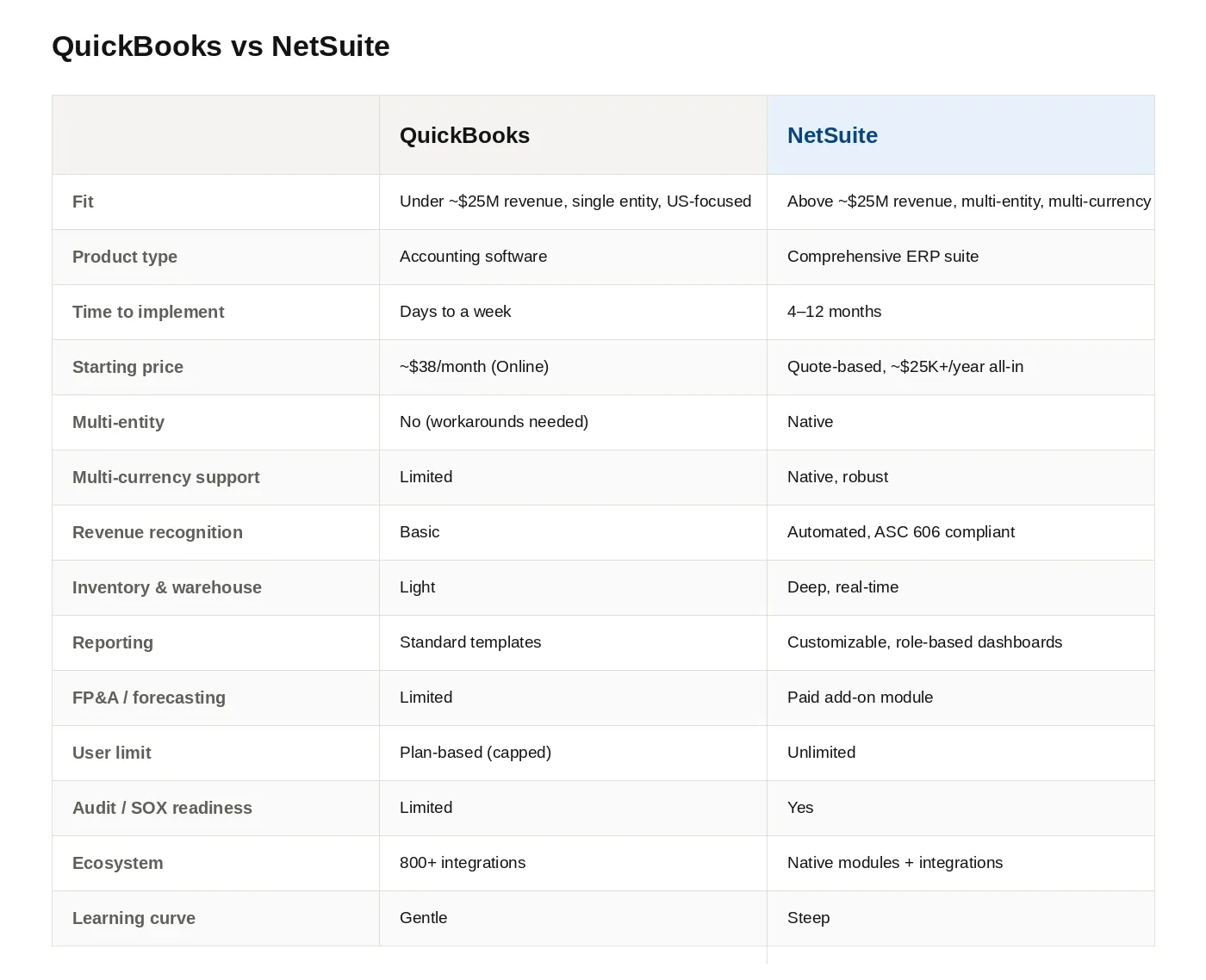
NS isn't "better" than QB. They cater different needs. NetSuite becomes the move once your business expands out of what QuickBooks can model.
QB keeps your books in order when the setup stays simple:
One caveat: even when QB handles the bookkeeping fine, you'll still feel the forecasting and financial health assumption gap. That part doesn't get solved even by advanced accounting software — more on that below.
NS starts paying for itself once complexity shows up:
If you ask us, searching for NetSuite vs QuickBooks choice answers means you're not ready for NetSuite. You've probably outgrown the comfort of QB and assumed a bigger accounting software product is the next step. It usually isn't.
You don't need a $100K ERP project. You need clean reporting, actionable forecasting and a human who can tell you what the key SaaS metrics on your dashboard mean for next quarter.
Accounting software tells you what happened. FP&A tells you what's coming and how you should prepare.
QB does the first job well; the second job less so. NetSuite has an FP&A module, but it's a pricey add-on that needs a specialist to run it, so plenty of NS customers pay for it and barely dip their toes in its full capabilities. Both leave the same hole open: real-time dashboards, AI-powered forecasting, plan vs actual analysis, unit economics, anomaly detection, i.e. the decision-making layer.
96% of FP&A pros still use spreadsheets for planning. Only about 35% of their time goes to high-value insight work — the rest vanishes into pulling and checking data, that's often too late to actually influence decisions.
Leadership sees it coming. In the CFO Signals survey, 87% of CFOs said AI will be very or extremely important to their finance department in 2026, and half named digital transformation of finance their top priority for the year. The appetite for AI in finance runs hot. The tooling, for most growing businesses, doesn't exist yet on either side of this comparison.
So the thing you need is rarely a bigger accounting tool. You need the layer that makes whichever one you keep useful for running the company.
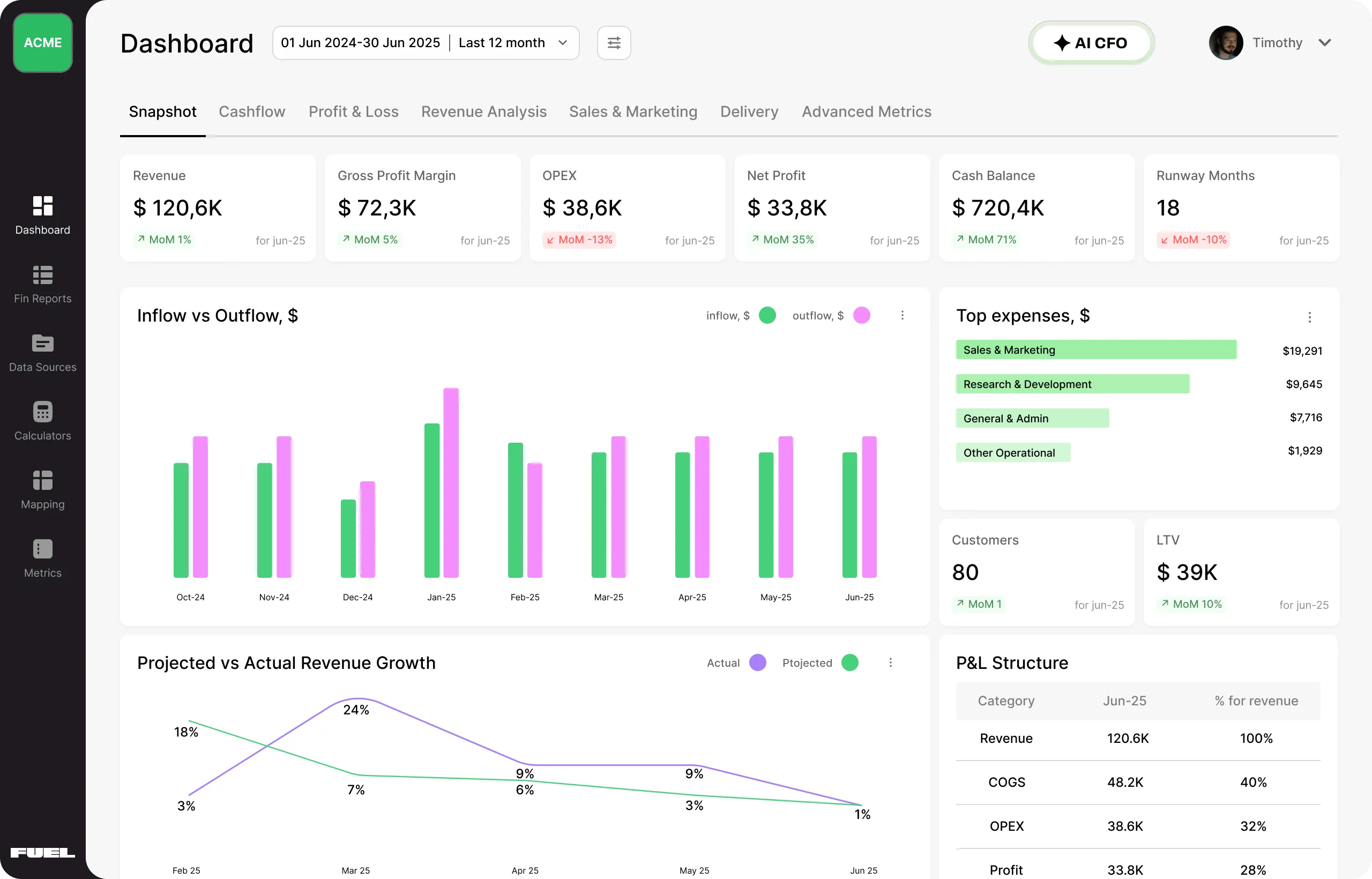
Fuelfinance isn't a third accounting tool. It's the FP&A and decision layer you add on top of the accounting software you already chose, and it connects to whichever one that is.
Keep your setup. Add the piece you've been missing:
Pick the accounting tool that fits your stage. Then add the layer that turns those numbers into something you can run the business on.
Connect Fuelfinance through the QuickBooks integration in a couple of clicks. It reads your live data, and the financial dashboards build themselves. AI forecasting kicks off on your history right away. After that, your CFO opens Fuelfinance for everything that isn't booking a transaction, and QB stays the place where entries get recorded.
Connect through the NetSuite integration and you get the same result. Fuelfinance becomes the FP&A and reporting layer while NS stays the system of record. Plenty of mid-sized businesses settle here, because NetSuite's native FP&A module costs a fortune and tends to gather dust. If you want forecasting and scenario planning your team will trust, this beats buying another NS module. It also spares you the saved-search wrangling NS users complain about constantly when they want a basic report.
If you're under ~$25M with simple operations, QB does the job. If you're carrying multi-entity, multi-currency or inventory complexity, NS becomes worth the cost. The catch in both NetSuite and QuickBooks: the accounting tool only reports what already happened, so you'll still want the FP&A layer that forecasts what's next and explains why it changes your week. We built that layer, and it works on either side of this fight.
Book a Fuelfinance demo and watch it run on your accounting tool in just two weeks.
Sometimes. If your complexity earns it — multi-entity, multi-currency support, heavy resource management and expense management needs, audit-grade financials — yes. A $30M single entity with clean operations usually finds NS to be overhaul, and the billing NetSuite charges is rarely worth it. A lighter route: keep QB or NS for the books, add Fuelfinance for the FP&A and forecasting layer, and skip the seven-figure commitment.
Budget 4 to 12 months for most migrations, longer with subsidiaries or heavy customization. Data cleanup alone often eats 20–30% of the effort. If your real goal is sharper reporting and forecasting, connect Fuelfinance to your existing QuickBooks in about two weeks and get the visibility you were chasing without moving a single ledger.
Yes, and that's how a lot of teams find us. Many companies eyeing NetSuite only want the FP&A layer, not a full ERP. Fuelfinance connects to QB, builds real-time dashboards, runs AI forecasting on your history, and includes a dedicated finance manager — so you keep QuickBooks, gain professional services and automation capabilities for financial planning and analysis, and dodge the six-month, six-figure NS project.
Accounting software records what happened: transactions, invoices, the close, the financial statements. FP&A software looks ahead — forecasting, scenario planning, budget vs actual, the metrics that drive decisions. QB and NS are accounting-first. Fuelfinance handles the forward-looking work, which is why teams run them together.
NS offers forecasting through its Planning and Budgeting module, but it's a separate paid add-on that needs a specialist to set up and babysit. Fuelfinance gives you AI-driven revenue and cash flow forecasting out of the box, updating as actuals come in, and it runs the same whether your books live in NetSuite, QuickBooks or Xero. It's easy to handle and you get expert help along the way if you get stuck.


Just imagine how that would transform your team’s productivity and focus? Talk to our financial experts to know more.