See The New Fuel Live Recording


In many ways, we’re living in the future, so why does closing the books still feel like assembling IKEA furniture without the instructions?
If you’re toggling between five apps, hunting down receipts or rechecking formulas that should have updated on their own, you’re not alone. For many SMBs, financial workflows still rely on outdated, disconnected systems that drain time and destroy accuracy.
The real problem? Lack of accounting software integration.
Without it, finance teams are stuck with manual entry, inconsistent data and reporting delays that slow down decisions. One connection can change all of that.
In this guide, we’ll explore six of the best integrations for small and mid-sized businesses: Fuelfinance, NetSuite, Sage Intacct, FreshBooks, Wave and Dynamics 365. These connectors help you reduce manual work, sync key business tools like payroll, CRM and invoicing and unify all financial information.
See also: Small Business Financial Management 101: a Triangle of Happiness
Relying on disconnected tools and spreadsheets to manage your business finances might have worked when things were simple, but it won’t scale. As your company grows, so does the complexity of your financial processes. Without accounting software integrations, numbers get delayed, reports go out of sync and your team ends up fixing spreadsheets instead of closing the month.
Here are the benefits of integrated accounting software.
Manual data entry across platforms leads to mistakes. Duplicate entries, miscategorized expenses and outdated reports are more than annoying; they can skew your entire financial reporting process. A well-designed integrated accounting system setup helps minimize manual data entry, reduce human error and improve data accuracy.
See also: Financial Reporting Services for Strategic Growth
Closing the books shouldn’t take a full week. With accounting integrations, you can automate seamless data flow across your general ledger, accounts payable and accounts receivable systems. The result? A faster, more accurate close and reliable data, without scrambling between spreadsheets.
An integrated accounting system pulls in real-time financial data from your other systems, such as CRM, payroll, expense and inventory management. This means better financial forecasting, smarter scenario planning and clearer visibility into your company’s future. And when paired with AI forecasting tools, you can build dynamic models that update automatically as your data changes — no spreadsheets required.
See also: Best Financial Reporting Software & Tools: Our Top 9 Picks
Disconnected systems create delays; an integrated system provides a live snapshot of your cash position, financial statements, outstanding invoices and burn rate, all from one dashboard. That real-time insight is critical for managing risk and seizing business growth opportunities.
Ever tried answering a simple question like “What’s our burn rate by team?” only to end up exporting five reports and triple-checking formulas? When your CRM, payroll and expense tools feed into your accounting platform, those answers are there to help you make informed decisions.
Founders can monitor runway and unit economics without guesswork. CFOs get ahead of spend anomalies, cash flow gaps and margin shifts — no patchwork spreadsheets required.
See also: Best Financial Reporting Software & Tools: Our Top 9 Picks
Accounting software integrations automatically provide more accurate financial records, store digital receipts and track every transaction across your accounting solutions, saving you audit-time panic. That means cleaner books, improved data integrity and stronger regulatory compliance.
Manual reporting. Delayed numbers. Constant tab-switching to track cash flow, payroll, invoices and spend. That’s what finance looks like when your tools don’t connect.
The integrations below aim to fix that, whether you’re managing burn, improving forecasting or syncing payroll and invoicing with your accounting system. You’ll find a mix of platforms with strong integration capabilities and tools like Fuelfinance that plug into your stack to extend what your current accounting software can do.
Here are six of the best integrated accounting software solutions for 2026.
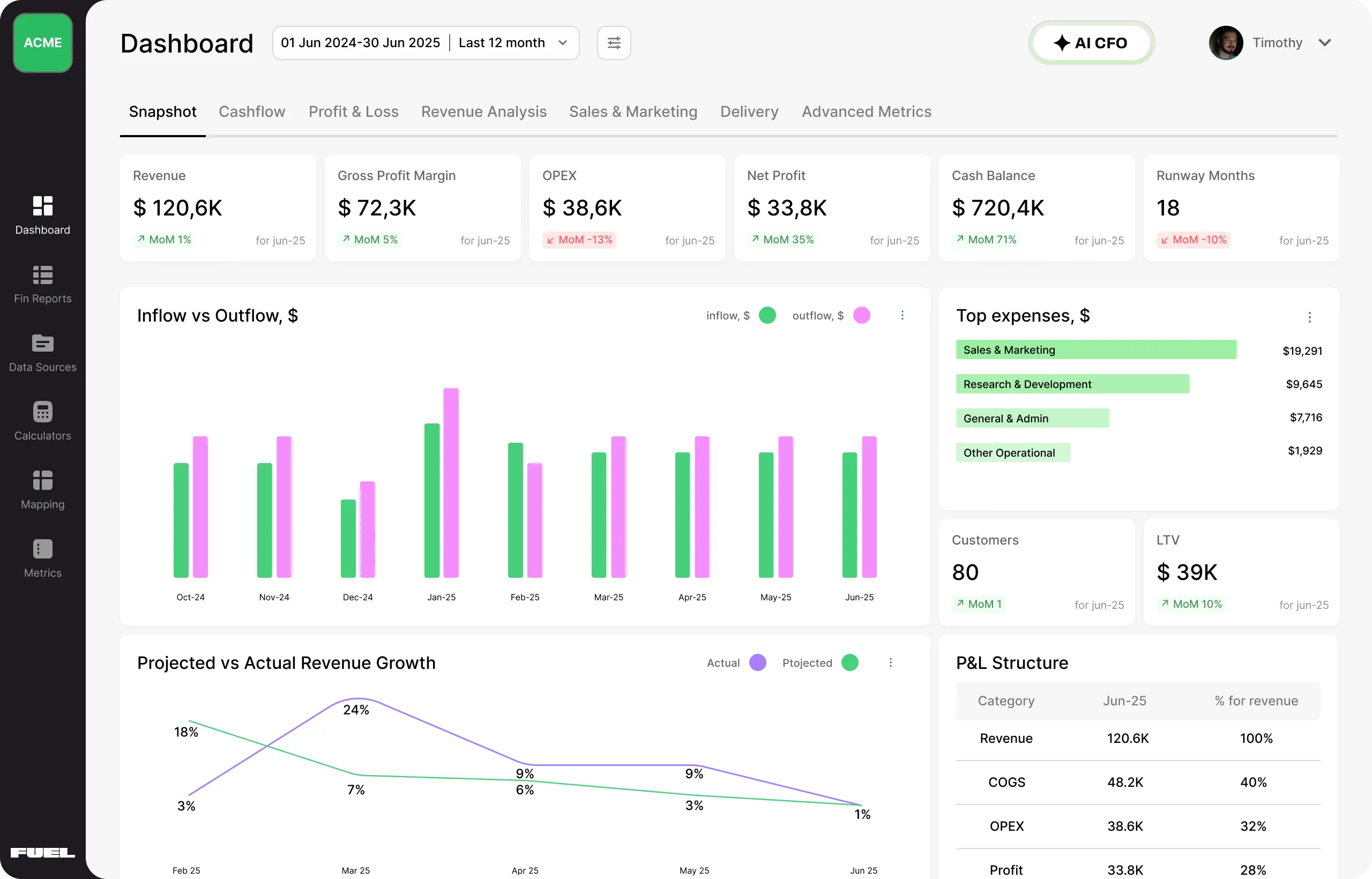
Most accounting software platforms show you what happened. Fuelfinance helps you figure out what to do next.
Fuelfinance is a full-service FP&A platform that connects directly to your accounting system, including QuickBooks, Xero and NetSuite, and turns raw financial data into real-time reporting, AI-powered forecasting and actionable insights of your financial operations. It’s not a replacement for your existing tools. It’s what makes them actually useful for decision-making.
See also: Best FP&A Software Tools
With over 350 integrations, Fuelfinance pulls live financial data from tools across your stack. If you’re using QuickBooks or Xero, setup is fast and doesn’t require engineering help. Once connected, Fuelfinance pulls in everything from your chart of accounts, payroll, invoicing and expense data, and centralizes it in sleek dashboards that update automatically. You no longer need to chase spreadsheets to figure out your burn rate, runway or profitability by team.
What makes Fuel different from other integrations? It doesn’t stop at syncing data. It applies AI models to help you spot cost overruns, plan scenarios and forecast cash flow with precision. And when you need support, you get it — a part-time CFO helps you optimize your budget and growth strategy.
The interface is clean, intuitive, and designed for humans, not just finance pros. Whether you're tracking burn, reviewing KPIs or syncing payroll data, everything is visual, real-time and centralized. You don’t need to be an Excel wizard to understand what’s going on — it just makes sense.
See also: 31 Agency Metrics & KPIs to Stay Profitable + Cheat Sheet
That clarity delivers real results. Just look at ColdIQ, a GTM agency. They used Fuelfinance to organize scattered financial data, build a custom dashboard and improve forecasting accuracy. This resulted in a 236% increase in revenue in just eight months and full visibility into the business's financial health.
Ready to stop patching together disconnected tools? With Fuelfinance, you get powerful accounting software integration, real-time visibility and CFO-level insights all in one place. Book a demo today!
See also: How To Forecast Balance Sheet

On software review sites, users praise Fuelfinance for saving hours on manual reporting, improving forecast accuracy and making it easier to understand where the business stands financially.
See also: 10 Financial Management Tools for SMBs To Use
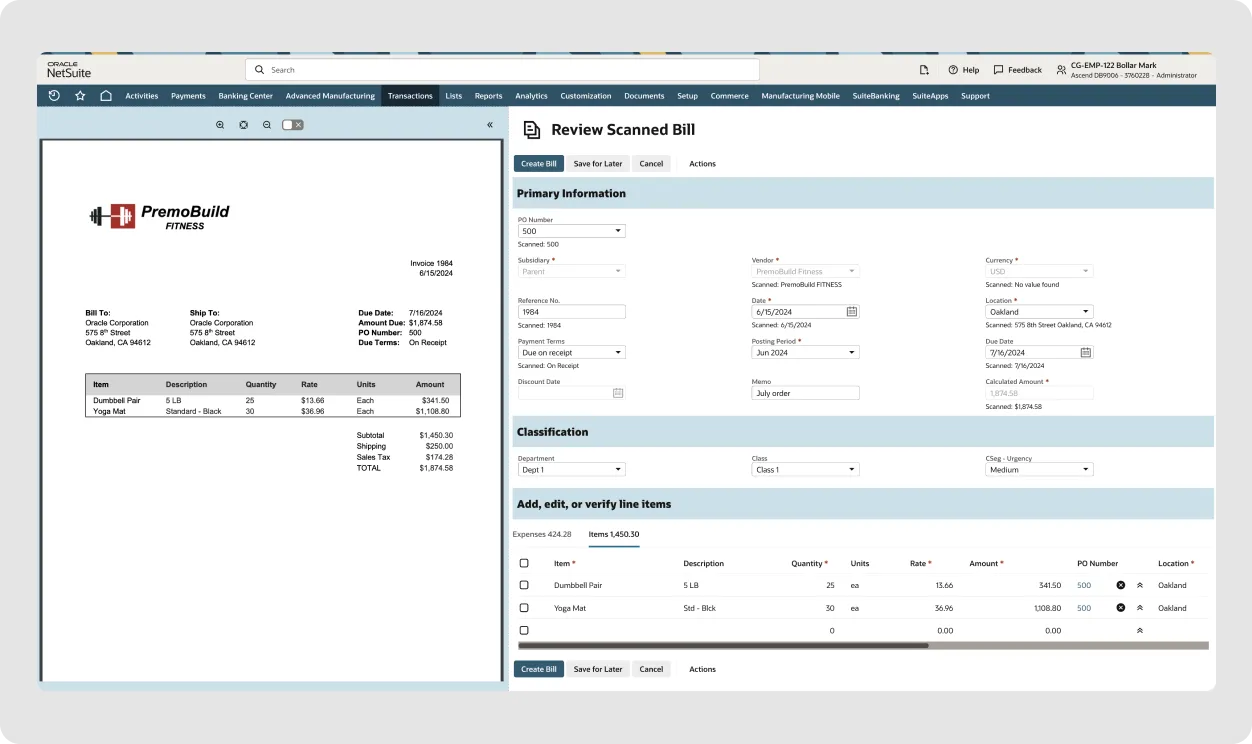
NetSuite is accounting software at its core, with built-in features for general ledger, revenue recognition and financial reporting. It’s designed for mid-market and growing companies that need more structure than entry-level tools for their accounting process. On top of this, it offers optional modules for inventory, billing and FP&A workflows like budgeting and multi-entity consolidation.
NetSuite connects with Salesforce, Shopify, Stripe and tools for payroll, CRM and eCommerce.
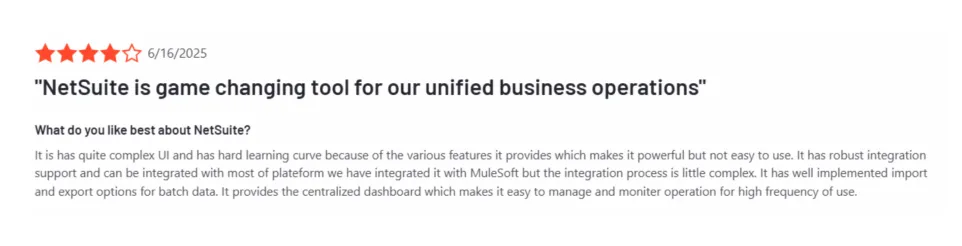
Users write that NetSuite helps them simplify multi-entity financial consolidation.
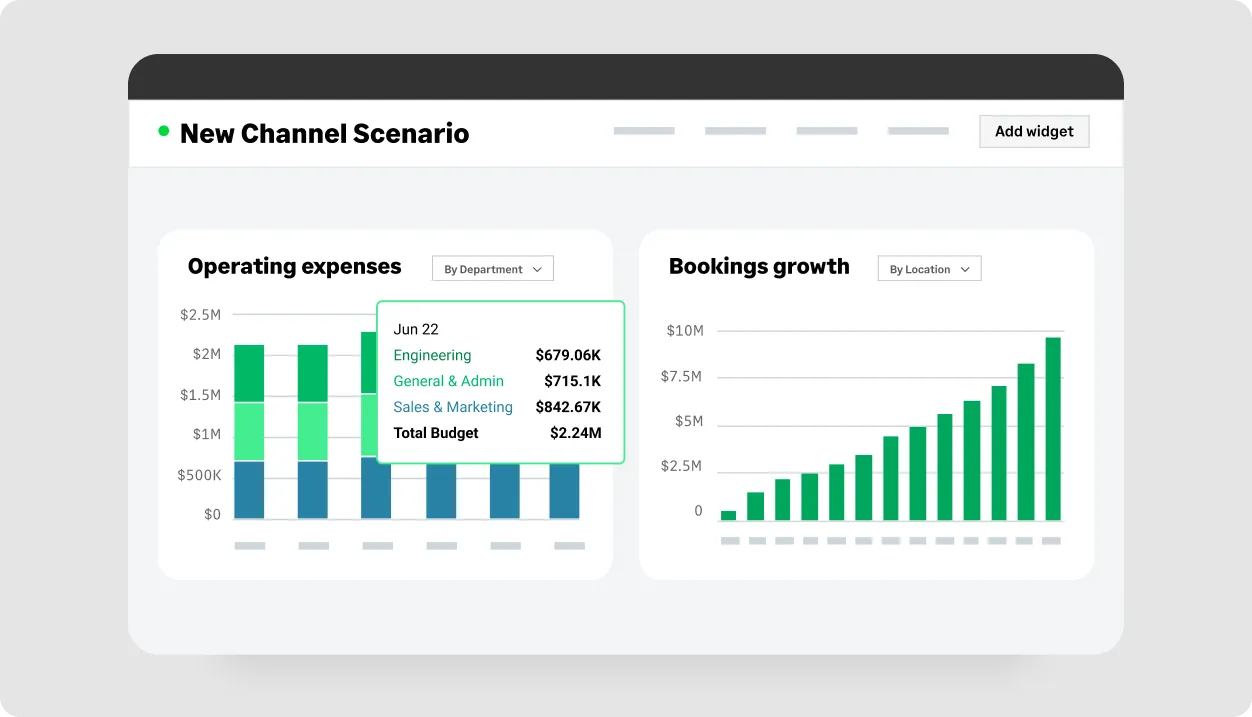
Sage Intacct is accounting software designed to automate core finance tasks like accounts payable, general ledger, cash management and multi-entity consolidation. It offers a separate planning module that covers budgeting, forecasting and scenario modeling, though it’s less advanced than standalone FP&A platforms like Fuelfinance. You can integrate it with Planful, Vena or Workday Adaptive Planning to unlock deeper forecasting and analytics.

Customers highlight its intuitive, user-friendly interface and reporting, especially customizable dashboards and automation tools.

FreshBooks is another accounting software integration for service-based SMBs, agencies and freelancers. It combines invoicing, time tracking and expense management with just enough accounting functionality to keep your books clean.
FreshBooks connects with over 100 tools, including payroll (Gusto), payment processing (Stripe, PayPal, Square), eCommerce (Shopify) and CRM (HubSpot). These integrations centralize financial data by syncing invoices, expenses, and time entries into the accounting workflow.

The FreshBooks users mostly mention its clean interface, easy invoicing and smooth time tracking.
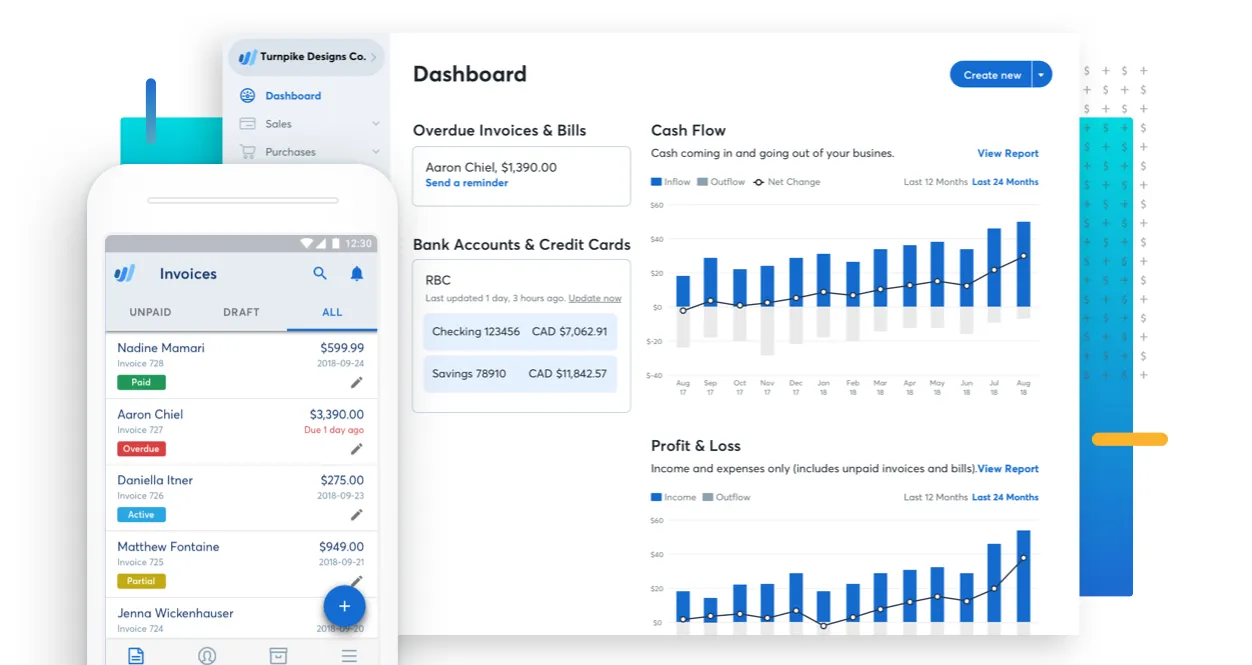
Wave is an accounting software platform for freelancers and microbusinesses navigating early-stage business challenges. It centralizes financial tools like invoicing, bookkeeping and payments into one interface.
Once connected via Zapier, Wave can integrate with CRM tools, payment processors and eCommerce platforms to automate data flow across invoicing, expenses and customer records.

Users often mention the tool’s simplicity and ease of use, particularly regarding invoicing and basic small business accounting.
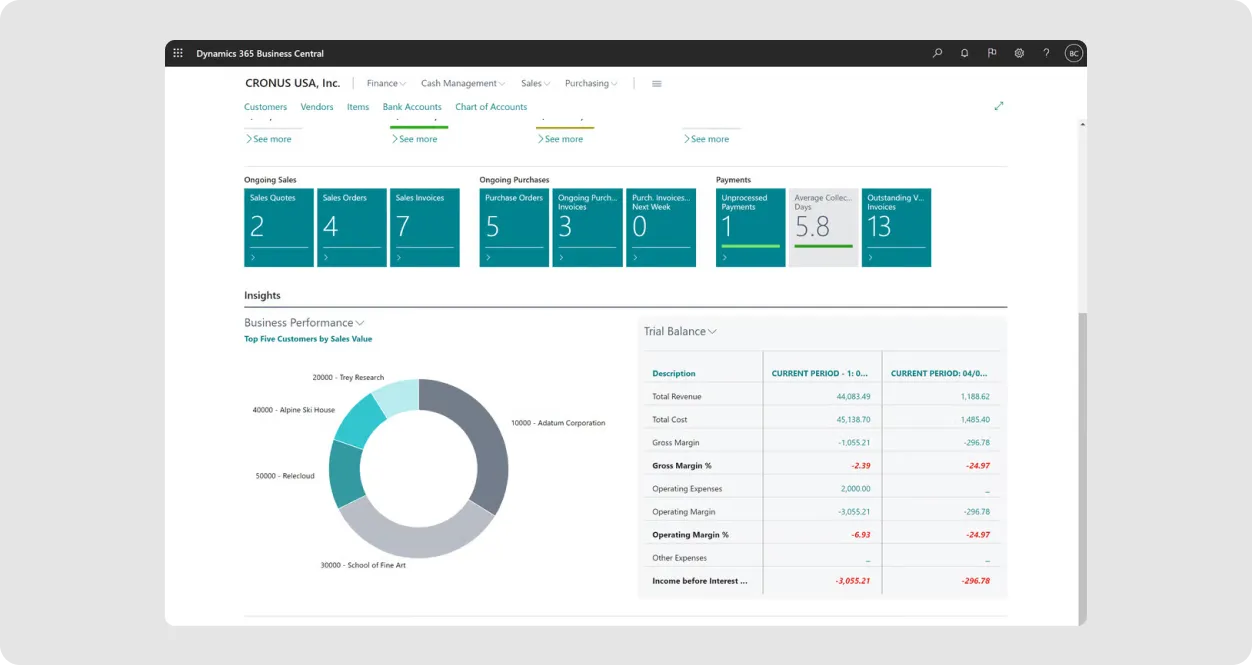
Dynamics 365 Finance is Microsoft’s enterprise-grade accounting and finance platform for companies managing high-volume transactions, multiple entities and global compliance. It covers core accounting workflows like general ledger, accounts payable/receivable, budgeting and tax reporting.
Dynamics 365 integrates with Microsoft tools like Excel and Power BI and connects to payroll platforms like ADP, expense management tools like Payhawk and banking systems for reconciliation.

The Dynamics 365 users frequently highlight its integration between accounting and inventory management, reporting that it saves time and reduces errors.
Here’s how the top accounting software integration options stack up. We'll compare their strengths, integration capabilities and more, so you can choose the best fit for your team.
Choosing the right accounting software integration isn’t just about features; it’s about fit. The best solution will connect your existing accounting system with the rest of your tech stack, automate tasks and give your team more time to focus on growth, not clean-up.
Here are key questions to ask before committing to any tool:
Most accounting platforms handle core bookkeeping well, but it takes the right integrations to keep up with the speed and complexity of modern business. Whether you're struggling with disconnected systems or managing growth, integrated tools can give you the edge. By connecting your finance stack, from payroll and CRM to billing and reporting, you unlock real-time cash tracking, margin visibility and faster decisions around hiring, pricing and runway.
We’ve explored the business systems that extend your accounting software and what to look for. The takeaway? If you want faster closes, cleaner data and the ability to actually act on your numbers, your accounting platform can’t live in a silo. The right integrations turn it from a record-keeping tool into a real-time command center for finance.
That’s where Fuelfinance comes in. It doesn’t replace your accounting software — it connects to it, extends it and gives you the tools to use your numbers.
With 350+ integrations (including QuickBooks, Xero and Stripe), AI-powered forecasting, and a financial expert, Fuelfinance helps you turn disconnected data into clear direction. Whether you're planning your next hire, tracking burn or modeling growth, it brings everything into one place, without the spreadsheet chaos.
Book a demo today and see how smarter integrations can transform your finance workflow.
It depends on the tool. Some offer plug-and-play integrations with platforms like QuickBooks or Xero, while others may require more custom setup or technical support. Fuelfinance, for example, integrates directly with your existing accounting software and provides guided onboarding.
Focus on tools that sync financial data automatically, including revenue, expenses, payroll and invoicing, so you’re not chasing updates across platforms. Look for integrations that work with your existing accounting system (like QuickBooks, Xero or NetSuite) and connect to the rest of your stack: CRMs, payroll tools and eCommerce platforms.
Yes, many FP&A platforms connect directly with tools you already use, like QuickBooks, Xero or NetSuite. They also integrate with CRMs, payroll systems and expense management tools to pull in the data needed for forecasting, budgeting and reporting.
In most cases, the integration itself is free, especially when tools offer direct, native connections. But you’ll still need active subscriptions for both platforms you’re connecting. Some integrations may require setup support or custom configuration, which can add to the cost. Full-service platforms like Fuelfinance have their own pricing, which includes integration, forecasting and financial guidance, but you’ll still need your existing accounting system in place.


Just imagine how that would transform your team’s productivity and focus? Talk to our financial experts to know more.