Digital Financial Tools: 10 Must-Have Solutions for CFOs in 2026
January 26, 2026
Your spreadsheet is lying to you. Well... Not on purpose. But if you're still juggling complex financial planning in Excel, six tabs, two inboxes and a third-party app, you're missing out on a new wave of digital tools that are faster, cleaner and a lot less painful to use.
According to a Gartner survey, 79% of CFOs are prioritizing digital transformation to eliminate manual processes and make more informed decisions.
Today’s digital financial tools cover a lot: creating budgets, tracking spending habits, building income statements, automating financial transactions and syncing with reporting dashboards and financial institutions. They help you improve visibility, reduce errors and move away from outdated digital systems that slow you down.
Whether you're a startup or one of many growing medium-sized businesses, having the right stack in place lets you focus on your financial goals instead of fighting fires.
Here are 10 digital technologies every manager in the financial sector should know about in 2026.
10 best digital financial tools for businesses in 2026
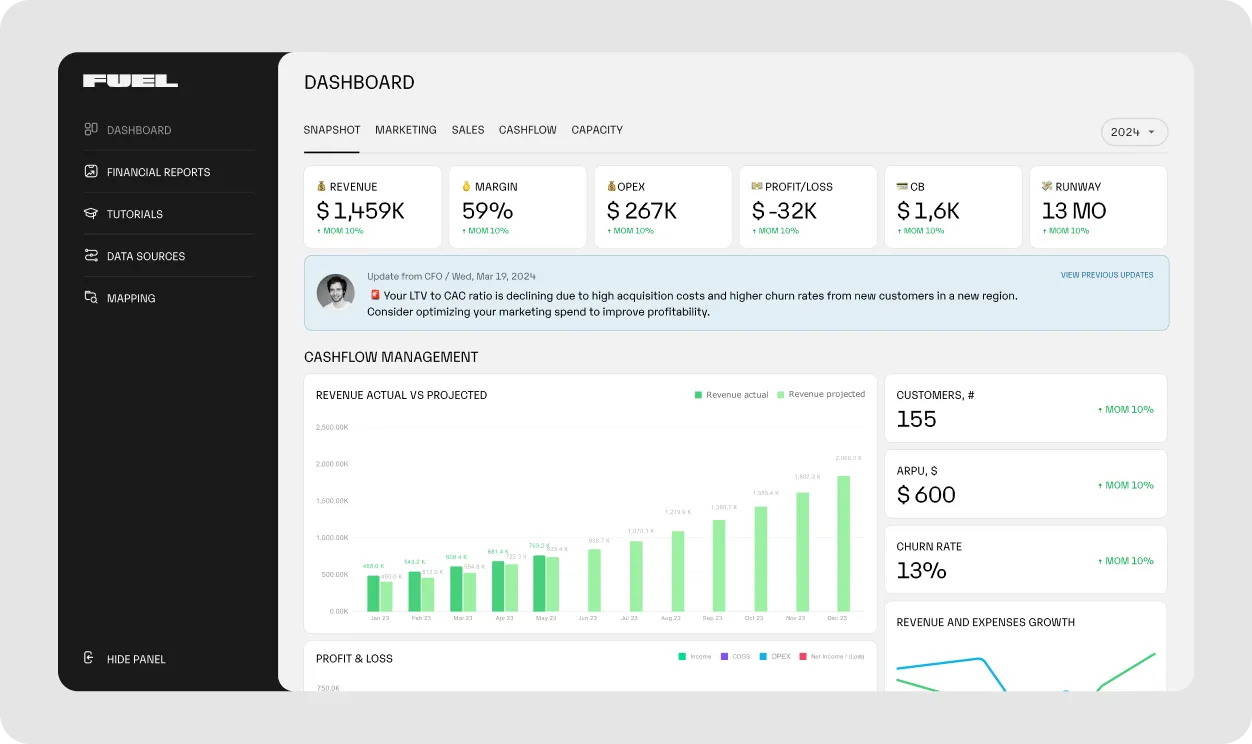
Fuelfinance is what happens when spreadsheets grow up and get their act together. It’s a digital financial tool built for growing teams that are tired of clunky templates, broken formulas and financial statements that feel more confusing than helpful.
With Fuelfinance, you get real-time visibility into your financial health (cash flow, forecasts, budgets and reports) all in one place. And you’re not left figuring it out alone. You also get expert support from one of our finance managers to help you fix gaps, spot patterns and make smarter use of your resources.
For companies navigating the digital divide or still stuck in manual systems, it’s a tool that improves digital literacy and brings clarity where there used to be chaos. Fuelfinance offers seamless QuickBooks integrations along with 350+ other financial institutions and software connectors, so your data flows in automatically.
Fuel runs $500M+ in P&L for service companies like Endeavor. See it in action!
AI forecasting: Build monthly, quarterly or yearly forecasts that match how your business runs and update automatically using real-time data.
Budgeting: Set budgets by team or project and track spending in real time. If your marketing budget is disappearing faster than planned, you’ll catch it before it turns into a bigger problem.
Cash flow forecast: See how much cash is available and how long it’ll last based on your current burn rate. Whether you're reviewing how many payrolls you can cover or deciding if now’s the time to grow your team, you’ll have a live read on your financial runway.
Plan vs. actual analysis: Spot gaps between your plans and what actually happened. Maybe revenue beat expectations, but your expenses crept up. This view helps you adjust before it affects your financial goals.
Automated financial reports: Skip the spreadsheet scramble before every board meeting. Fuelfinance automatically pulls your income statements, balance sheets and cash flow reports into clear, investor-ready formats.
Unit economics tracking: Understand your spending habits at the customer level. If it costs $1,200 to acquire a customer who only brings in $800, you’ll know before you double down on that strategy.
Dedicated financial manager: Every Fuelfinance customer gets a fractional CFO, not just a help center link. They’ll help you understand your numbers, flag issues early and guide you through budgeting, planning and reporting, so you can save money on a financial department in the long run.
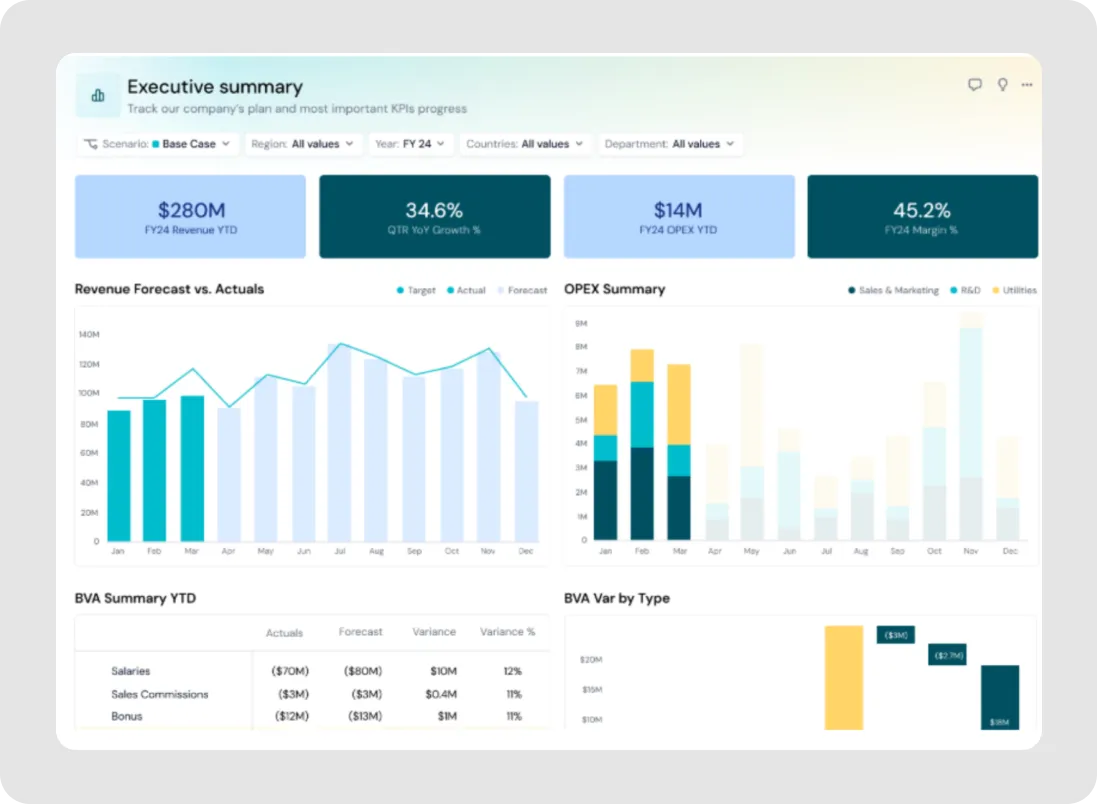
Pigment is a financial planning software for teams managing complex financial processes like budgeting, forecasting and headcount planning across multiple departments. It connects to digital systems, such as your ERP, CRM and HR platform to keep financial data and business processes aligned.
It’s used by larger companies that need to run detailed scenario models, compare plan vs. actuals or update forecasts mid-quarter without starting from scratch.
Key features
Centralized data management: Pulls financial and operational data from different systems, like ERP, CRM and HR tools.
Workflow management: Sets up steps for approvals and ownership of budget changes.
AI-assisted reporting: Includes search and reporting tools that help surface valuable insights fast.
Float is a digital financial tool for managing business spending, combining smart corporate cards with software for tracking expenses, managing approvals and forecasting cash flow.
Primarily used by Canadian companies, Float supports both CAD and USD digital transactions and integrates with third-party apps like QuickBooks, Xero and NetSuite. Finance teams use it to issue physical and virtual cards, reduce manual processes like receipt collection and monitor purchases and spending habits across teams.
Key features
Smart corporate cards: Teams can issue physical or virtual cards in CAD or USD with adjustable limits, no personal guarantees and the ability to pause or cancel cards instantly if needed.
Expense management automation: Float matches receipts to transactions and applies GL codes automatically.
Customizable controls: Admins can set card-level limits, approval steps and role-based permissions to maintain budget discipline and spending oversight.
QuickBooks: Accounting software
Image source: dmreach.com
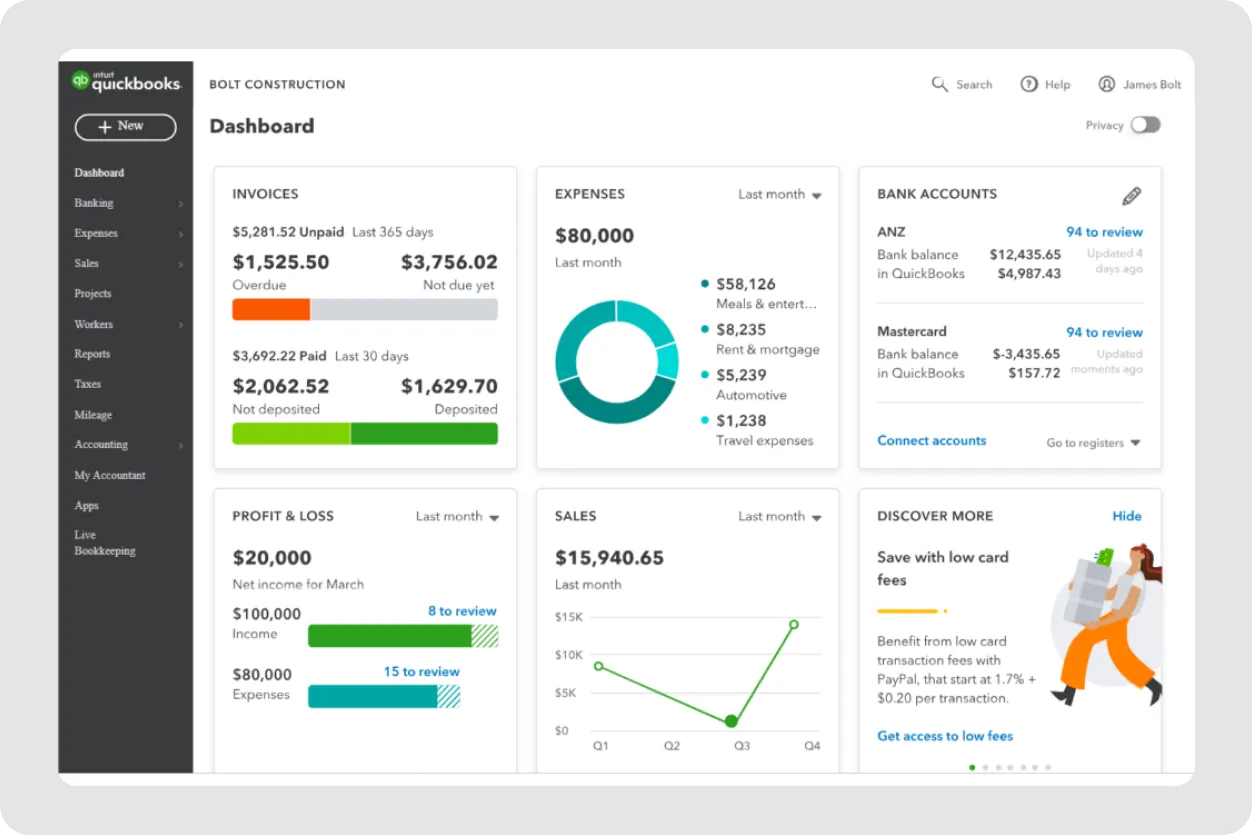
QuickBooks is an accounting and financial reporting tool used by small to mid-sized businesses to manage digital transactions, financial statements, payroll and invoicing.
Available in both desktop and cloud versions, QuickBooks brings together core accounting tasks like expense tracking, bank reconciliation and inventory management. Many companies rely on QuickBooks to improve visibility into spending habits and stay compliant with tax and payroll requirements.
Key features
Custom reporting and dashboards: Businesses can create income statements and other reports, using filters and visual tools to monitor financial goals, digital transactions and the overall performance of financial processes.
Payroll management: Automates calculations for wages, deductions and taxes while supporting digital solutions for managing benefits.
Inventory tracking: Monitors inventory levels in real time, issues alerts when stock is low and supports integration with third-party tools to automate product-based operations.
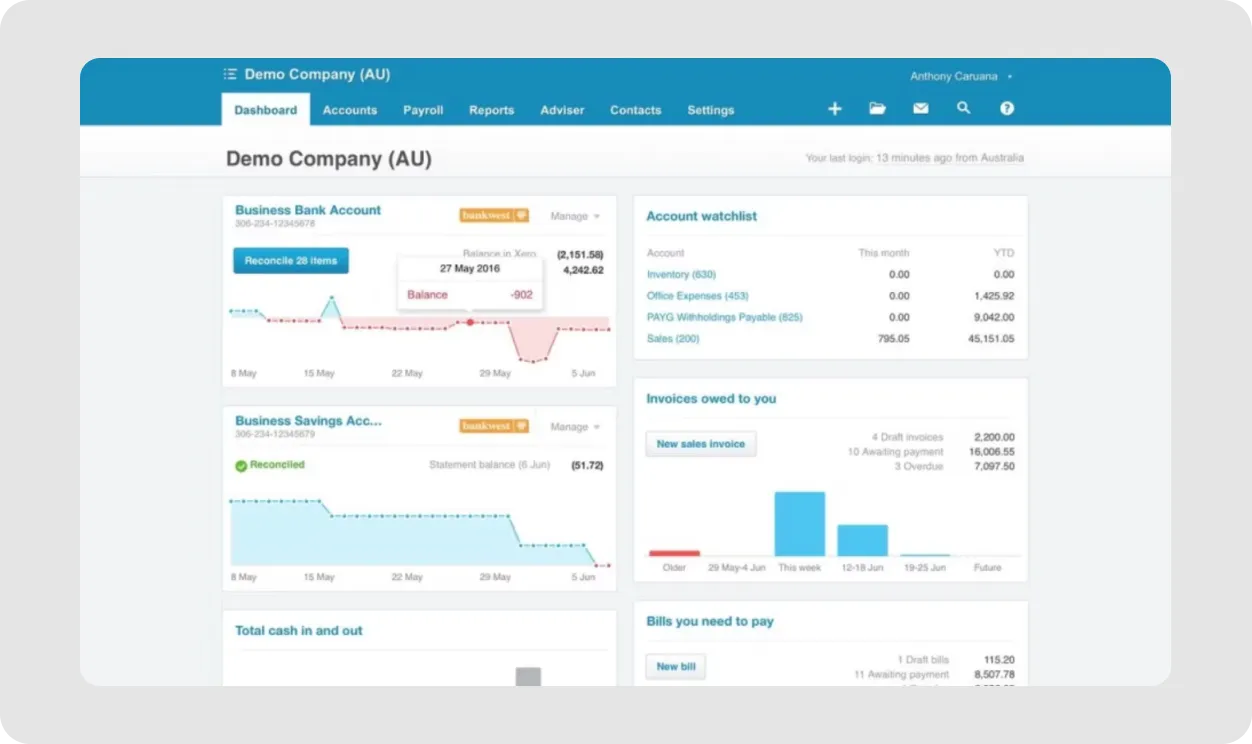
Xero is a cloud-based accounting platform used by small and mid-sized businesses to manage invoicing, expenses, payroll and reporting. It's become a popular choice in the financial industry thanks to its flexibility and ease of use.
It offers real-time access to financial data through automated bank feeds, customizable reports and a mobile app that supports receipt scanning, approvals and contactless payments. Xero integrates with payment processors, payroll services, inventory systems and CRMs, allowing more businesses to centralize financial workflows.
Key features
Invoicing and quotes: Businesses can create and send custom invoices, set up automated reminders for unpaid bills and convert quotes into invoices.
Expense tracking: Employees can capture receipts using the mobile app. Xero matches them to the right transactions and adds categories and tax codes, helping finance teams stay organized without chasing people down at month-end.
Payroll (region-specific): In supported countries, Xero handles wage calculations, tax filings and compliance. Businesses can process wages, file taxes and manage compliance directly from the platform or connect a third-party provider.
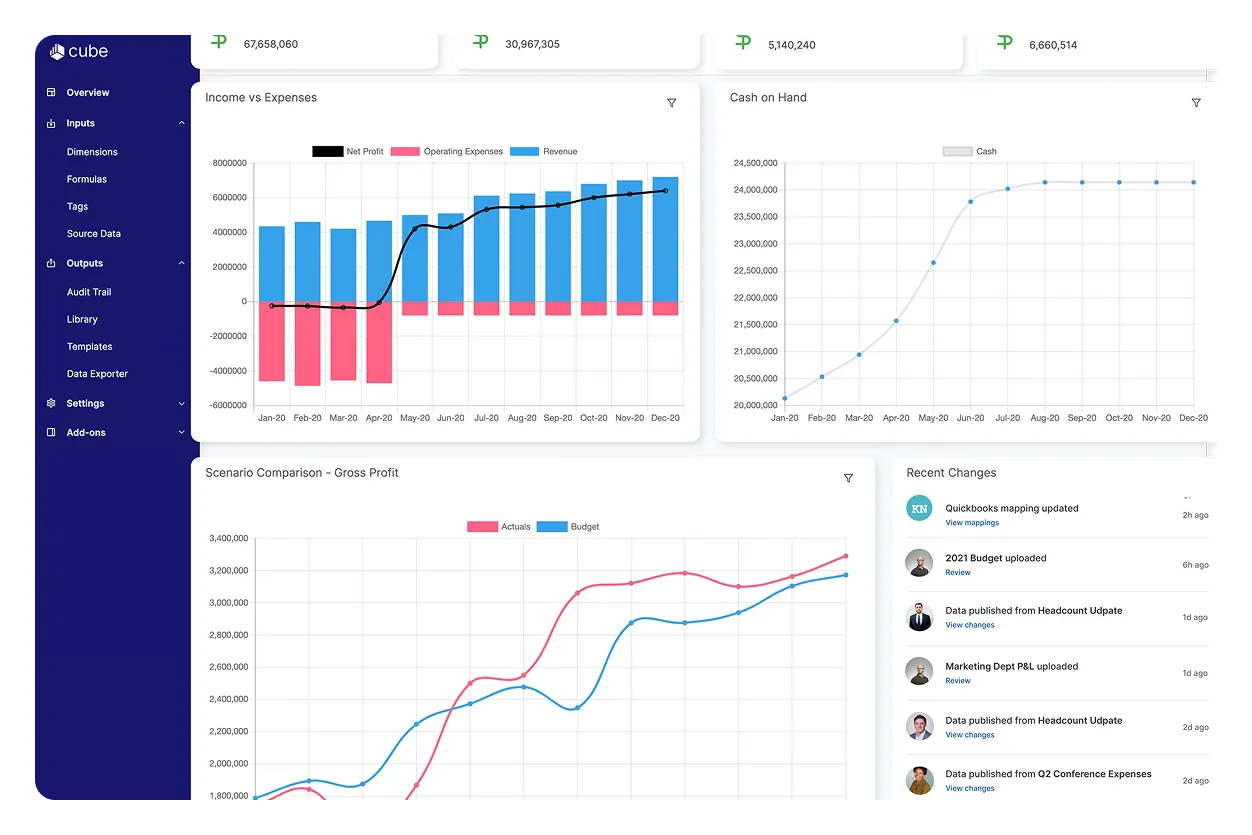
It plugs into tools like Google Sheets, Excel and accounting software, so finance teams can build budgets, run forecasts and generate reports without leaving spreadsheets.
Key features
Spreadsheet-native interface: Cube works right inside Excel and Google Sheets, syncing your data and formulas so everything stays connected and up to date.
Multi-scenario analysis: Model different revenue, expense or headcount scenarios to see how they impact your forecasts.
AI features: Use smart tools like variance checks, forecasting and plain-language search to spot patterns.
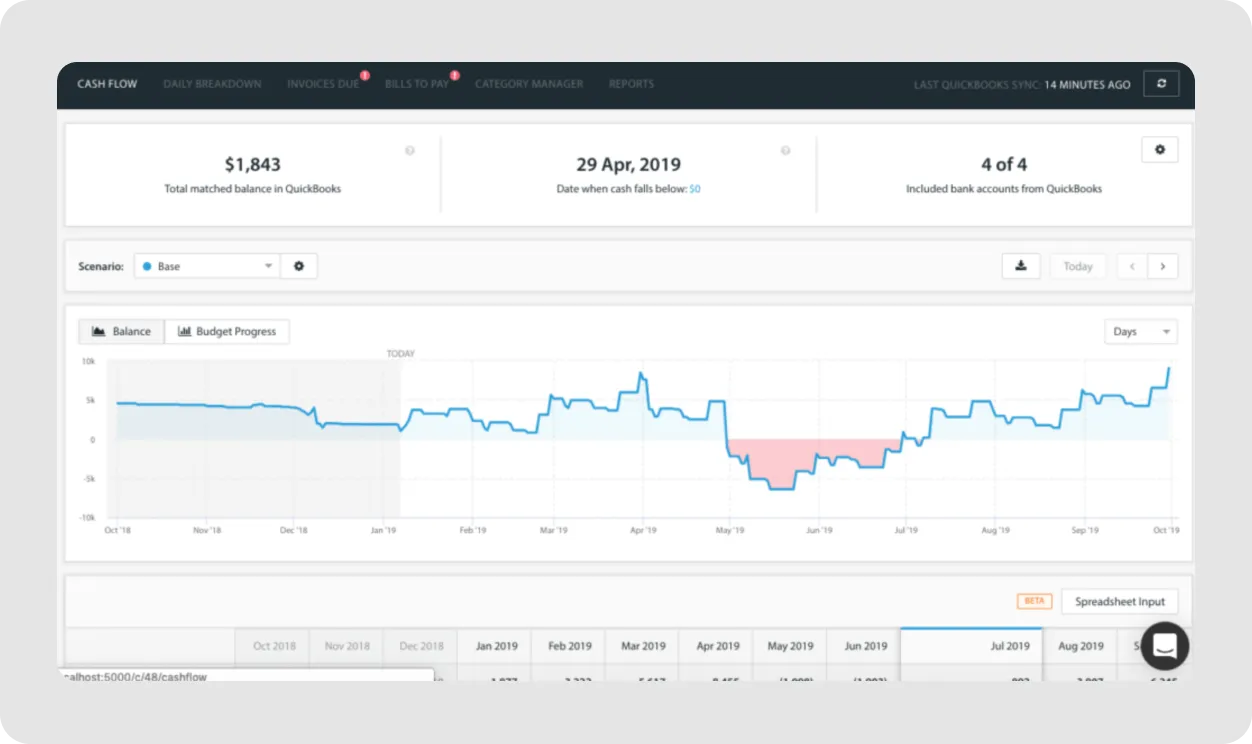
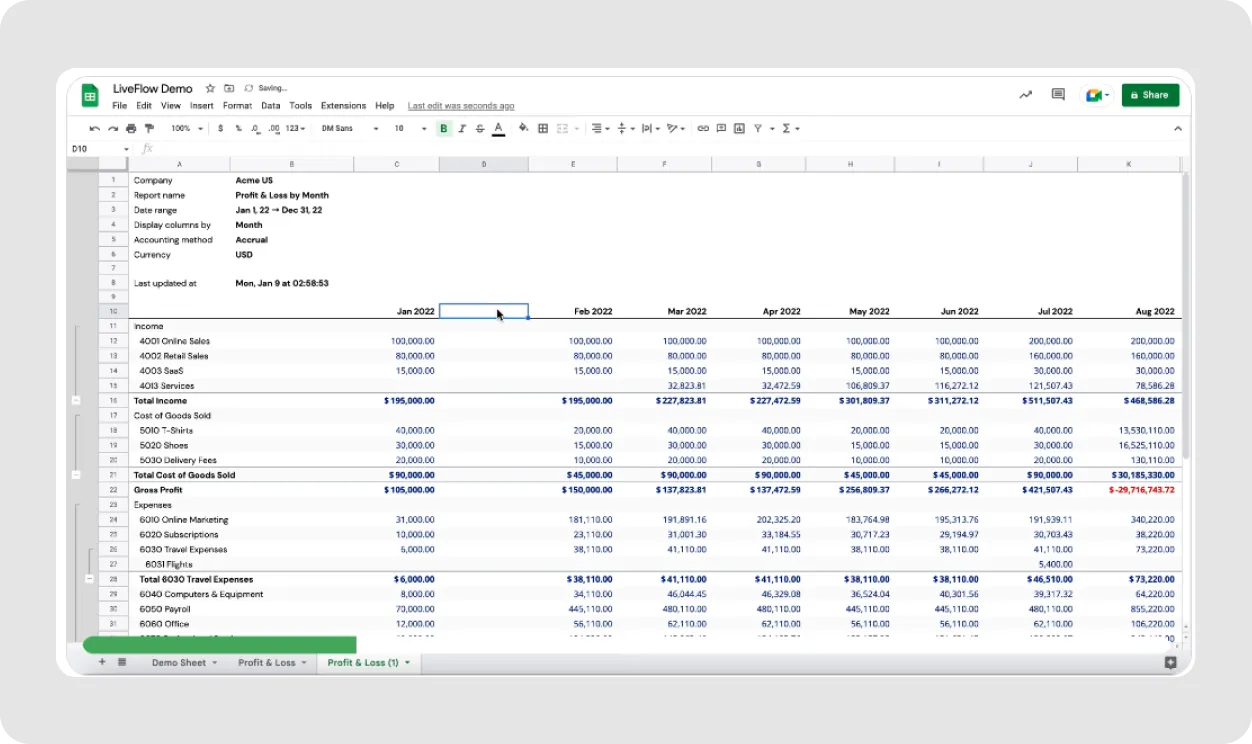
LiveFlow connects your accounting software to Google Sheets or Excel, so your reports update automatically. It’s a go-to for finance teams who love spreadsheets but need real-time data for budget vs. actuals, cash flow or multi-department consolidation.
LiveFlow connects directly with QuickBooks and supports other data sources through APIs and uploads.
Key features
Live reporting in spreadsheets: Syncs QuickBooks with Google Sheets or Excel so your revenue, expenses and balances update automatically.
Multi-entity consolidation: Pulls data from multiple QuickBooks accounts into one report. Handy if you're managing, say, U.S. and Canadian entities and want one clean view of total spend.
Accounts payable and receivable reporting: Shows open bills and invoices with details like due dates and vendor names, all updated in real time.
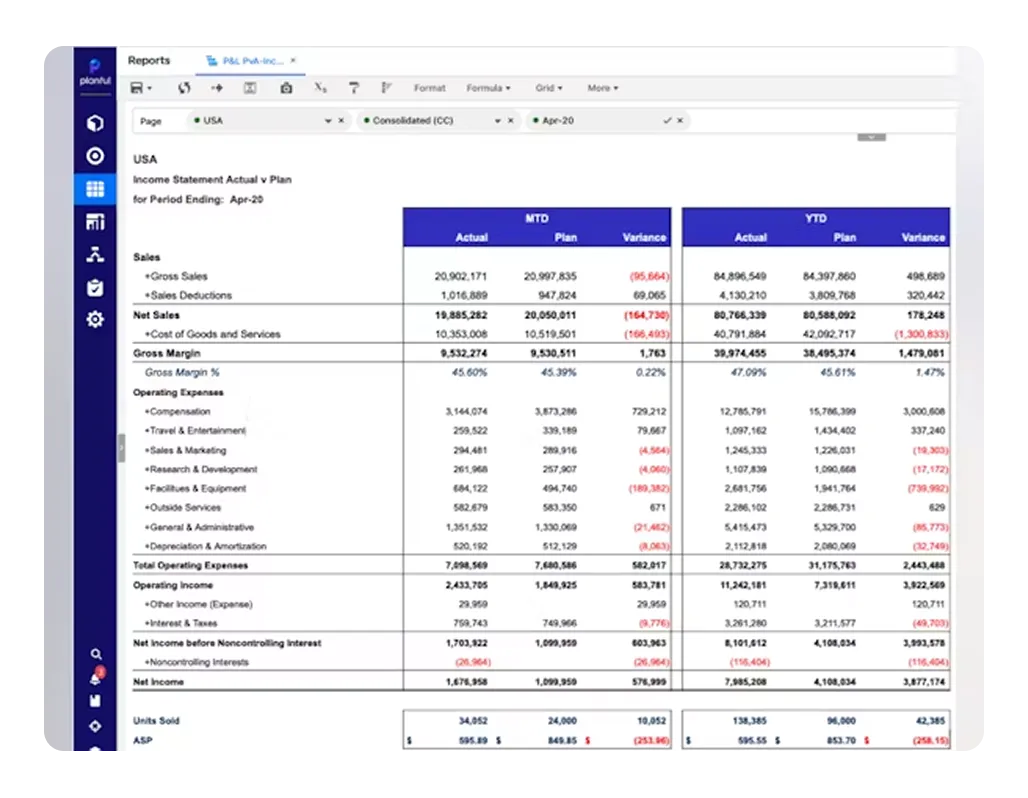
It’s a go-to for companies that have outgrown spreadsheets. Say you’re juggling budgets across teams or countries — Planful helps you roll it all up, test different what-if scenarios and keep leadership on the same page with shared dashboards.
It connects with tools like NetSuite, Salesforce and QuickBooks.
Dynamic planning and forecasting: Build rolling forecasts and test different scenarios across revenue, headcount, expenses and cash flow. Change one input, like a hiring plan, and instantly see how it affects your runway.
Financial consolidation and close: Automates currency conversion and intercompany eliminations.
AI insights: Uses artificial intelligence to flag trends, forecast changes and spot anomalies, like when revenue starts drifting from the norm.
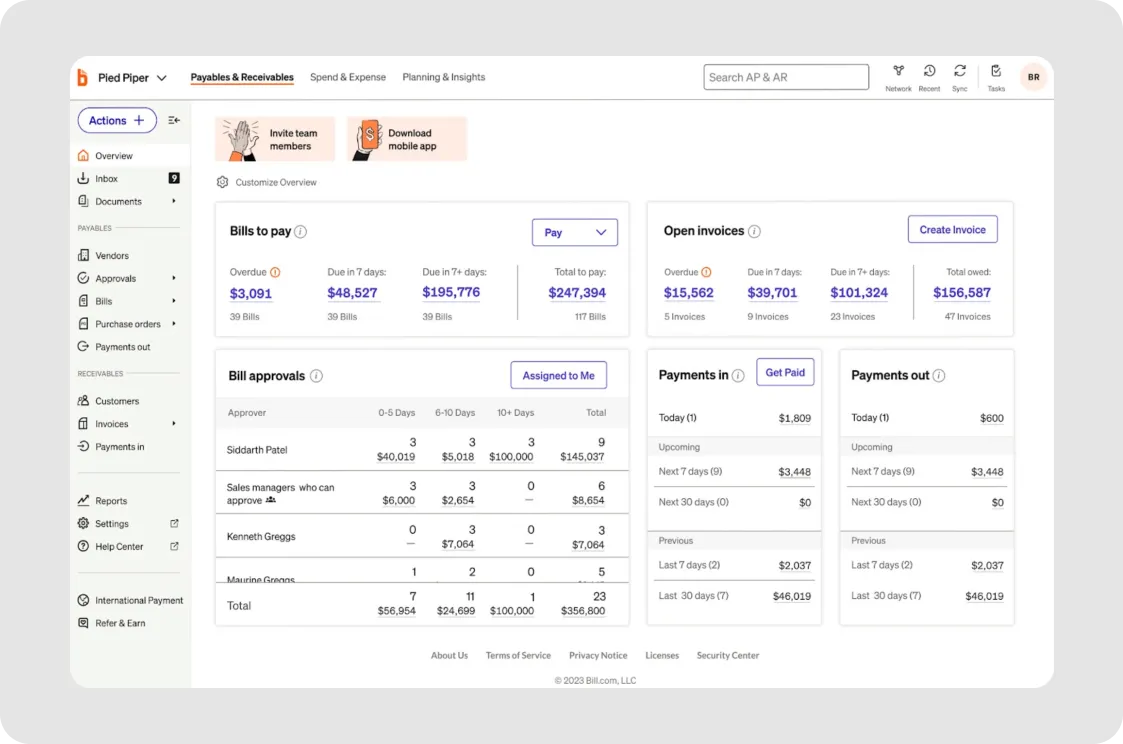
Bill.com helps finance teams manage AP and AR in one place. Instead of chasing paper invoices or tracking payments in spreadsheets, teams can route bills for approval, send payments via ACH or wire and see what customers still owe. It connects with tools like QuickBooks, Xero and NetSuite.
Key features
Accounts payable automation: Upload invoices, route them for approval and schedule payments (ACH, wire, virtual card or check).
Accounts receivable management: Create and send invoices, set up recurring billing and track who paid and who hasn’t.
Multi-currency and international payments: Pay international vendors in different currencies via wire transfer.
Gusto: Payroll tools
Image source: designknowledgebase.com
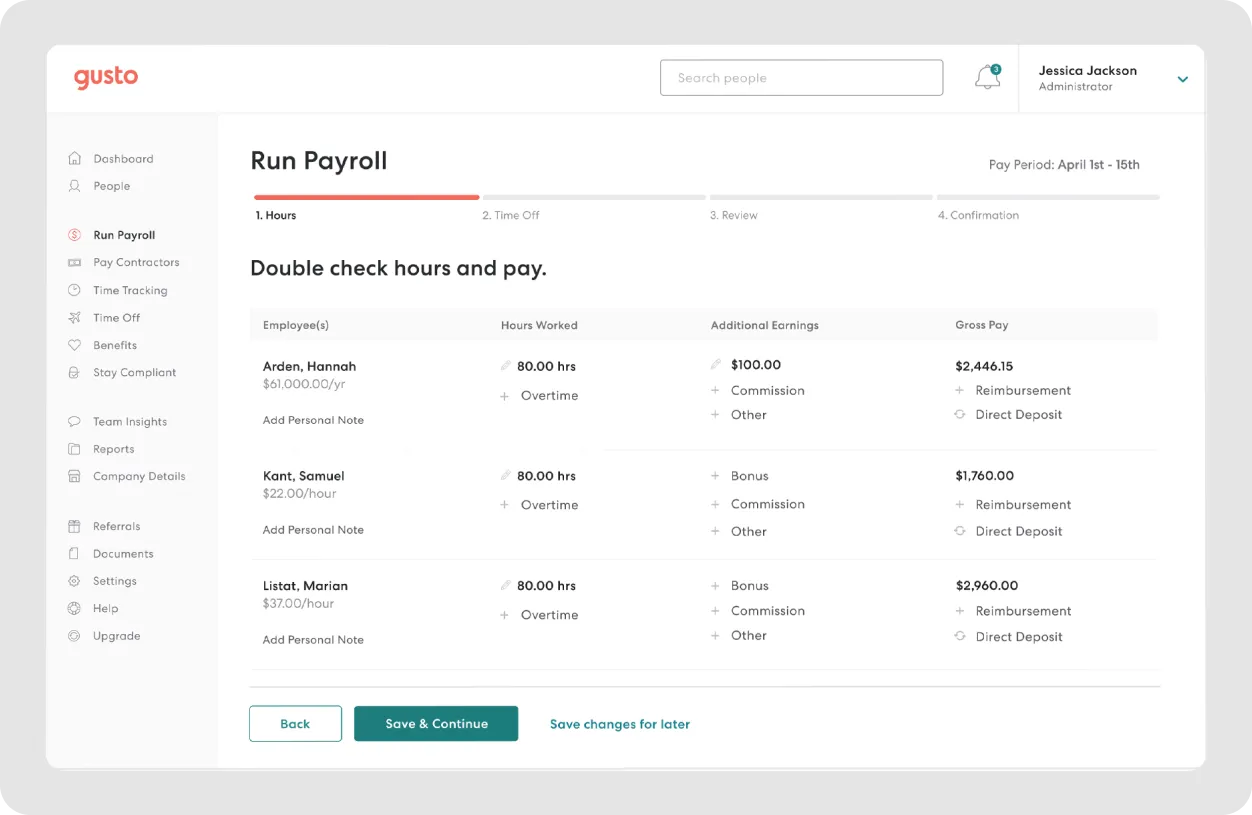
Gusto is a payroll and HR platform for small and mid-sized businesses that want to run payroll, manage benefits, stay compliant and ensure financial inclusion.
It’s popular among teams with a mix of salaried and hourly workers who need flexible pay schedules, automated tax filings and easy setup for health insurance or 401(k)s. It also connects with tools like QuickBooks and Xero.
Key features
Full-service payroll: Handles wages, taxes and payments for W-2 and 1099 workers. You can run payroll with bonuses, commissions or reimbursements and choose direct deposit or checks.
Employee onboarding and management: New hires can complete paperwork and set up direct deposit online. Their info (like pay history and PTO) is stored in one place.
Benefits administration: Connects to health insurance, retirement plans and commuter perks. Payroll deductions are automatic and it’s easy to update coverage as your team grows.
Combines custom dashboards, scenario-based forecasts and hands-on financial expert support
SMBs and growing companies looking for strategic forecasting and CFO-level insight
Pigent
Forecasting & planning
Flexible, collaborative scenario planning and modeling with centralized data
Mid-sized to large companies needing cross-functional planning and analysis
Float
Cash flow management
Real-time visibility and control over spending via smart corporate cards
Canadian SMBs managing team expenses and aiming to simplify spend tracking
QuickBooks
Accounting software
Core accounting with strong automation and customizable financial reporting
Small to mid-sized businesses that need a complete but easy-to-use accounting tool
Xero
Accounting automation
Streamlined invoicing, reconciliation and multi-currency accounting
Small businesses wanting a user-friendly accounting platform with automation
Cube
Reporting & dashboards
Spreadsheet-native interface with centralized formulas and bi-directional data sync
Finance teams that rely on Excel or Google Sheets but want more control of their finances
LiveFlow
Reporting & dashboards
Live syncing from QuickBooks to spreadsheets for real-time reporting
Teams managing reporting in Google Sheets who want live financial data
Planful
Budgeting tools
FP&A platform with Excel integration and rolling forecasts
Mid-market and enterprise teams managing complex budgets and consolidations
Bill.com
Invoicing & AR/AP tools
Centralized AP/AR automation with invoice routing, payment scheduling and cash tracking
SMBs aiming to automate payables, receivables and reduce manual entry
Gusto
Payroll tools
Automated payroll, benefits, onboarding and compliance in one platform
Small businesses needing an all-in-one HR and payroll system
How to choose the right tools for your finance stack: Checklist
Before you commit to a new tool (or ten), run it through this checklist:
Does it integrate with my existing systems? If your tool can’t talk to your accounting software, CRM or payroll system, it’s just another data island. Look for tools with built-in integrations or open APIs.
Can your team actually collaborate in it? Company finance is a team sport. Ensure your tools support shared access, approvals and real-time updates so everyone’s on the same page.
Is it built to grow with you? Your tools should scale as your team, entities and transaction volume grow, without falling apart when things get more complex.
Does it automate the grunt work? If you’re still entering numbers by hand or chasing down receipts, you’re behind. Automate reporting, approvals, invoicing and payroll where you can.
Is it powered by real AI forecasting tools or just rule-based logic? Look for tools with smart forecasting, categorization and insights, not just a prettier dashboard.
Are the outputs actually usable? Reports and dashboards should be clean, accurate and ready to drop into a board deck without hours of tweaking.
Is the data current? If it’s not real-time (or close), it’s not helping you make timely decisions.
If your stack checks most of these boxes, you’re in a solid spot. If not, it might be time to rethink the tools you’re relying on to manage your money.
Ready for a financial peace of mind?
Digital financial tools help you close the books on time, build forecasts that reflect real business changes and create reports that don’t need hours of cleanup before sharing with the board. They replace scattered spreadsheets, manual data entry and guesswork with faster, more reliable workflows.
If you're spending too much time pulling numbers from five tabs, explaining why your cash flow model doesn’t match your actuals or rebuilding budgets from scratch every quarter, it's time to make a change.
Fuelfinance is for companies that want clean dashboards, dependable forecasts and support from real finance experts (not last-minute spreadsheet fixes).
👉 Book a demo to see how Fuelfinance can bring structure, speed and clarity to your financial operations.
FAQs
What are examples of digital finance?
Digital finance includes tools and platforms that automate or enhance financial operations, such as budgeting software, forecasting tools, digital payment systems, cloud accounting platforms and spend management apps.
What are examples of digital financial assets?
Digital financial assets refer to value stored and transferred electronically, such as cryptocurrencies (e.g. Bitcoin), tokenized securities and digital representations of stocks, bonds or other investments.
What are digital financial products?
Digital financial products are services offered through digital platforms, like online loans, mobile bank accounts, virtual credit cards and robo-advisors for investing. They can be accessed and managed online or through apps.