See The New Fuel Live Recording


When did you last make a financial decision based on numbers you actually trusted?
If you’re running Xero on its own — logging in to see what came in, exporting CSVs, stitching reports together in spreadsheets — you’re doing manual work just to answer basic questions about cash flow, margins, or growth. And by the time you get those answers, they’re already out of date.
That’s the problem. Xero is excellent accounting software, but on its own it only shows part of the picture. Without integrations, your sales, payroll, inventory, forecasting and reporting data stay scattered across tools — which means slower decisions, more errors and less visibility into what’s actually driving performance.
This article is about fixing that. You’ll learn why integrations matter, how to choose the right ones for your workflow, and which Xero integrations are worth considering in 2026.
See also: Top Xero alternatives
There are more than 1,000 integrations on the Xero App Store, plus thousands of unofficial ones built on the Xero API by third-party developers. So the risk usually isn’t missing an option — it’s ending up with too many that just add cost and complexity without solving real problems.
Here's a three-step model that'll save you from six subscriptions you don't need.
Before you look at any apps that integrate with Xero, ask yourself: where is my time or money leaking?
Late sales invoices piling up? Payroll costs that never reconcile cleanly against your books? No clear overview of cash position beyond what you can see in your bank accounts right now? Pick one problem. The integration that removes your biggest friction point will always beat a collection of the most popular tools.
The best Xero integrations do one of two things: push data into Xero automatically, or pull from it intelligently — without creating another island of information you have to babysit. What you're trying to avoid is adding more data entry to your business processes. If it doesn't keep everything automatically synced across your stack, it's not solving the problem, just relocating it.
Most tools on this list use Xero's open API, which is genuinely well-built. It supports real-time data syncing, custom integrations for businesses with specific needs, and gives Xero developer access to build tailored workflows when off-the-shelf doesn't cut it.
Xero records what happened. It tracks payments, logs recurring transactions, handles sales tax, tracks your users' chart of accounts, reconciles your bank accounts, and keeps your books clean. But it doesn't tell you whether you're on track. It doesn't model what happens if revenue drops 20% next quarter. It doesn't flag that your CAC has been creeping up for four months.
If you need to know what's going to happen — forecasts, scenario planning, budget vs. actual — you need an FP&A layer sitting on top.
See also: FP&A Vs Accounting & Why You Need Both
The eight tools below that integrate with Xero made this list because they solve real problems, without creating a mess of disconnected data you have to untangle every month-end.
Tool
Category
How it extends Xero
Key feature
Fuelfinance
FP&A / Financial management
Turns accounting data into forecasts, dashboards & decisions
AI forecasting + dedicated finance manager
Gusto
Payroll & HR
Pushes payroll journal entries directly into Xero
Auto tax filing + benefits management
Stripe
Payments
Syncs every transaction to Xero in real time
Auto invoice matching
Hubdoc
Document capture
Fetches receipts/invoices and publishes to Xero
OCR extraction + cloud storage
HubSpot
CRM
Connects sales pipeline to invoicing and revenue data
Deal-triggered invoicing
Dext
Expense management
Auto-captures, categorizes, and pushes expenses to Xero
Receipt photo + supplier statement fetching
Chaser
Accounts receivable
Automates payment chasing across email and SMS
Multi-channel reminders with Xero sync
Shopify
E-commerce
Syncs store sales, refunds and payouts to Xero
Automatic tax rates categorization
Here's the full breakdown.
If Xero is your financial memory, Fuelfinance is the thinking cap.
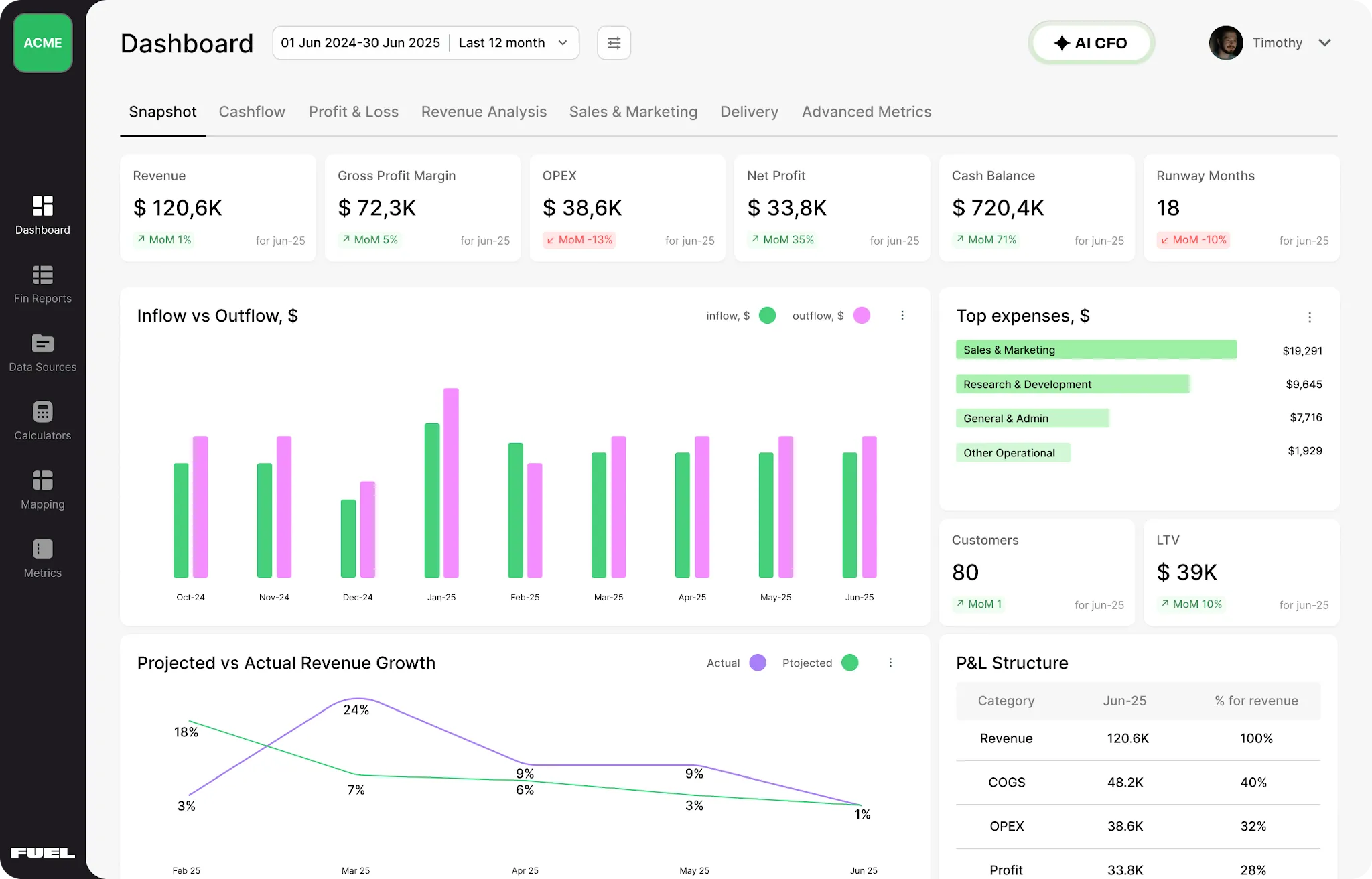
It's a cloud-based financial department built for small businesses, mid-level and growing companies and agencies who've outgrown "export to spreadsheet, figure it out." It connects directly to Xero (plus QuickBooks, other accounting software and 350+ other tools) and turns your raw accounting dashboard data into real-time visibility, AI-powered forecasts, and the kind of financial clarity that used to cost you a full-time CFO. No manual data entry, no waiting for month-end, no guessing.
What it actually does:
Ready to see what your Xero data is actually telling you? Book a Fuelfinance demo — and change how you run your finances.
Source: Software Advice
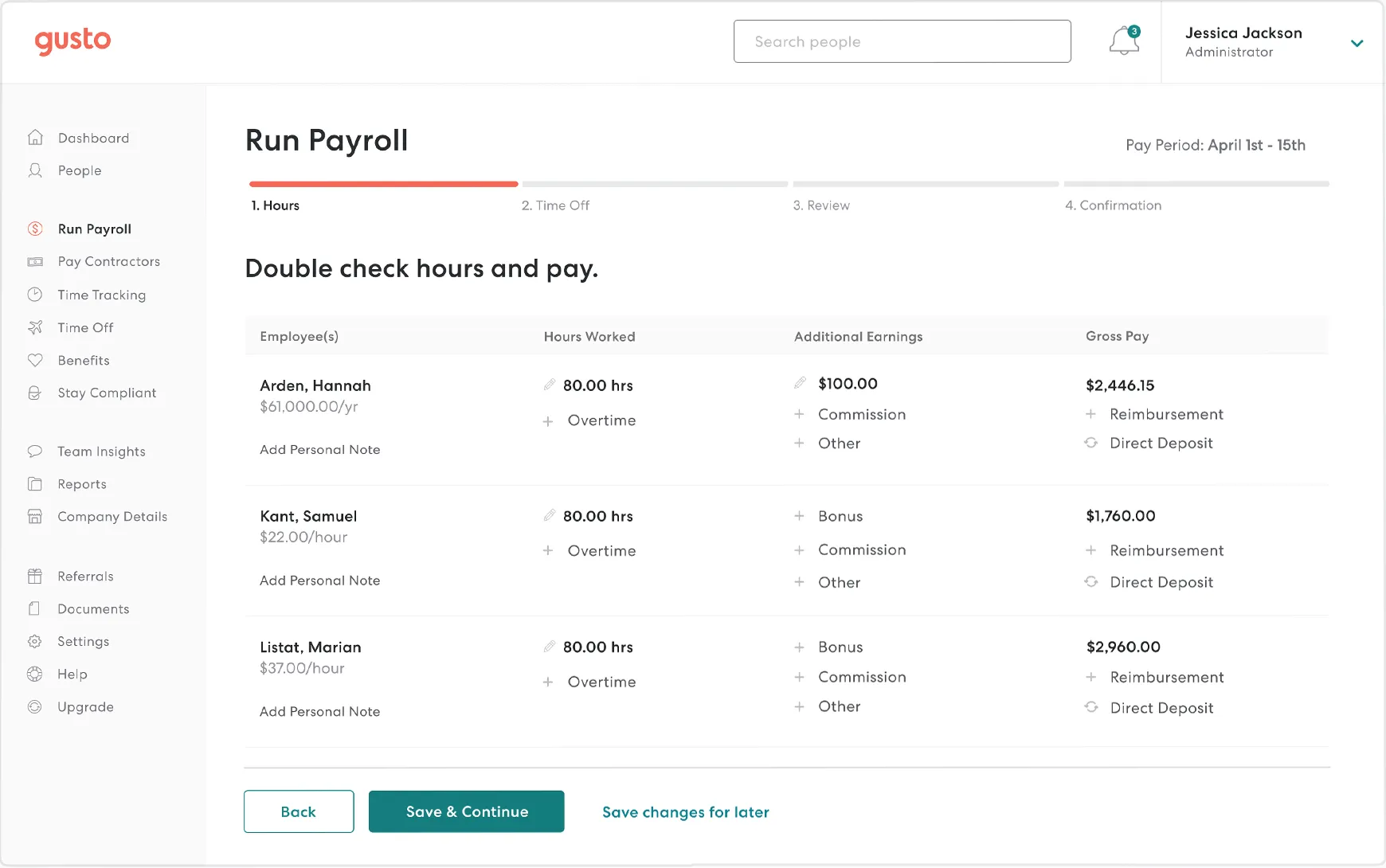
Payroll is one of the most expensive line items in any business. It's also one of the messiest things to reconcile. People get paid on Friday, the journal entry gets created in Xero sometime next week, tax rates are calculated manually, and by the time someone looks at the P&L, the numbers don't match what actually went out.
Gusto fixes this by handling all of it — payroll calculations, tax filings, benefits — and pushing clean journal entries directly into Xero after every pay run. Wages, taxes, deductions: all automatically synced, properly categorized, no manual data entry required.
What it handles:
Source: Stripe
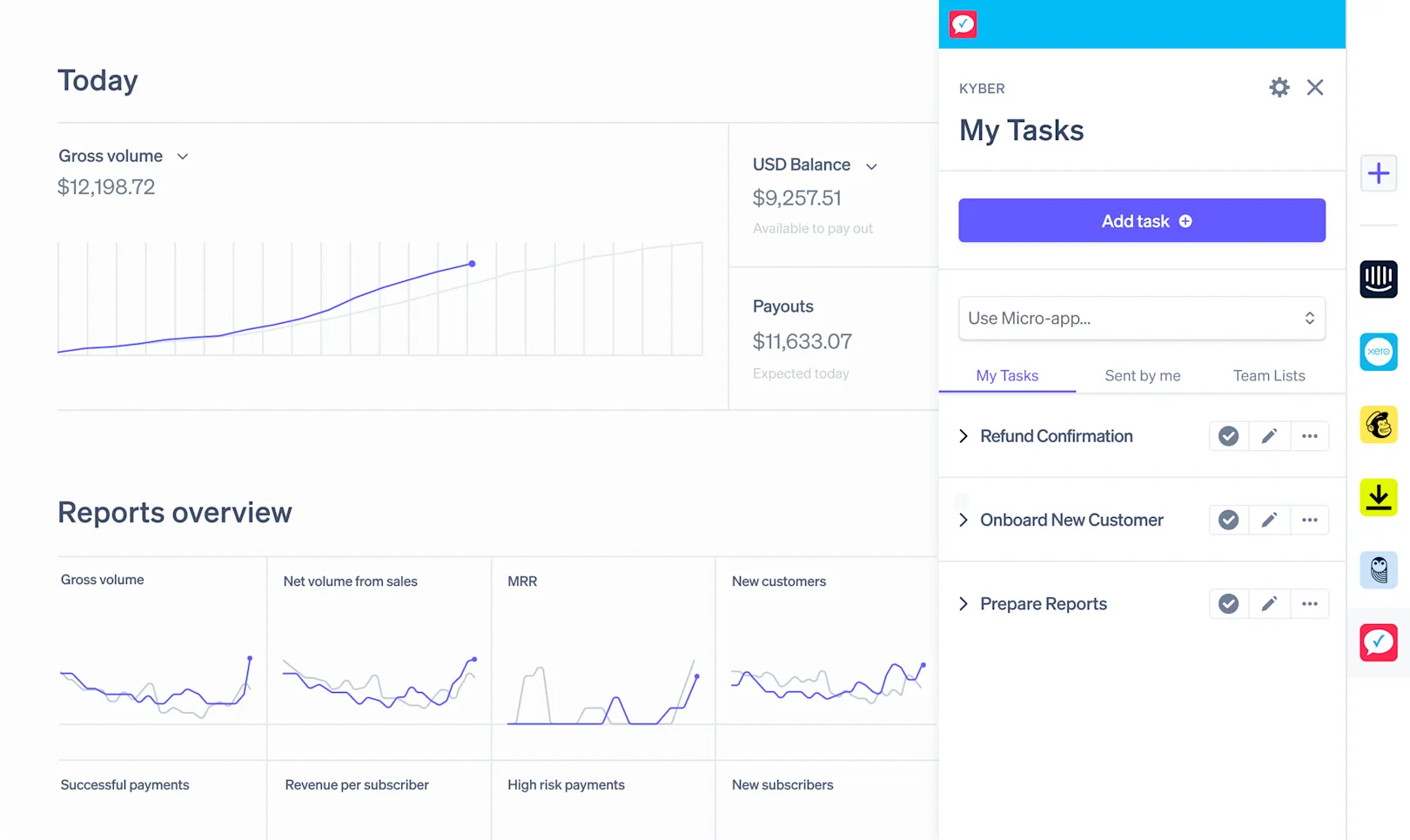
Every time a customer pays through Stripe (e.g., a sale, a subscription renewal, a one-off invoice), that transaction syncs to Xero. Your Xero sales invoices are automatically matched. Revenue shows up in real time, not when someone gets around to updating the books.
If you've been manually matching deposits to open invoices, accounting for processing fees, and figuring out which sales tax bucket things fall into, you already know how much this eats into your week.
What the Xero integration does:
Source: Software Advice
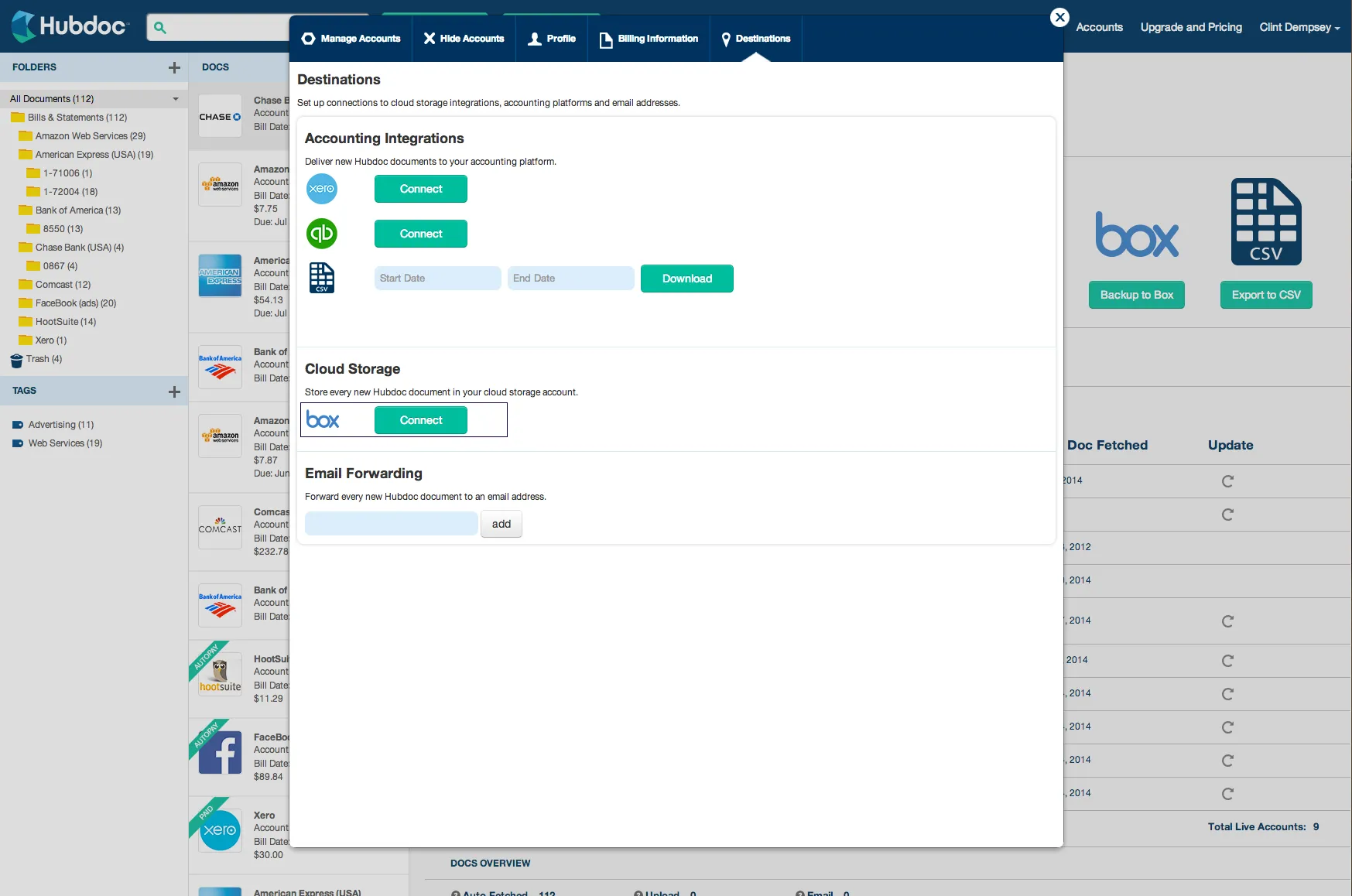
Hubdoc does the document grunt work. It automatically fetches financial documents from email inboxes and supplier portals, extracts the relevant data using OCR, and publishes everything into Xero. Cloud storage, organized, searchable, with the original document attached for every transaction.
If your current process involves someone scanning receipts, emailing them to a shared inbox, and then another person typing them in manually, Hubdoc is going to make that workflow feel embarrassing in retrospect.
Key things it handles:
Source: Xero App Store
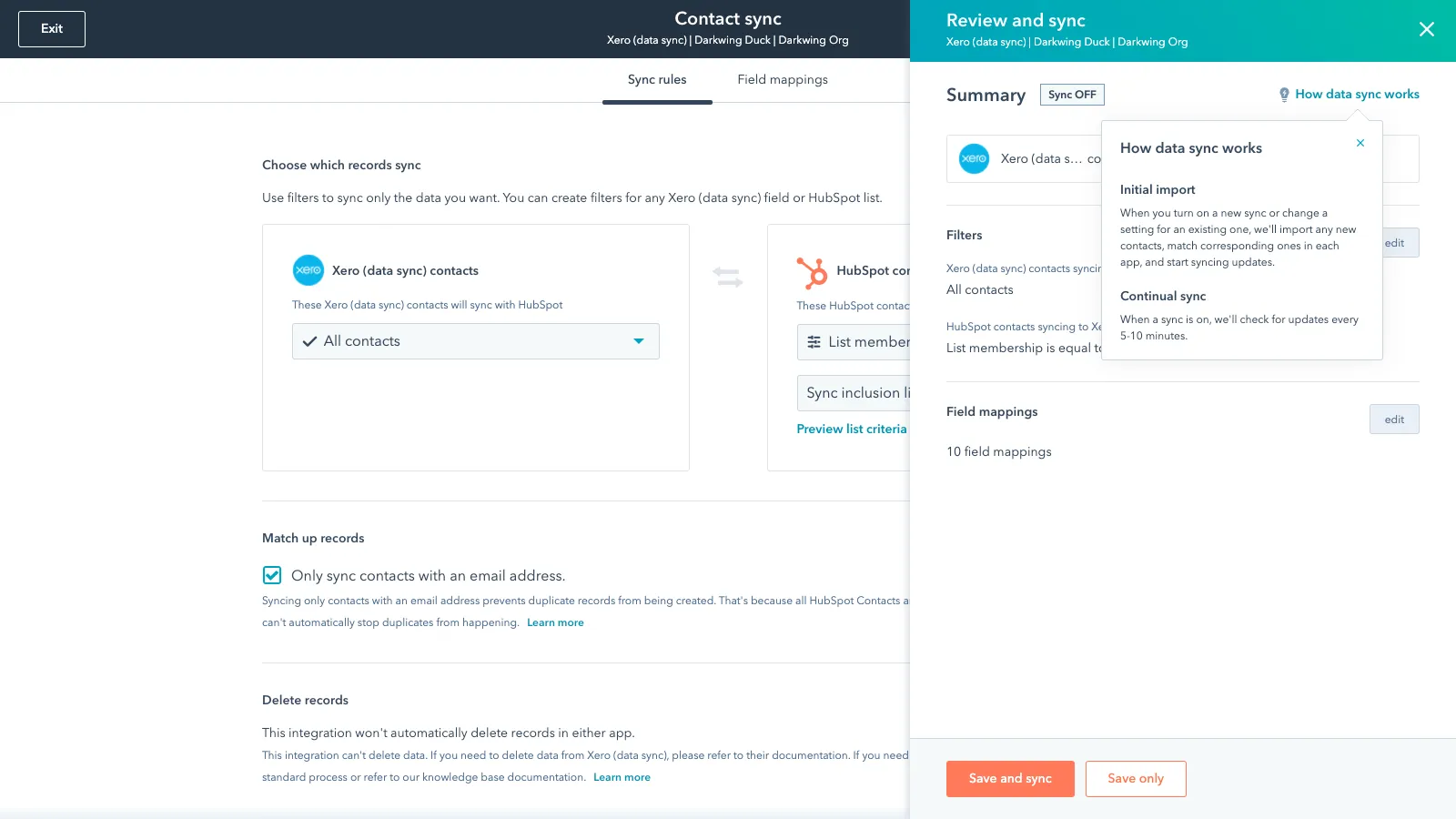
With the HubSpot–Xero integration, closed deals in HubSpot can trigger invoice creation in Xero automatically. Payment status syncs back the other way. A new contact in HubSpot becomes a new contact in Xero without anyone having to type it twice. Sales and finance are looking at the same data.
What this looks like in practice:
See also: Guide to HubSpot integrations
Source: Appvizer
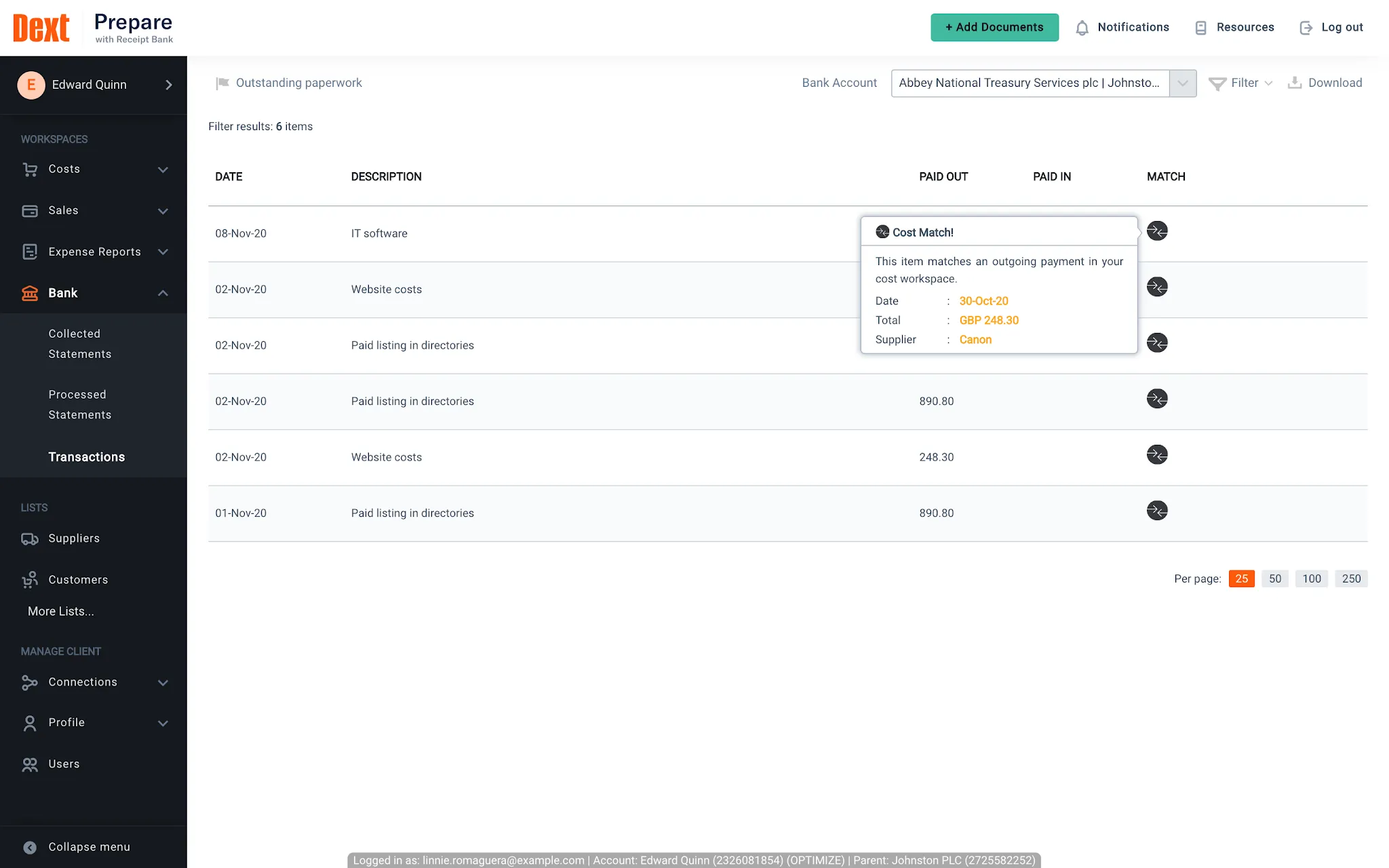
Dext takes the pain out of employee expenses. Someone on your team buys something, snaps a photo on their phone, and Dext automatically extracts the data, codes it against the right category, and pushes it into Xero. It also handles supplier statement fetching and auto-coding based on historical rules, which means your expenses hit your books correctly from the start.
Why it matters:
Source: Chaser
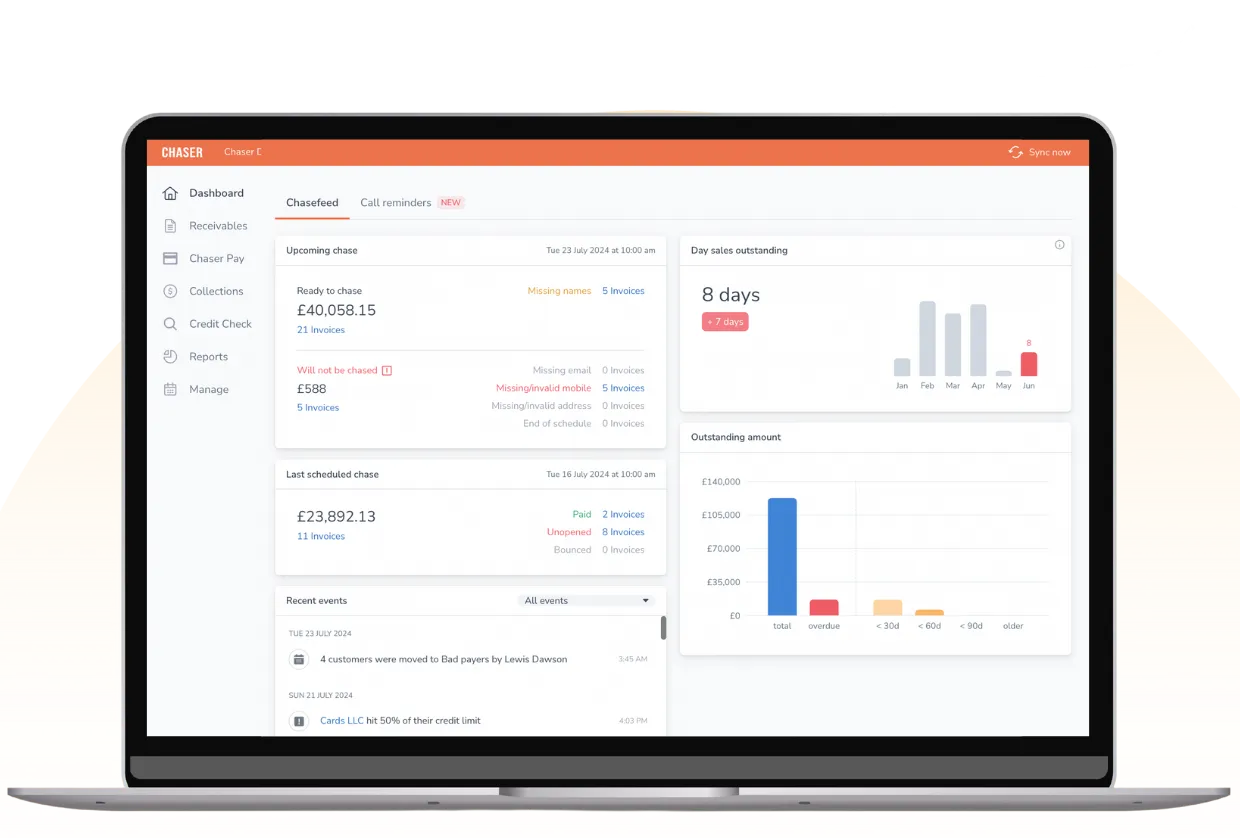
Chaser lets you send personalized payment reminders by email, SMS or auto-call on a schedule you define. They sync directly with Xero, so the reminders stop automatically when a payment is recorded — no more chasing invoices that have already been settled.
What it handles:
Source: Shopify Apps
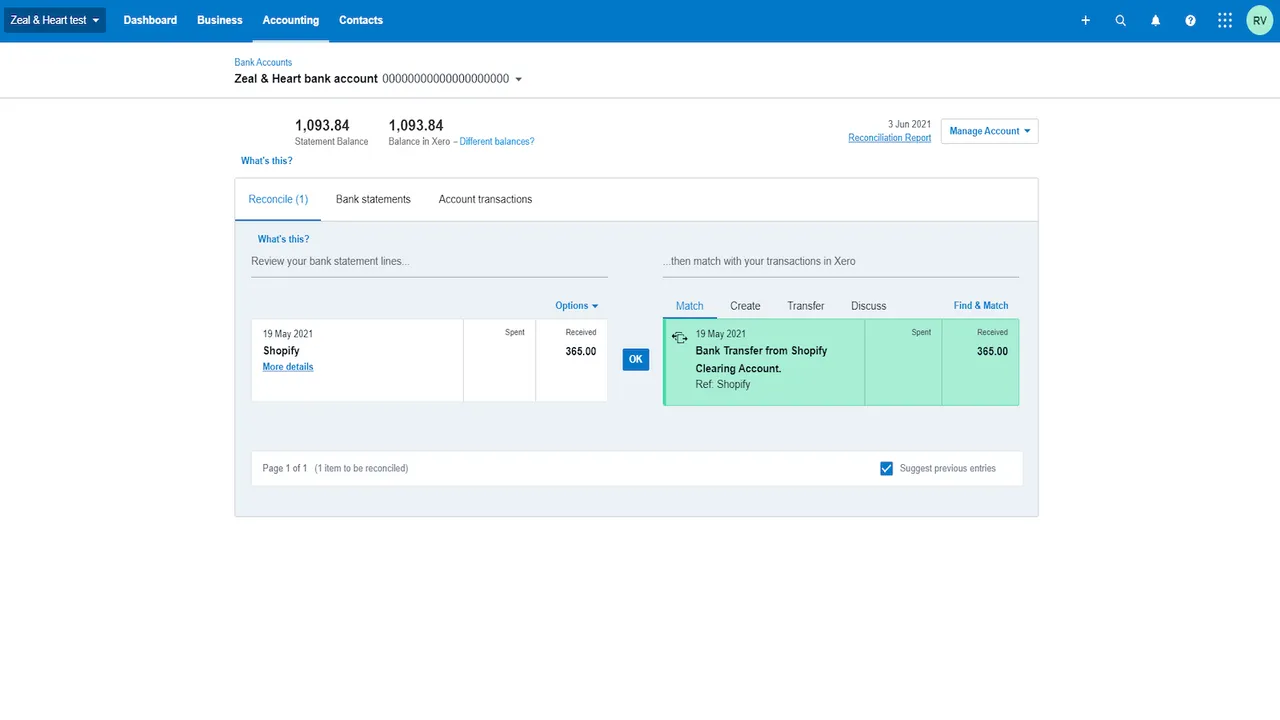
The Shopify–Xero integration syncs sales, refunds and payouts from your store. Tax rates are calculated and categorized correctly. The reconciliation between your store and your books stops being a monthly ordeal. If you're also managing inventory, note that the Shopify integration syncs sales-level data — for inventory accounting specifically, you may want a dedicated inventory app alongside it.
What it handles:
Not every business needs all of this. Here's a practical starting point:
For agencies and professional services:
For SaaS and subscription businesses:
For ecommerce and product businesses:
One more note on integration best practices: start with one or two tools. Get each one working properly before adding the next. If you're unsure what your Xero setup can support or want to think through custom integrations for more specific workflows, the Xero HQ resources, the community around Xero Practice Manager and the Xero partner network are useful places to start.
Xero is powerful. But on its own, it’s still a record of what already happened. The right integration stack — anchored by FP&A software and tools that keep your data clean — turns that record into a system you can actually run your business on.
What matters isn’t just visibility — it’s control. To actually steer the business, you need reliable forecasts, clear variance insights, and someone who can translate the numbers into decisions while there’s still time to change the outcome.
Fuelfinance connects to your Xero account, turns raw numbers into clear insights, and gives you the dashboards, forecasts, and hands-on support to act on them.
Book your Fuelfinance demo and see what your finances look like when they actually work for you.
Yes. Xero integrates with HubSpot, Salesforce and other customer relationship management platforms. The HubSpot integration lets you trigger invoices from closed deals and syncs payment status back into your CRM, so both sales and finance have a clear overview of what's been invoiced and what's been paid. If you want a deeper analysis of how CRM data connects to your financial performance, pairing it with Fuelfinance adds revenue-by-deal insight and forecasting tools that Xero won't give you.
Yes, and honestly, you should if your business is growing. Xero doesn't do forward-looking analysis. Connecting it to a financial forecasting tool like Fuelfinance gives you AI-generated revenue and cash flow projections, scenario planning, and budget vs. actual tracking, all pulling from your live Xero data.
A Xero add-on is an app available in the official Xero App Store, built to a Xero partner standard, reviewed and certified. A Xero integration is a broader term that covers any connection between Xero and other software, including things built via the open API that aren't in the App Store. The underlying Xero API is what makes all of it work. Either way, what matters is whether the connection is real-time, bidirectional and reliable, not what it's called. Check how frequently data syncs and whether it covers the specific fields your business needs (purchase order data, contact name mapping, custom tax rates, etc.).
Usually — no. Most connectors use Xero's open API and OAuth authentication, which means you connect your account, grant access, and the data starts flowing. Setup doesn't require a Xero developer. For more complex custom integrations or multi-system setups, you might need some help. Fuelfinance is built specifically to avoid the implementation nightmare: no months-long onboarding, no huge setup fees, and our team guides you through the whole thing.


Just imagine how that would transform your team’s productivity and focus? Talk to our financial experts to know more.